Certificate Locked
Complete the course to unlock the certificate
0% Completed
Required 100%
Let’s explore how Agentforce thinks and acts. In this lesson, you’ll learn how reasoning and LLM orchestration drive intelligent, real-time conversations.

Unlike traditional chatbots, Agentforce doesn’t follow a script. It uses real-time reasoning and AI orchestration to decide what to say — and what to do — based on user intent.
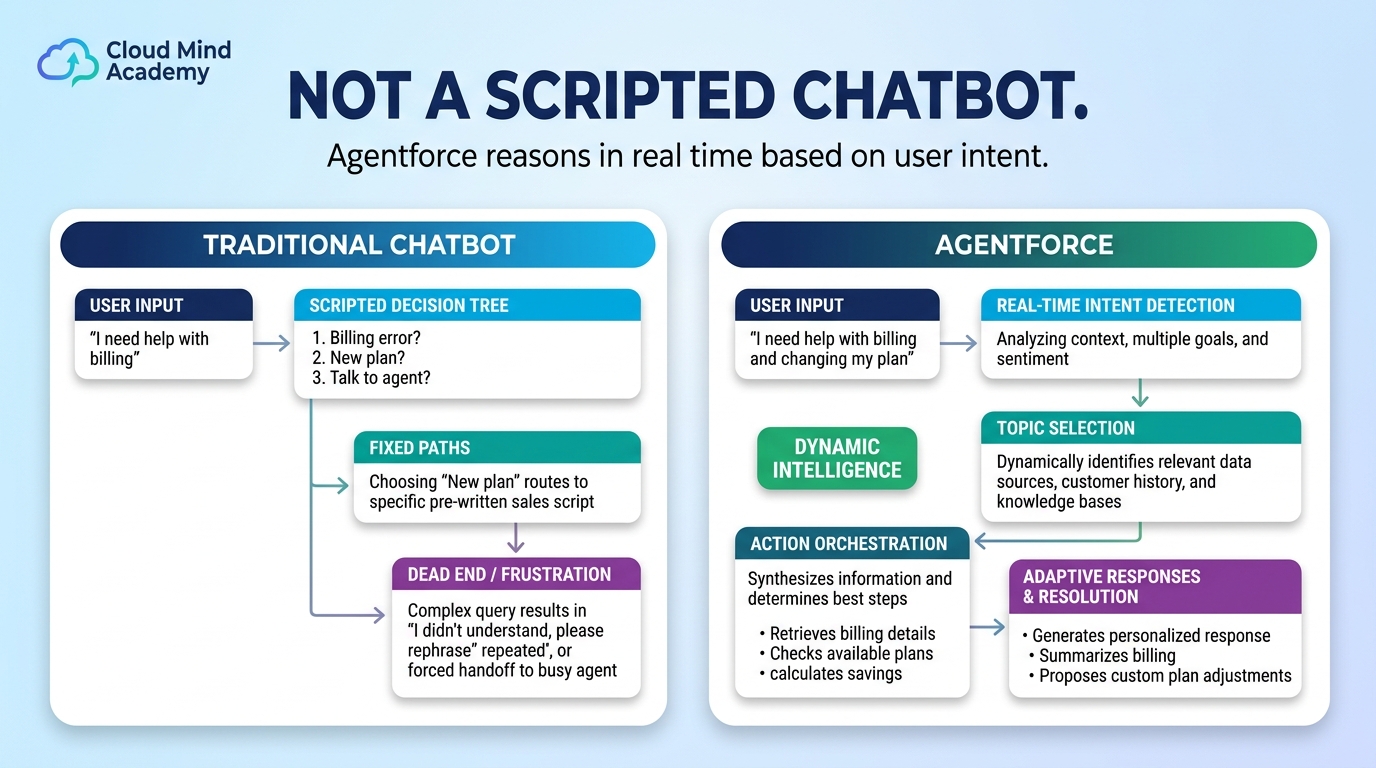
This is made possible through a powerful partnership between two core components: the Reasoning Engine and a Large Language Model (LLM).
Let’s break down how these two systems work together:
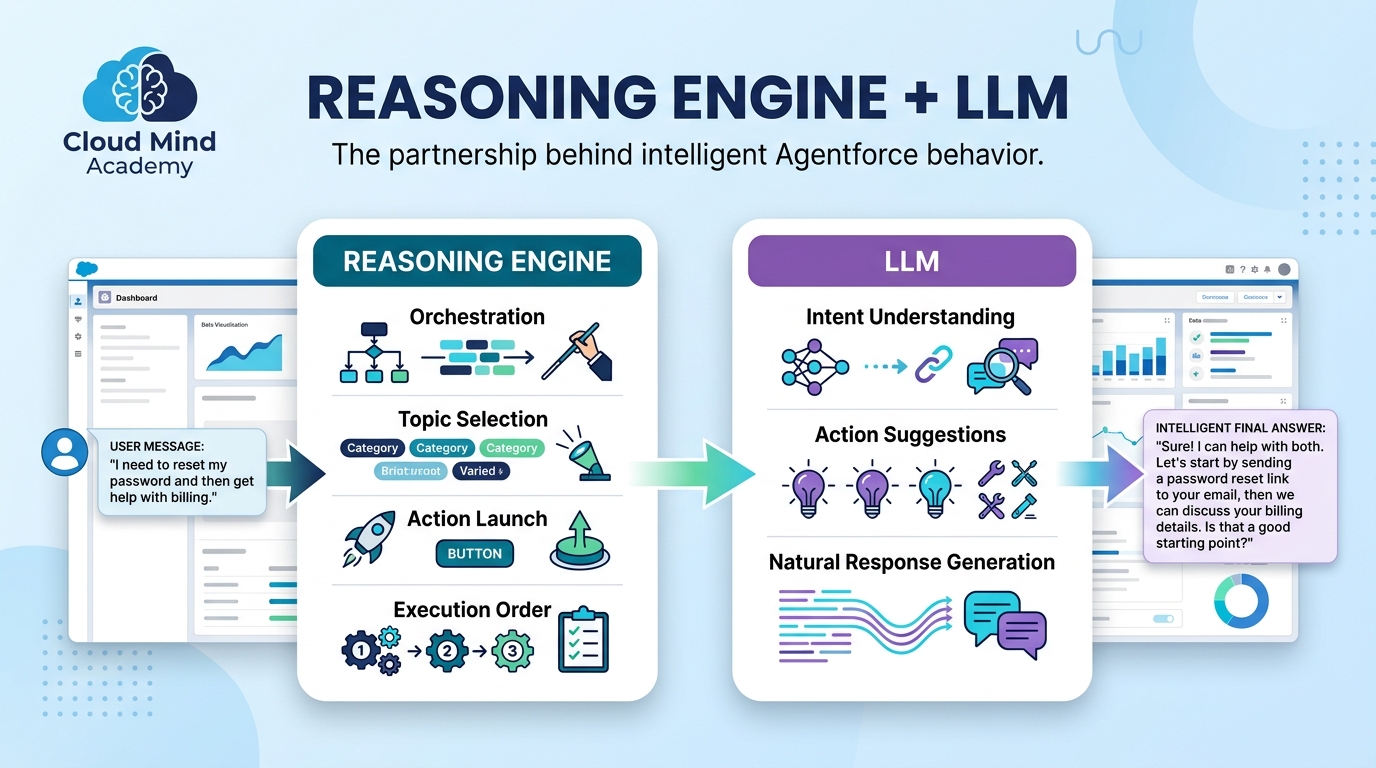

For every user message, the Reasoning Engine may call the LLM multiple times depending on complexity. The more advanced the request, the more planning and LLM involvement required.

When a user message comes in, here’s what happens behind the scenes:
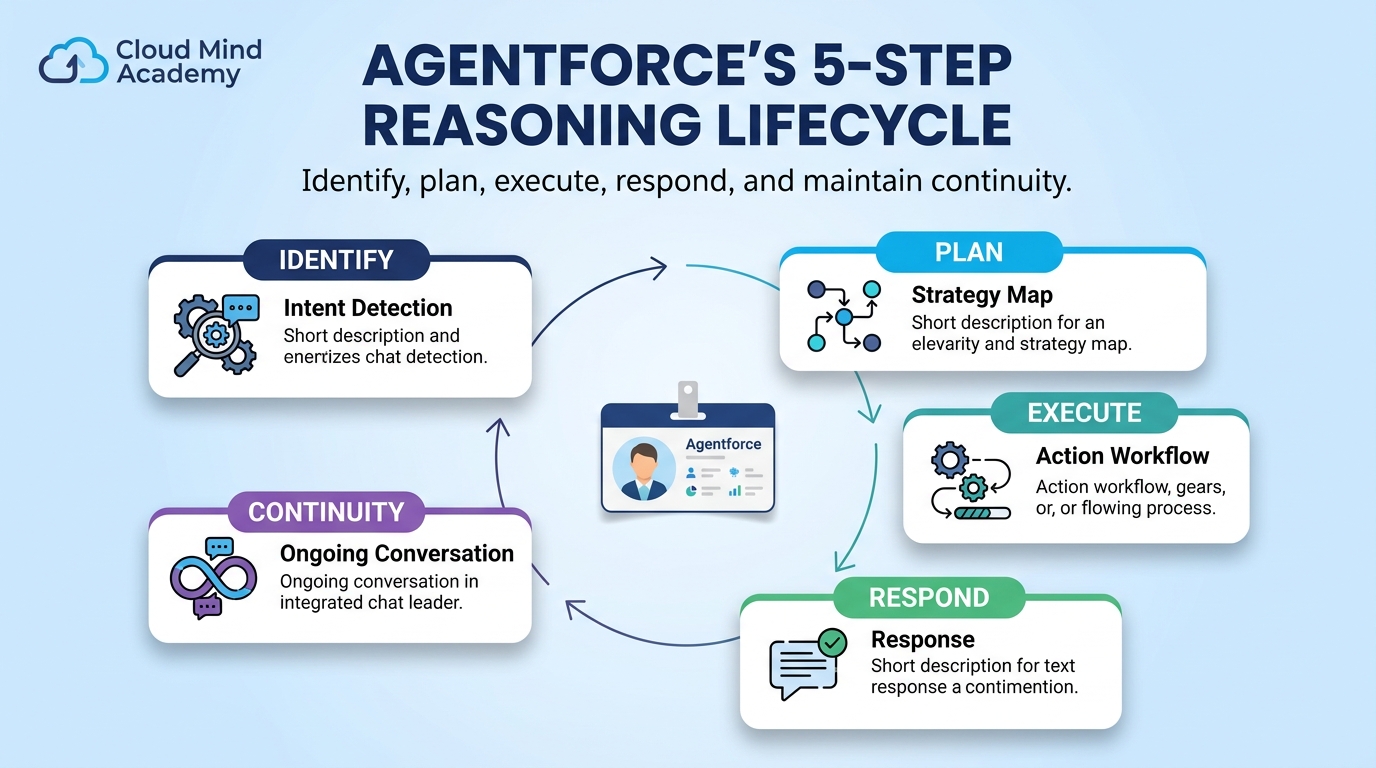
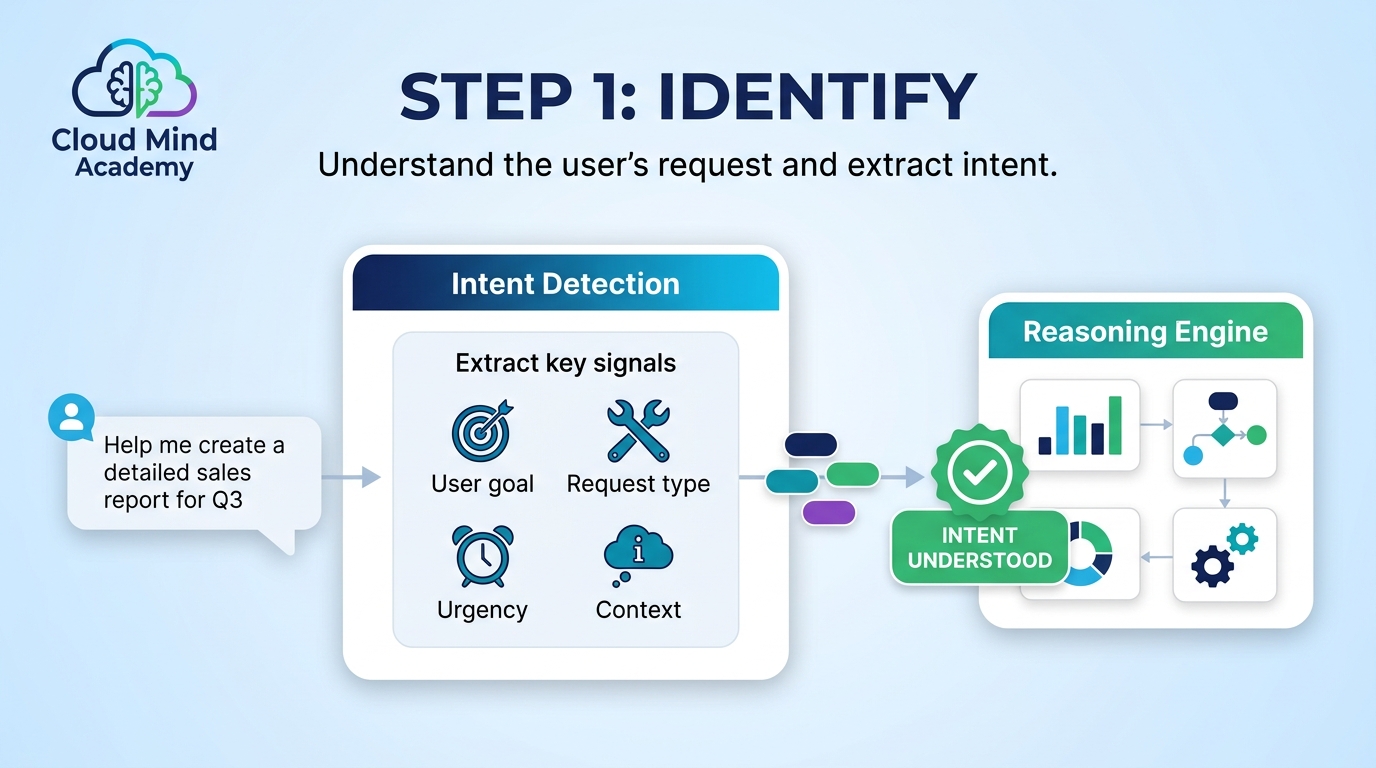
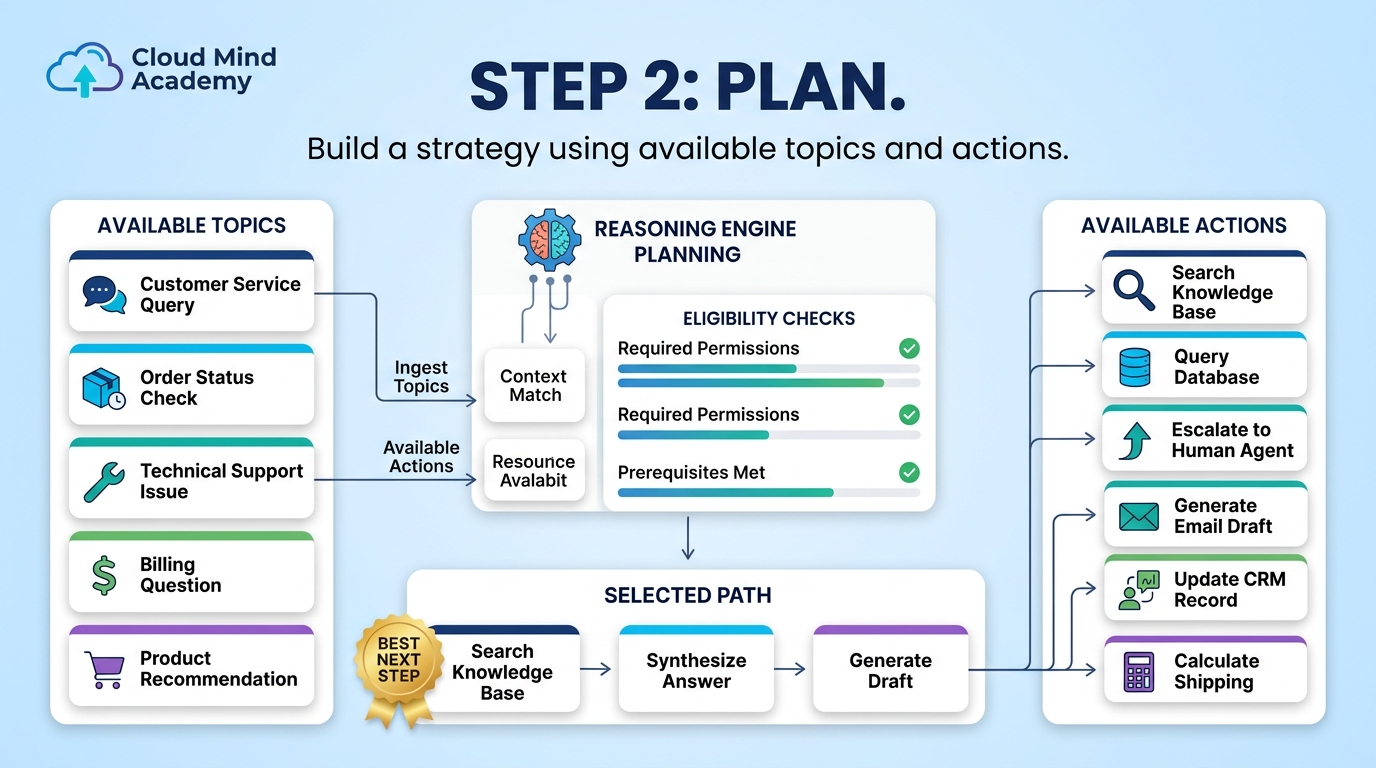
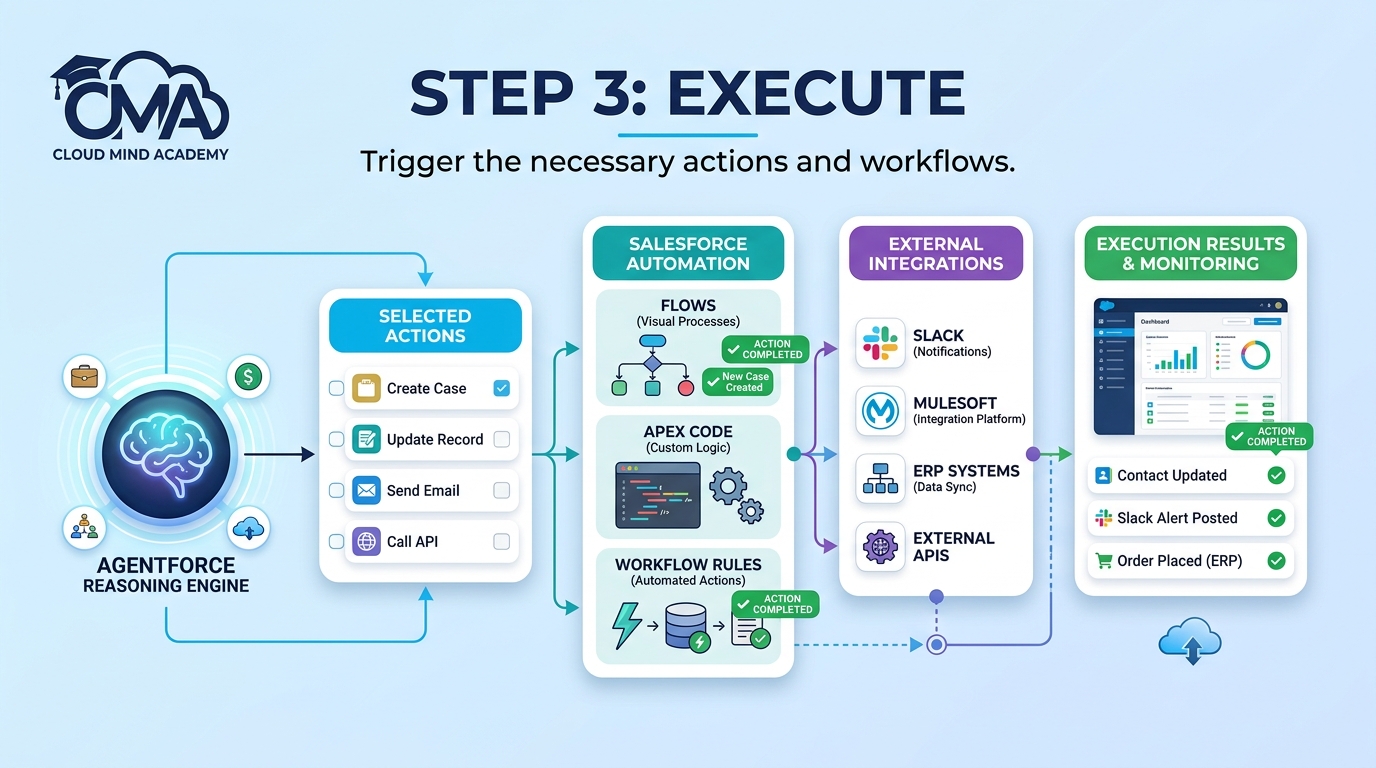

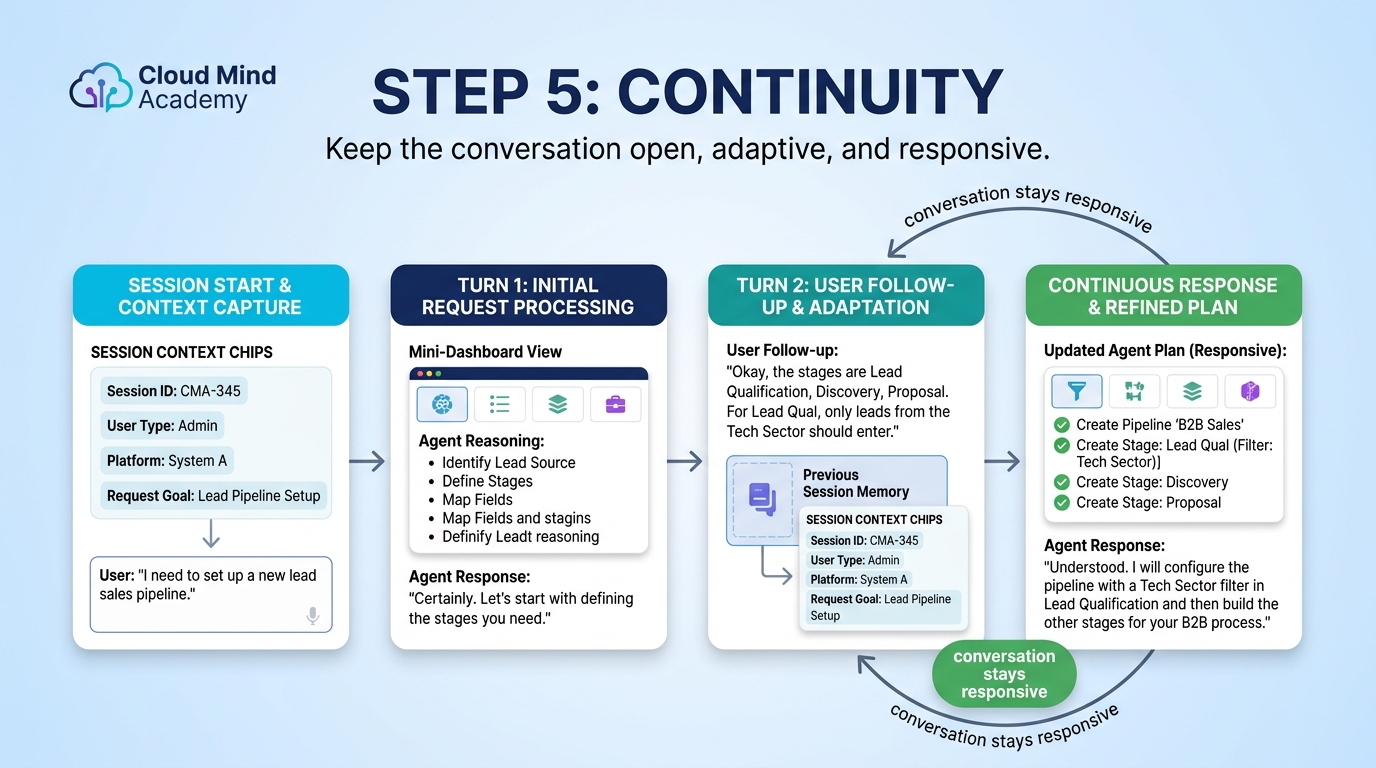
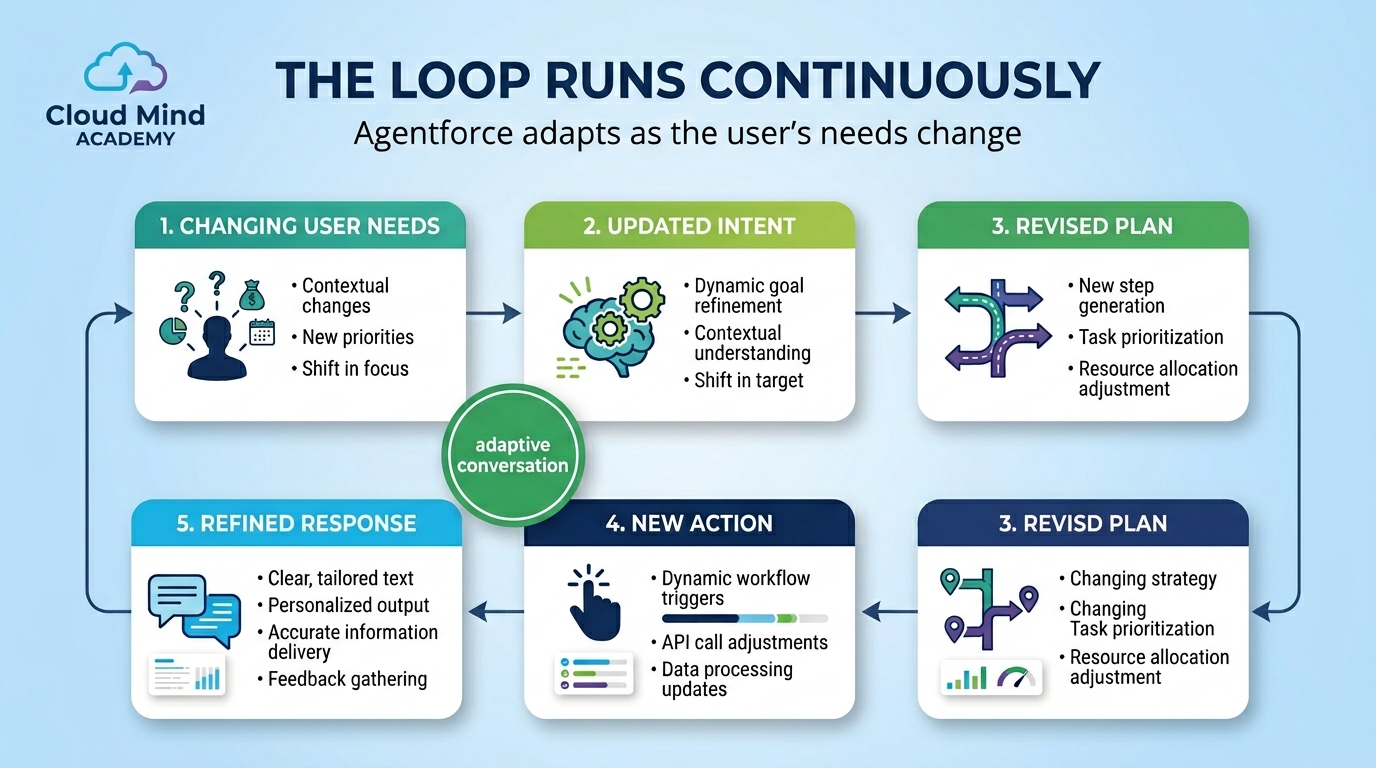
This loop runs continuously, allowing agents to adapt and respond to changing user needs without missing a beat.
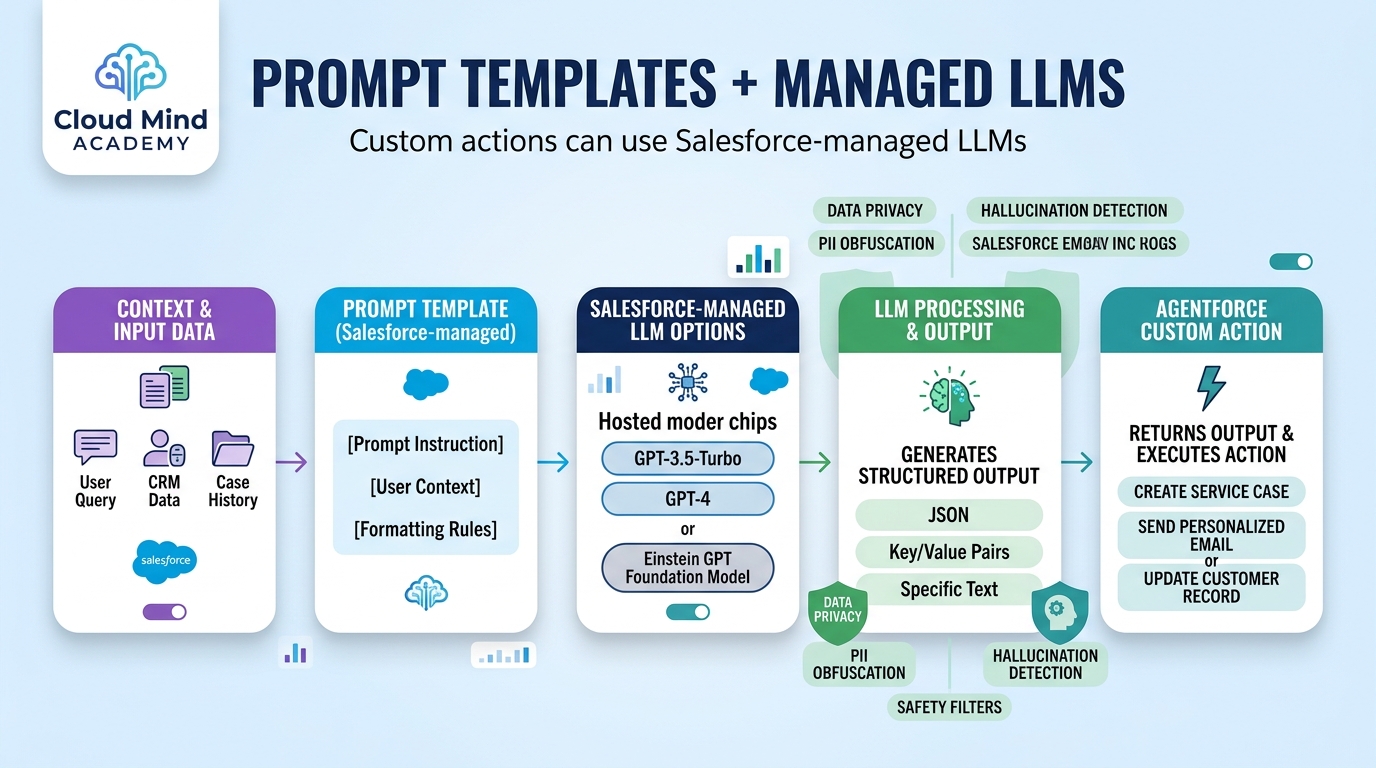
Agentforce is designed to support a variety of LLMs depending on the use case:


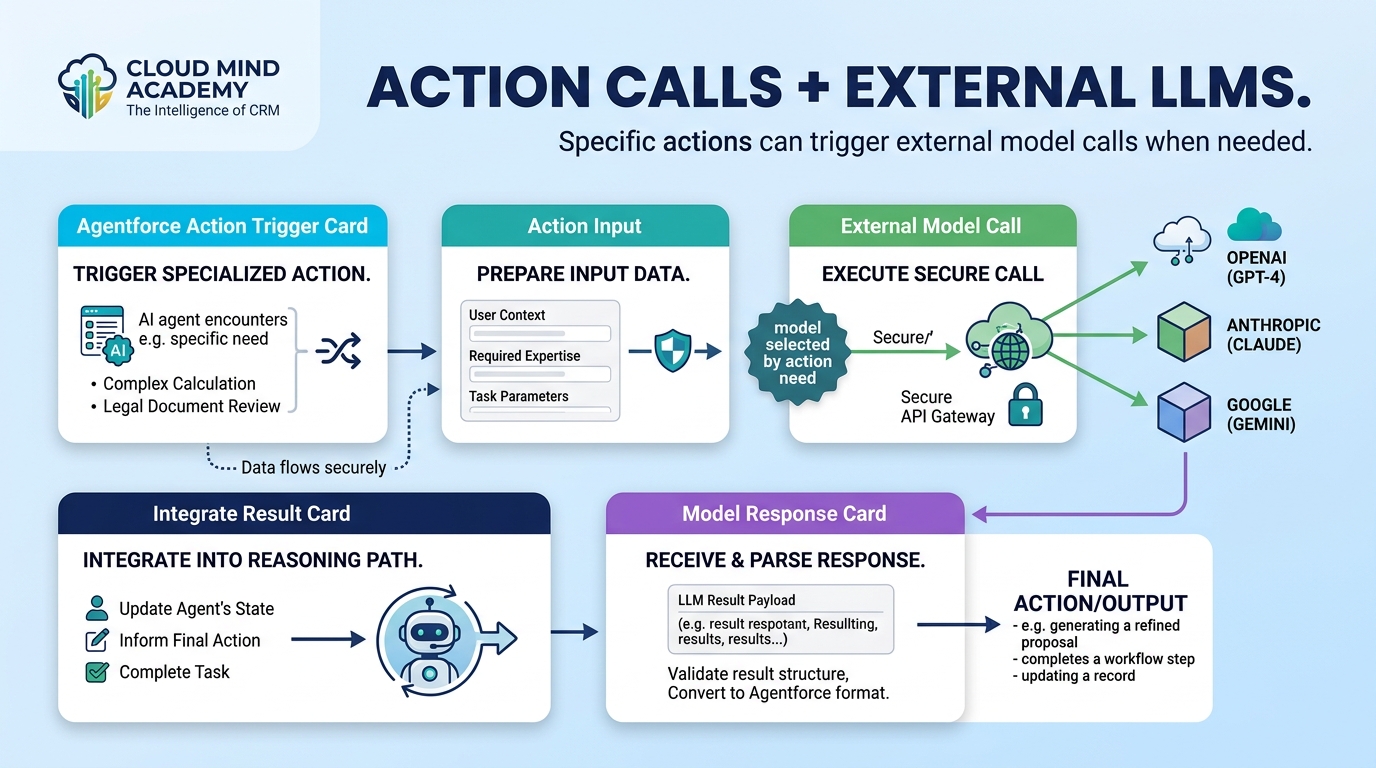
This gives you full control to balance performance, privacy, and cost — depending on what the agent needs to do.
To help you understand how an agent made a decision, Agentforce provides full traceability.
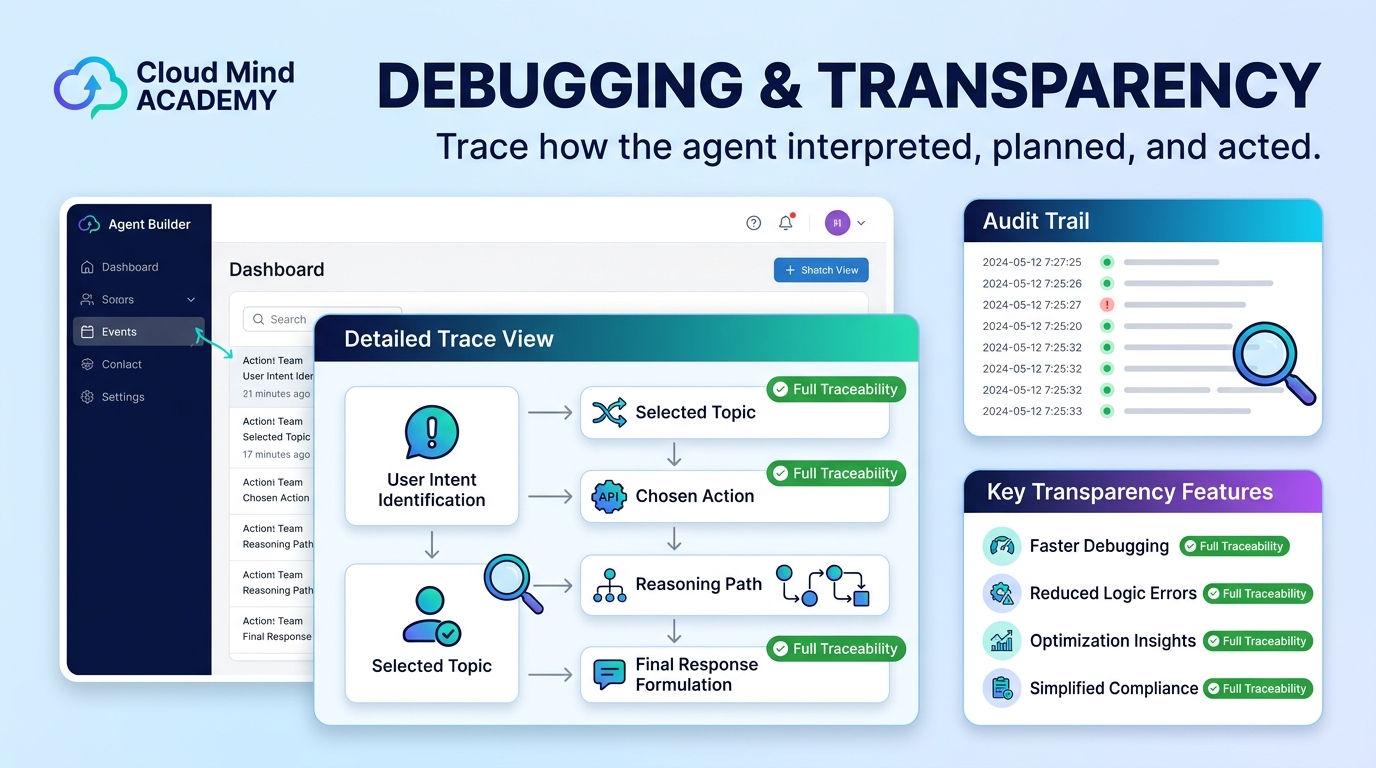

These logs are your best tool for improving accuracy, troubleshooting odd behavior, and proving auditability.
