Multi-Agent Interoperability
Model Context Protocol (MCP)
Learn what MCP is, why it matters in Agentforce, and how MCP servers expand your agent’s real-world capabilities—securely and at scale.
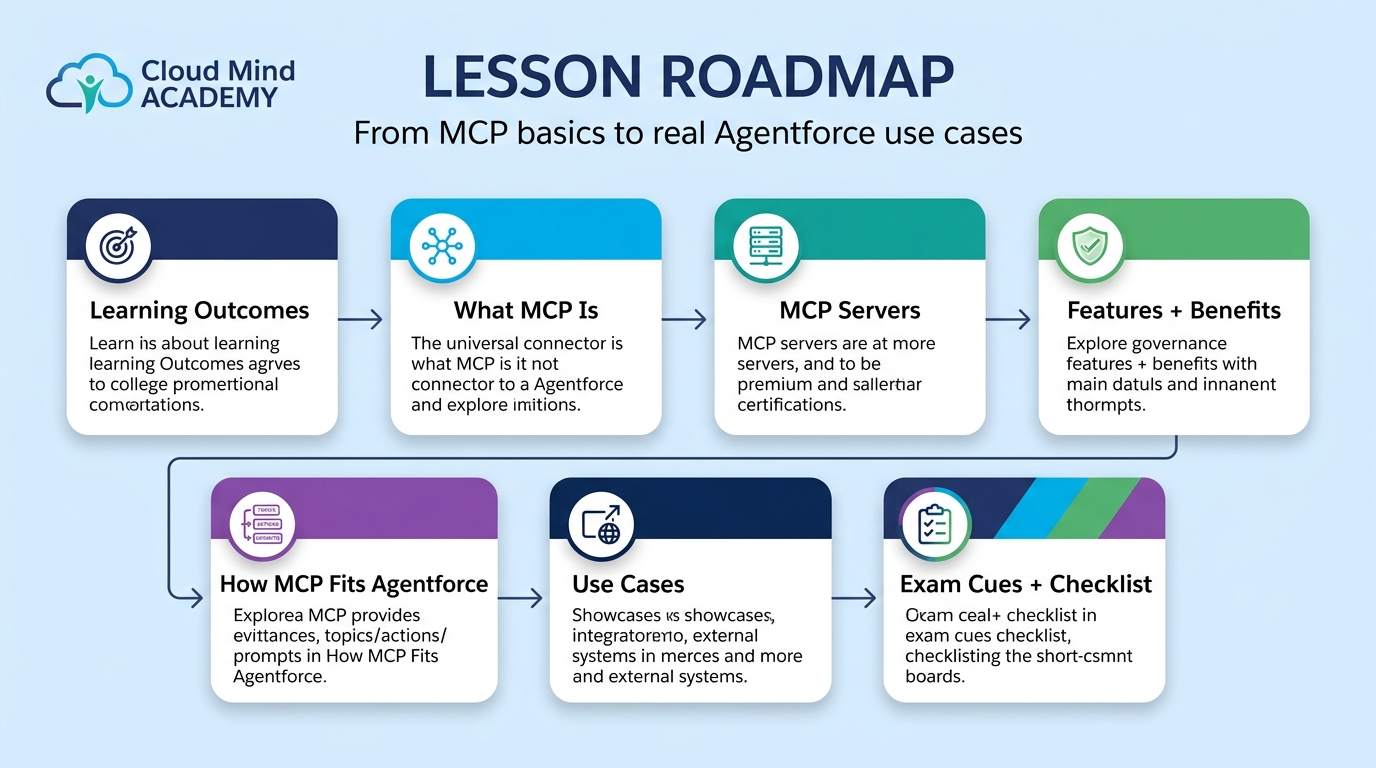
Table of Contents
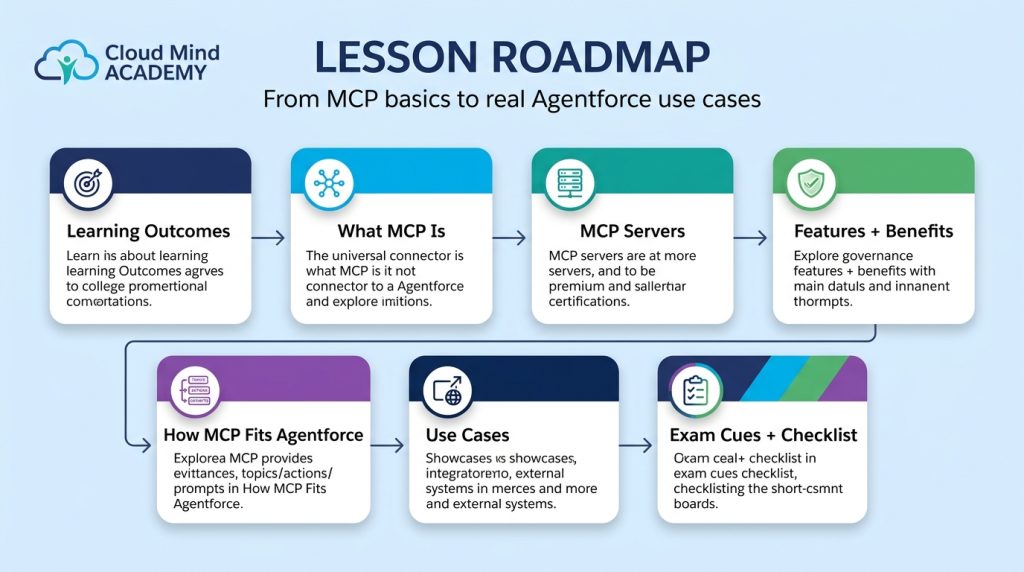
- Learning Outcomes
- What MCP is (plain English)
- MCP servers in Agentforce
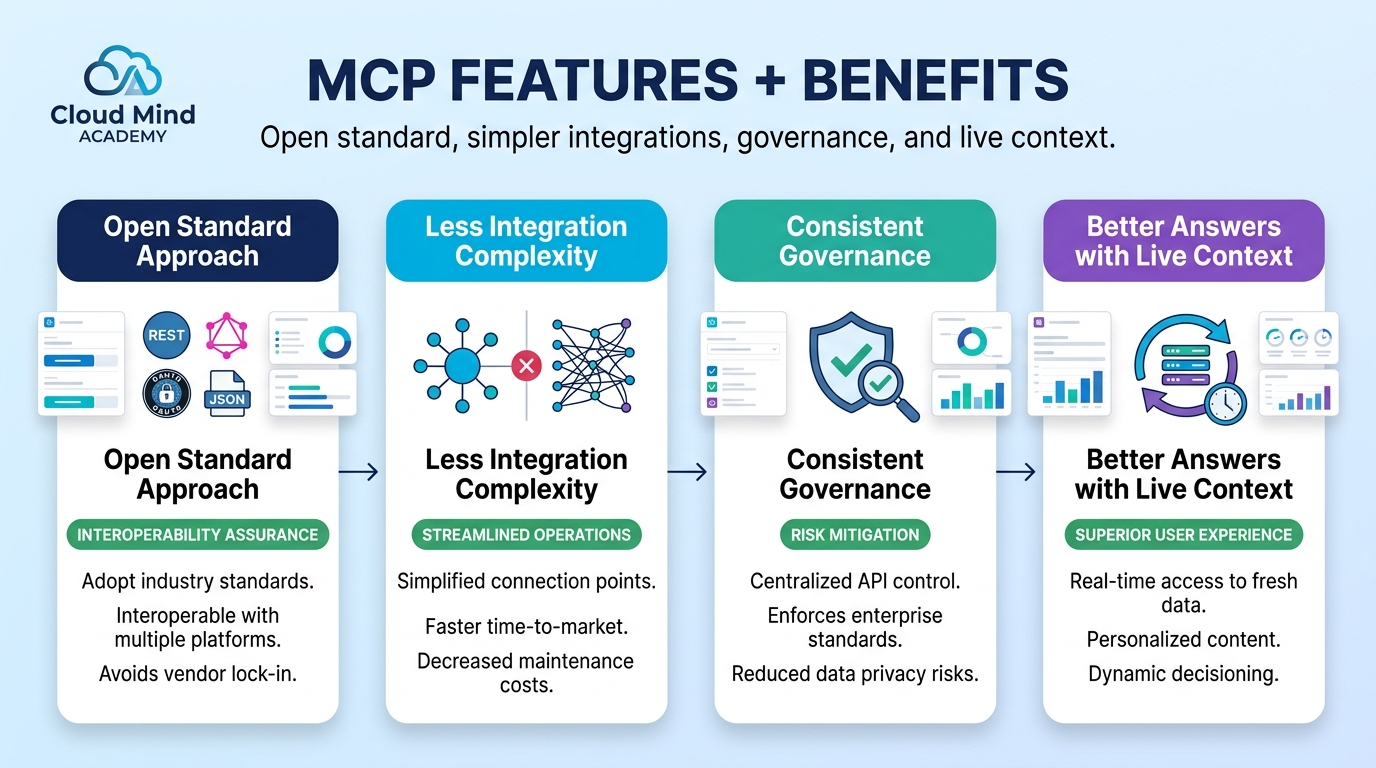
- Key features & benefits
- How MCP fits Agentforce (topics, prompts, instructions)
- Common MCP use cases
- Exam-style cues + checklist
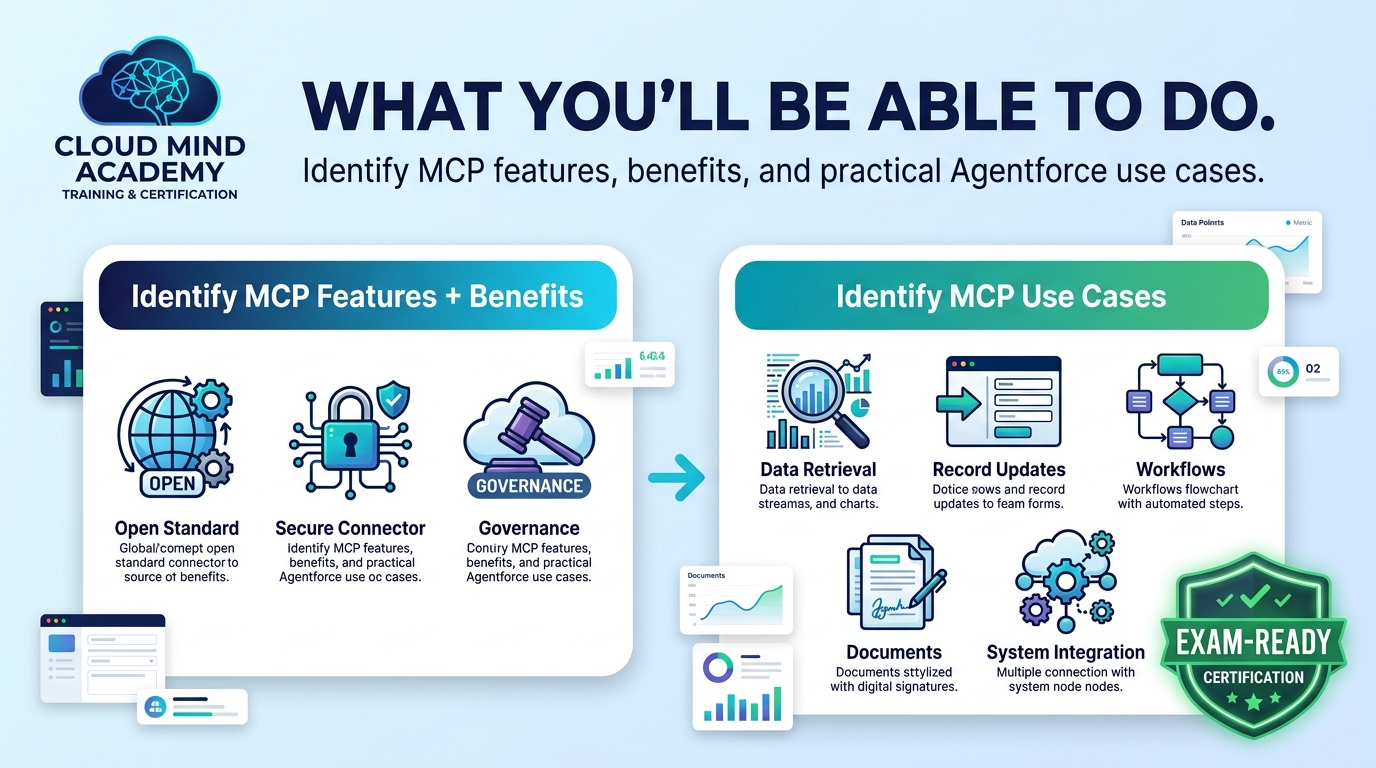
After this lesson, you can…
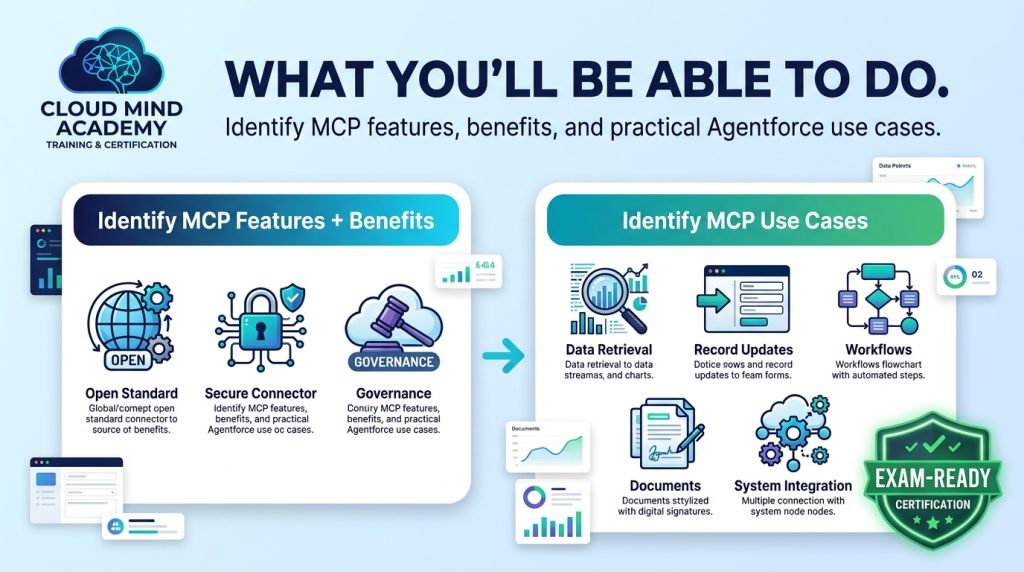
- Identify the main features and benefits of Model Context Protocol (MCP).
- Identify practical use cases for MCP in the Agentforce ecosystem.
Introduction
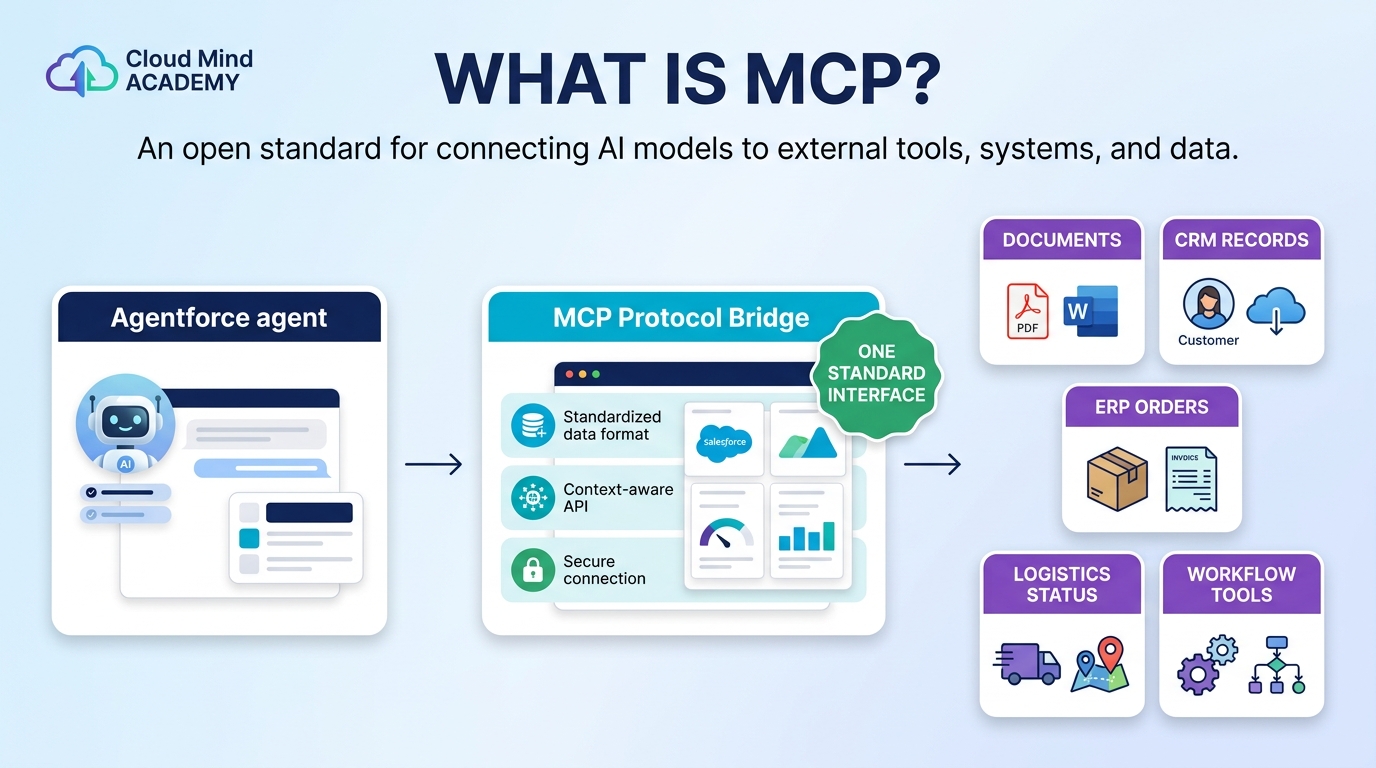
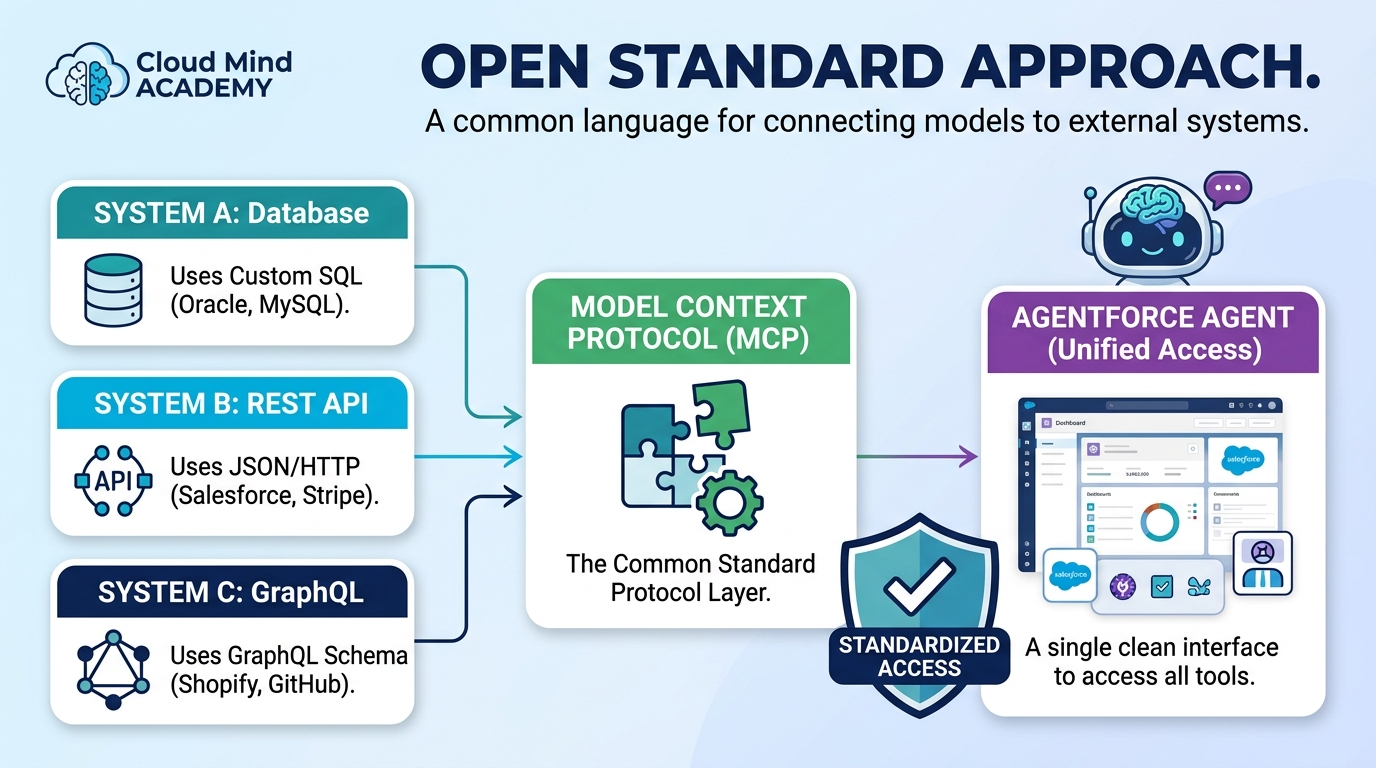
Model Context Protocol (MCP) is an open standard that defines how AI models connect to external tools, systems, and data. In Agentforce, MCP makes it easier to extend what agents can do—without building a custom integration for every system.
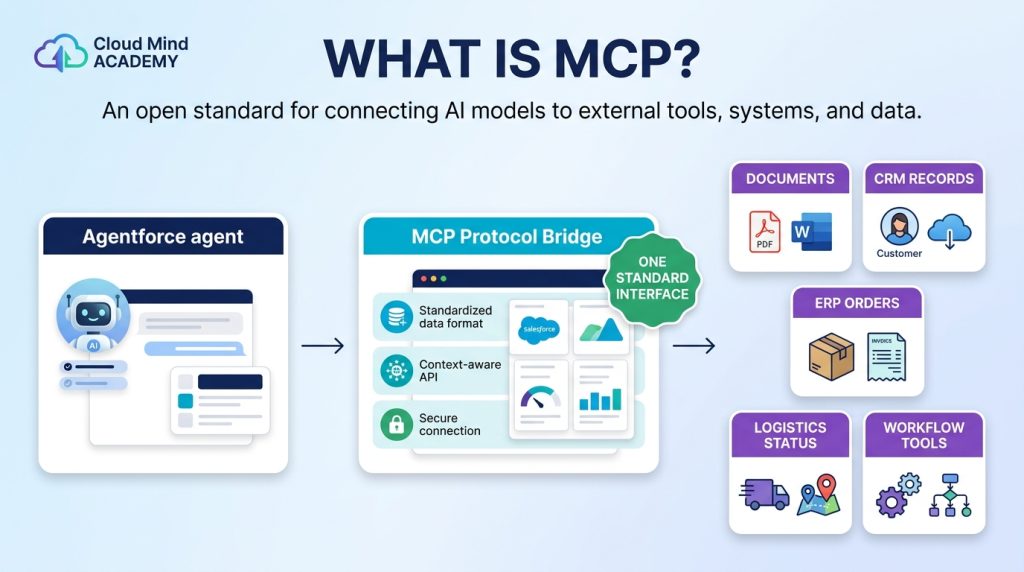
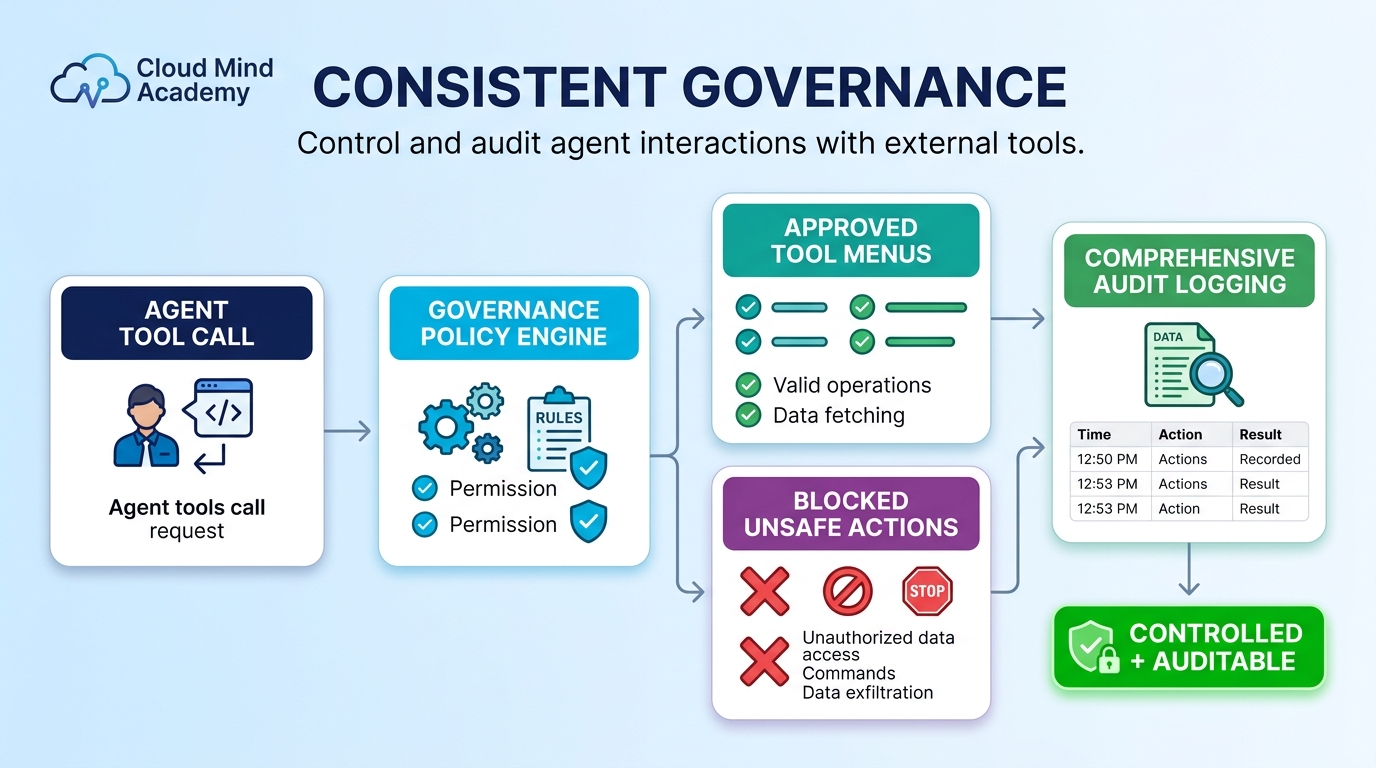
The big idea: MCP lets your agent securely “plug into” external capabilities through standardized interfaces called MCP servers. That means your agent can retrieve live data, update records, trigger workflows, or access documents across connected systems— while still operating with governance and security controls.
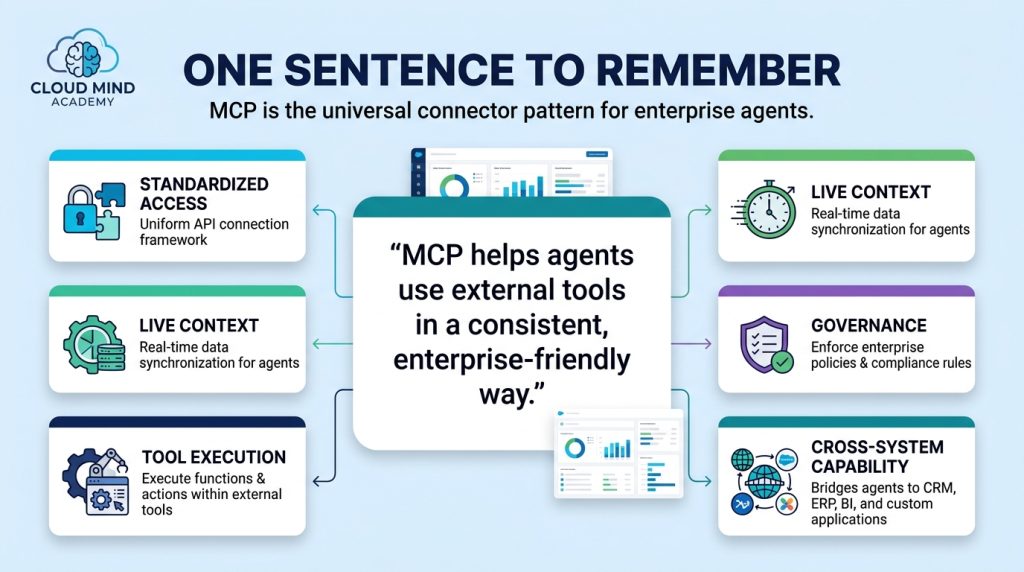
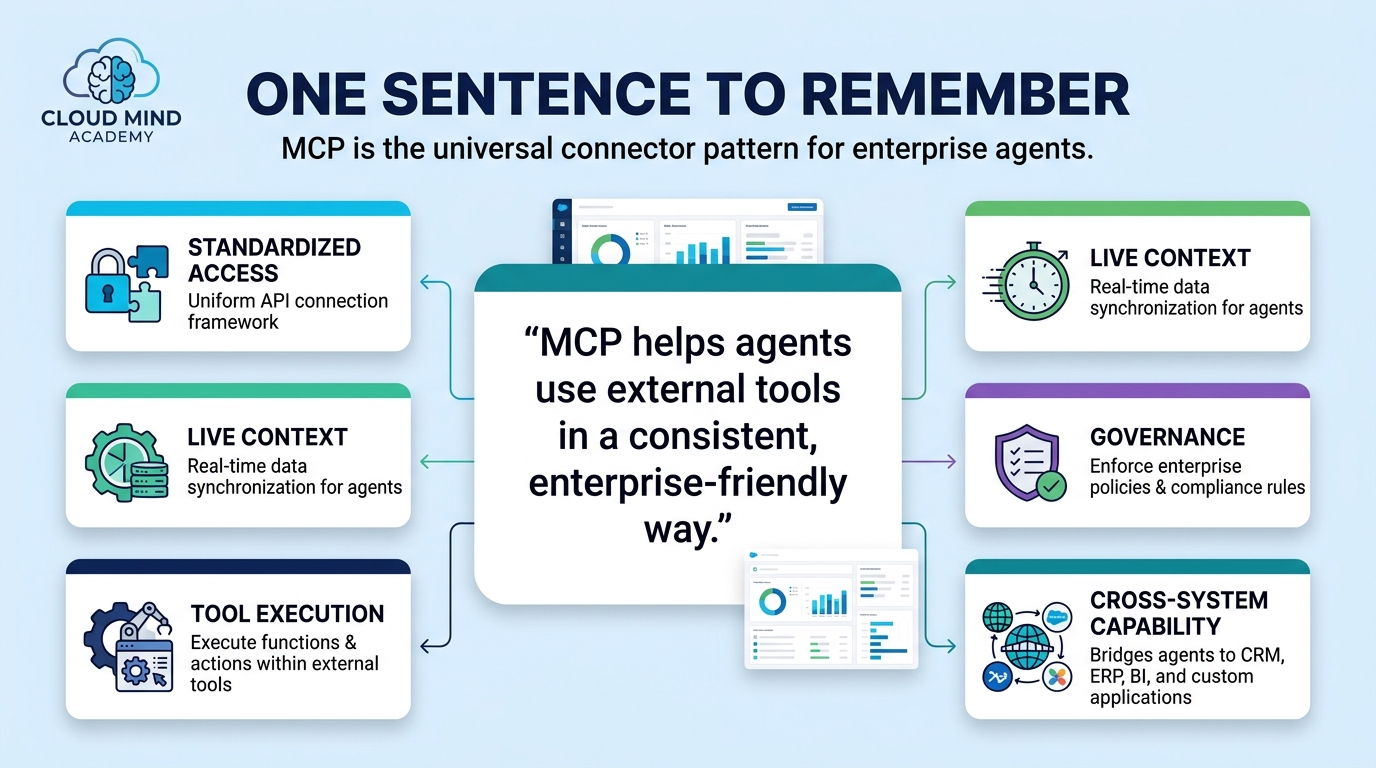
One sentence to remember: MCP is the “universal connector” pattern that helps agents use external tools in a consistent, enterprise-friendly way.
MCP Servers
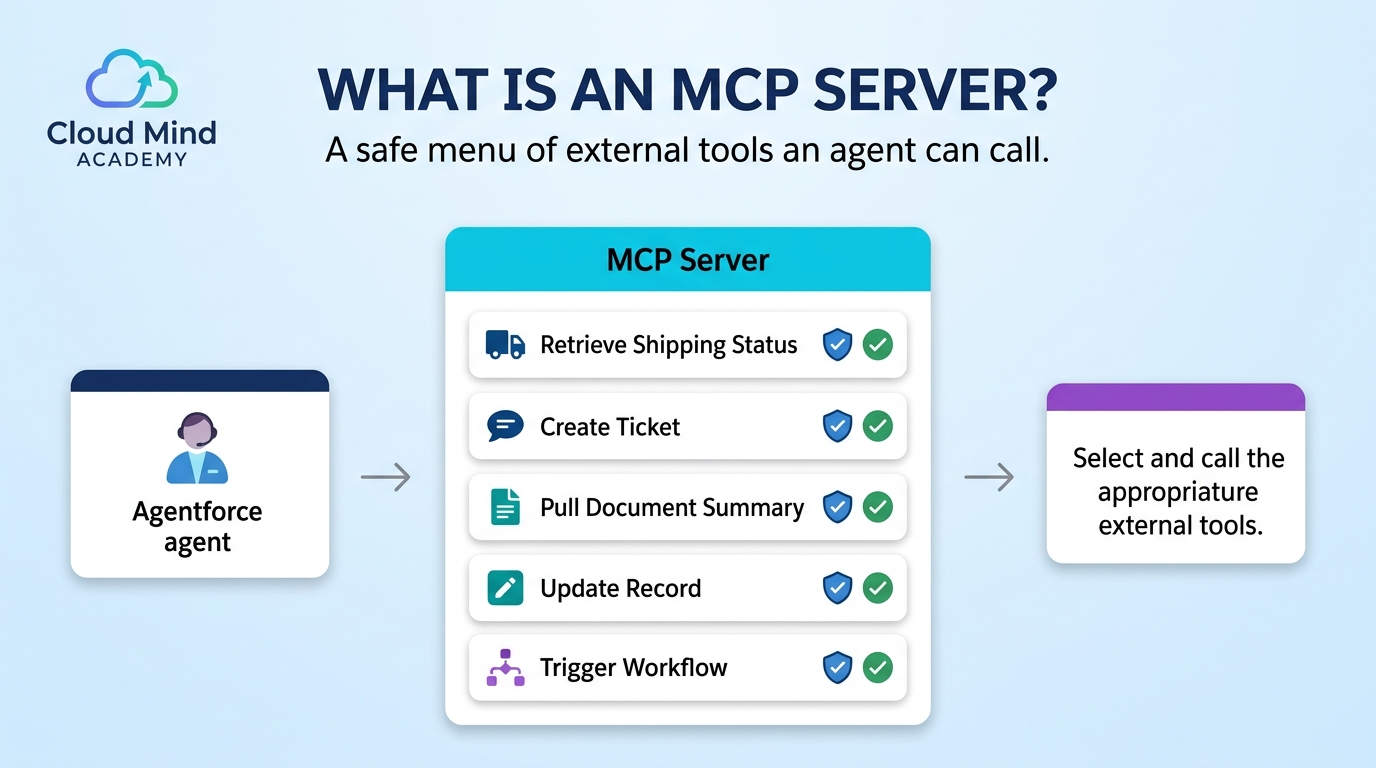
What is an MCP server?
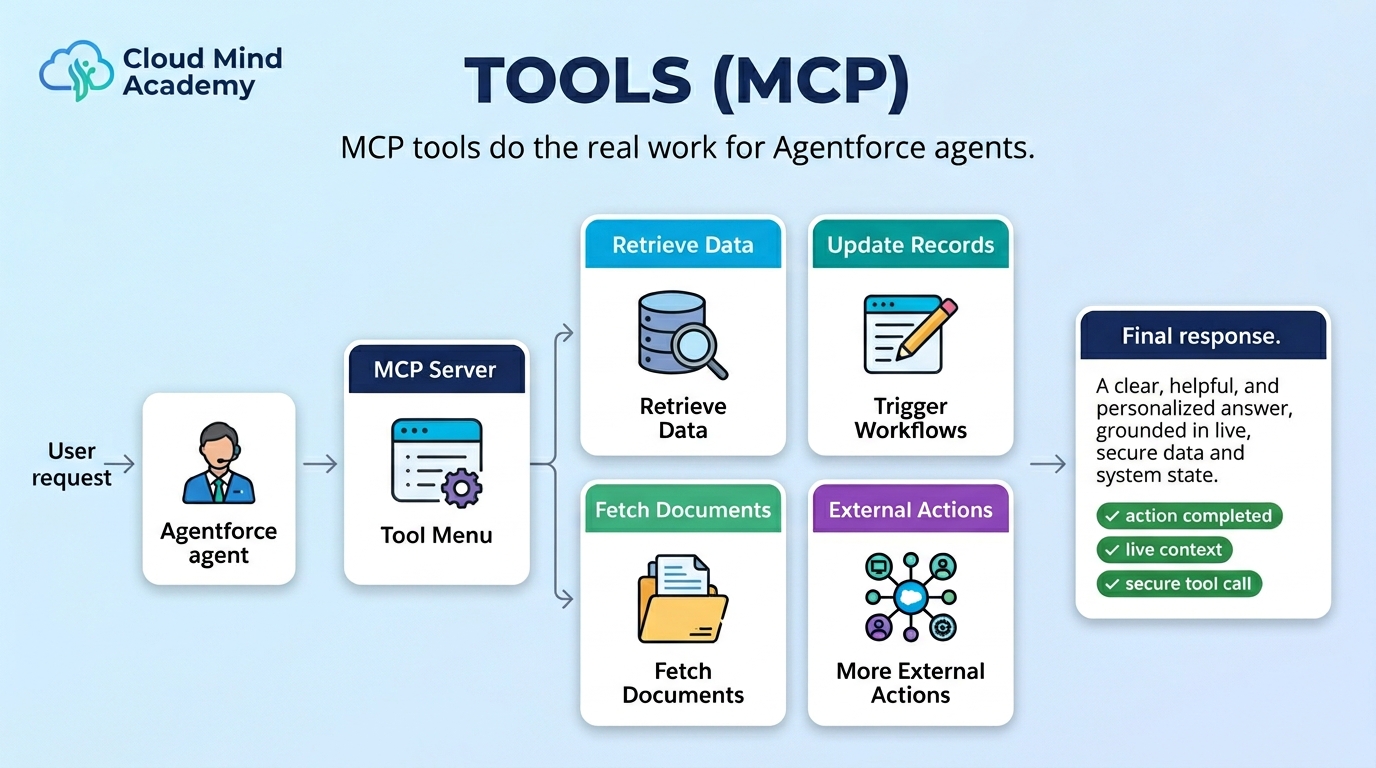
An MCP server is the external service that exposes tools (functions) an agent can call. In practice, MCP servers act like a “menu of safe actions” an agent can use—such as retrieving shipping status, creating a ticket, or pulling a document summary.

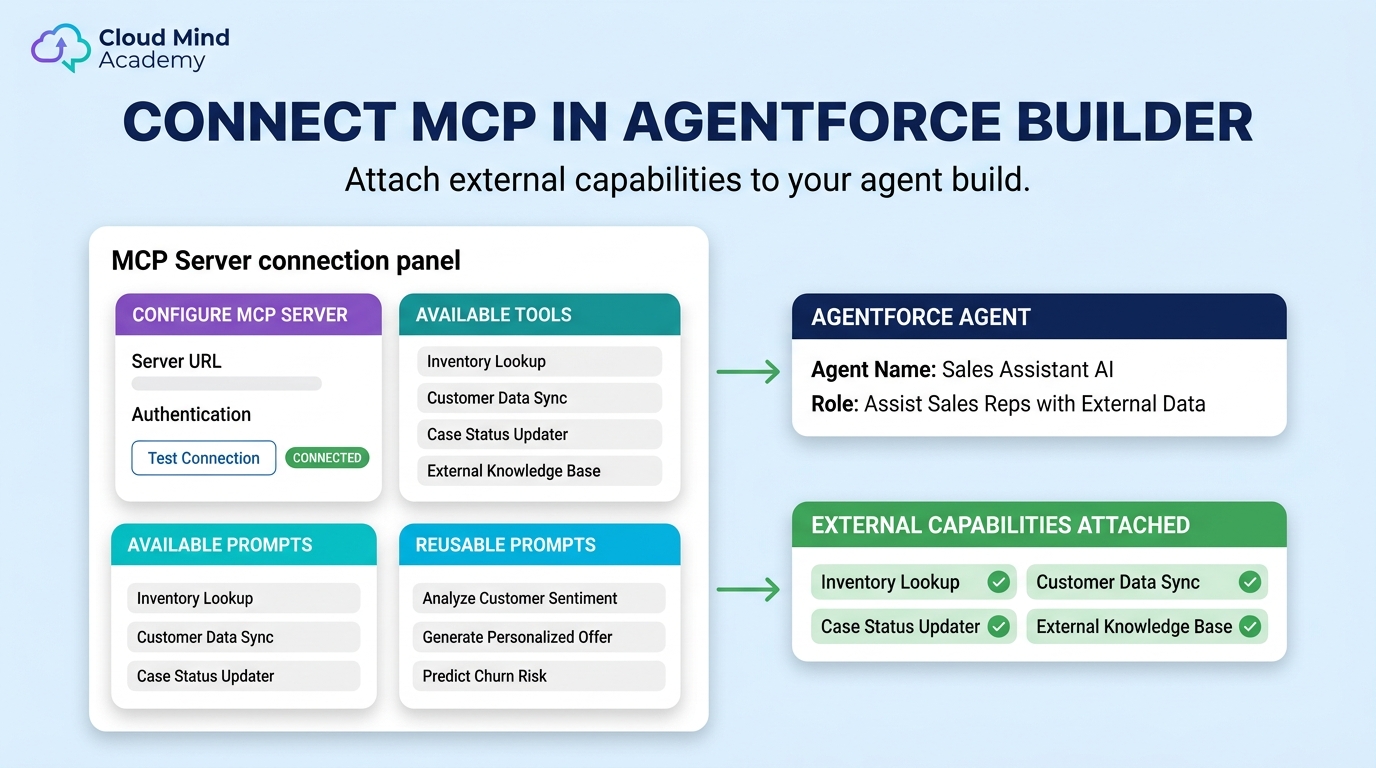
Where you connect it
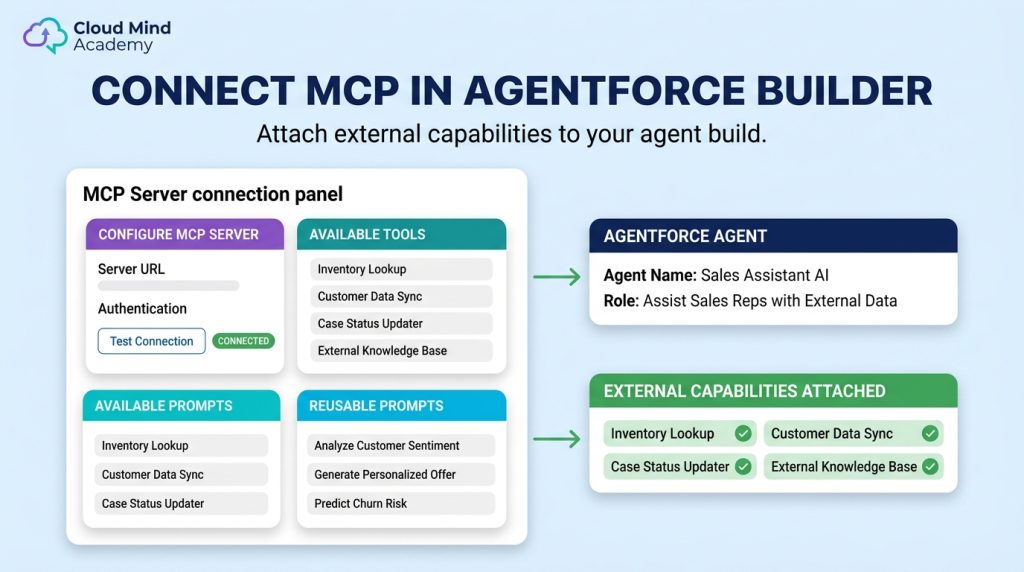
Agentforce Builder
You connect agents to MCP servers in the builder, then decide when the agent should use those tools.
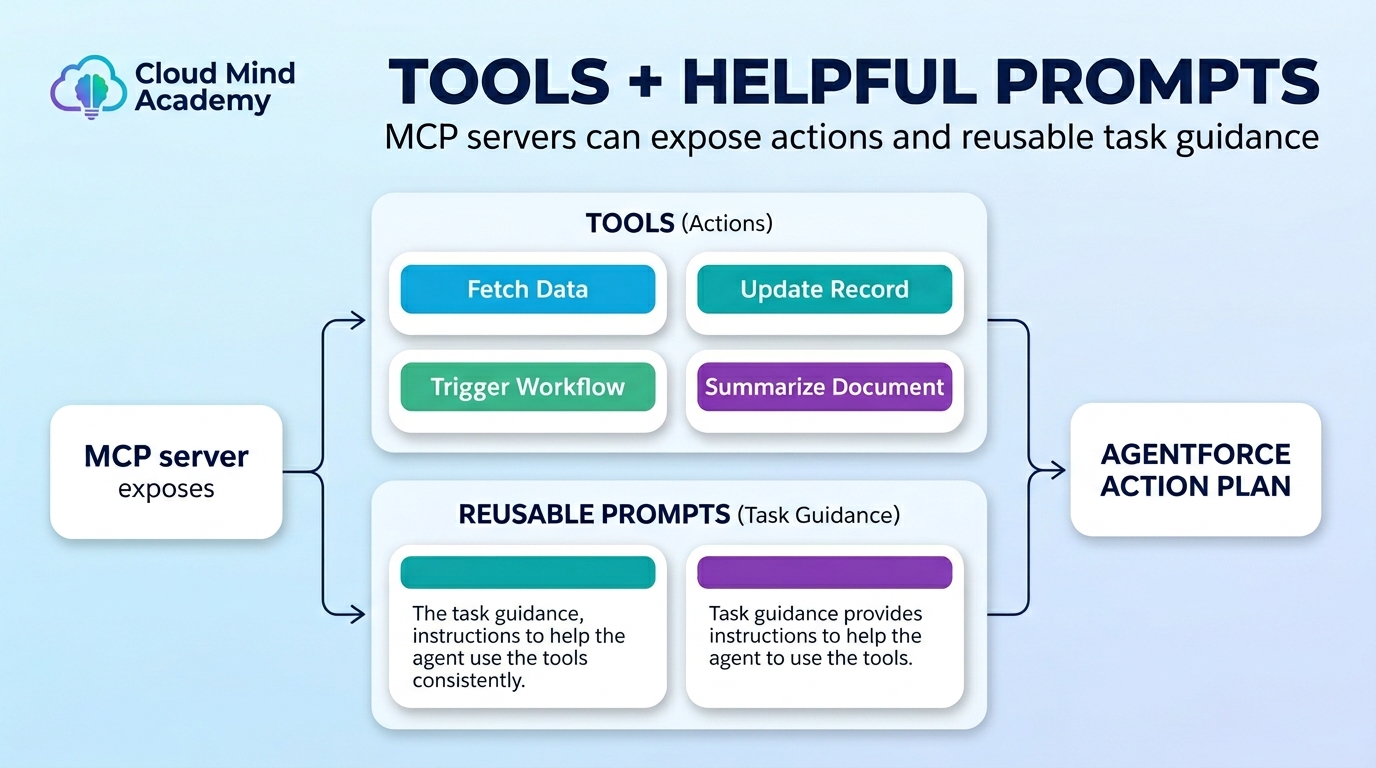
What it provides
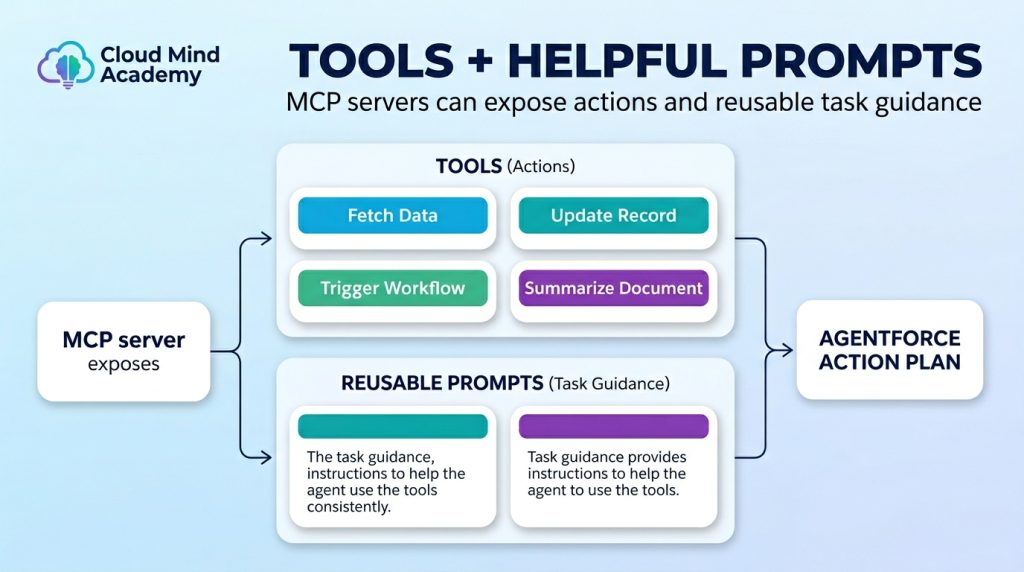
Tools + helpful prompts
Partners can expose tool calls and reusable prompts for common tasks to help agents act quickly and consistently.
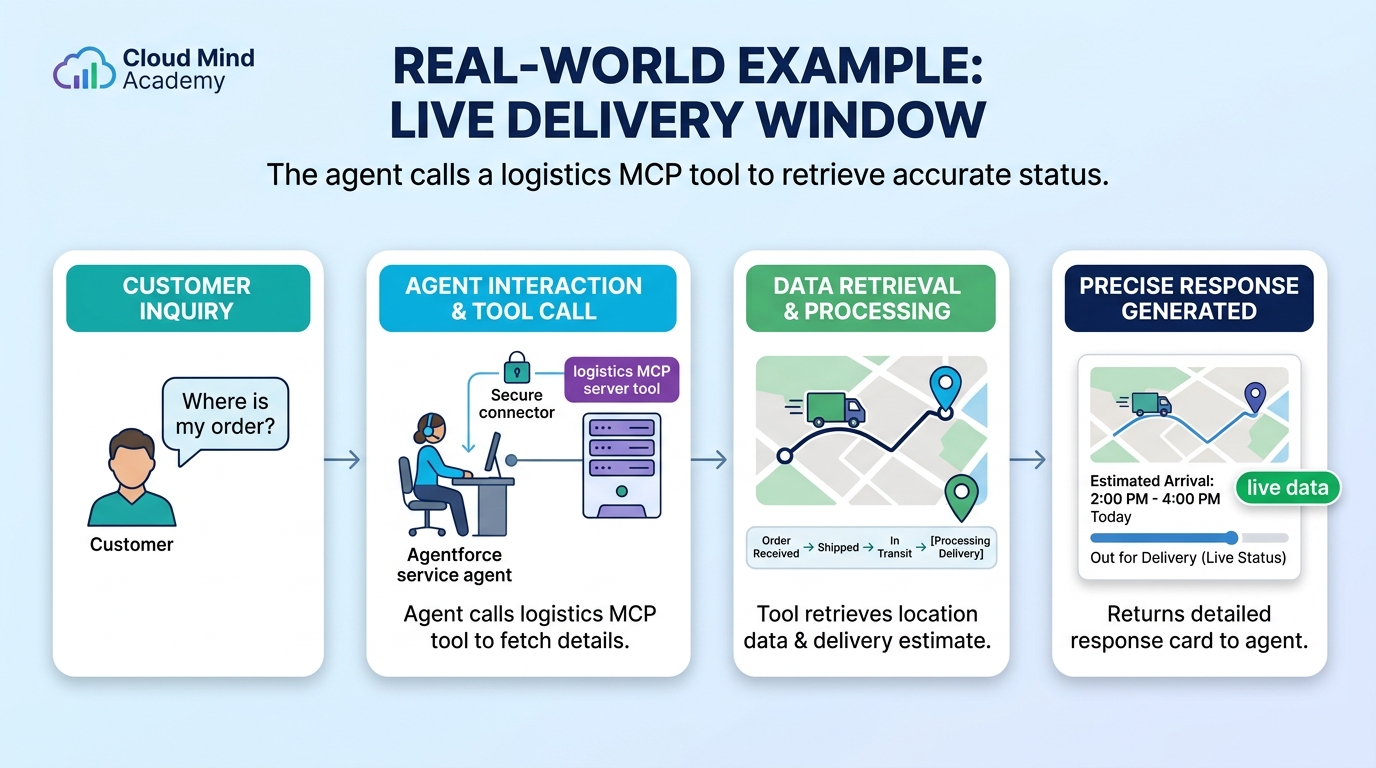
Real-world example
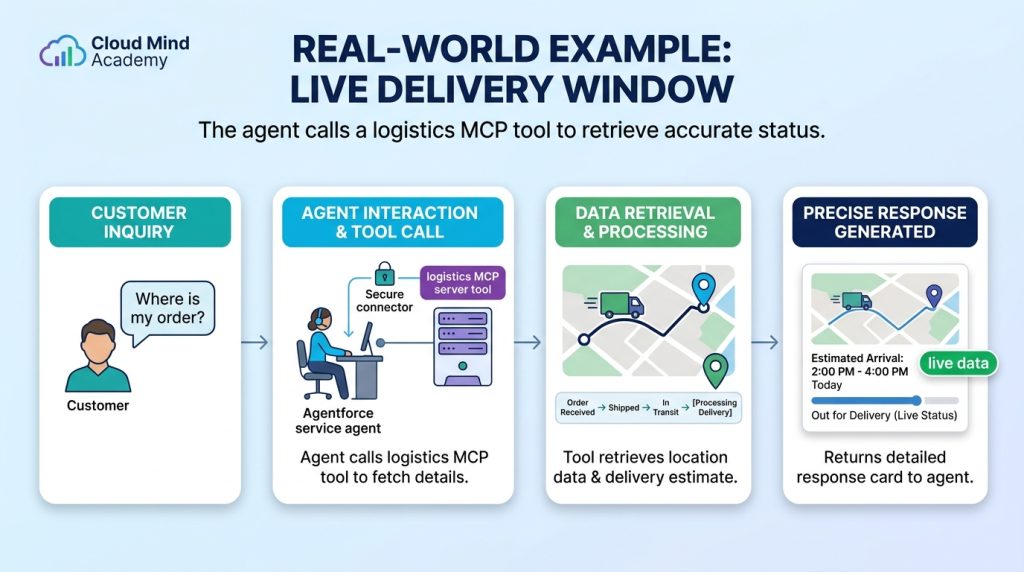
Live delivery window
A service agent calls a logistics MCP tool to fetch location data and return an accurate delivery estimate.
Features & Benefits
Why MCP matters in enterprise setups
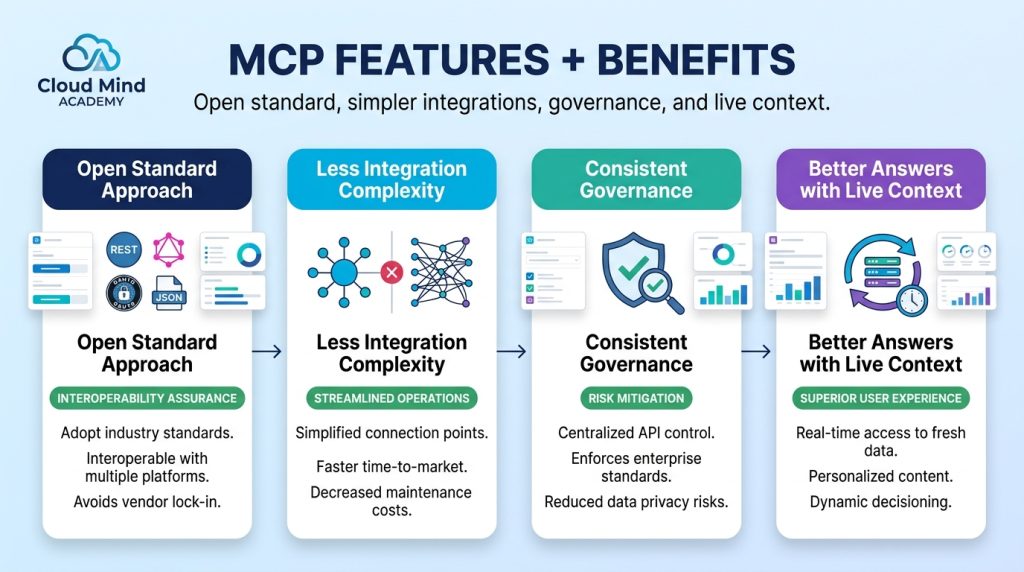
Open standard approach: A common “language” for connecting models to external systems.
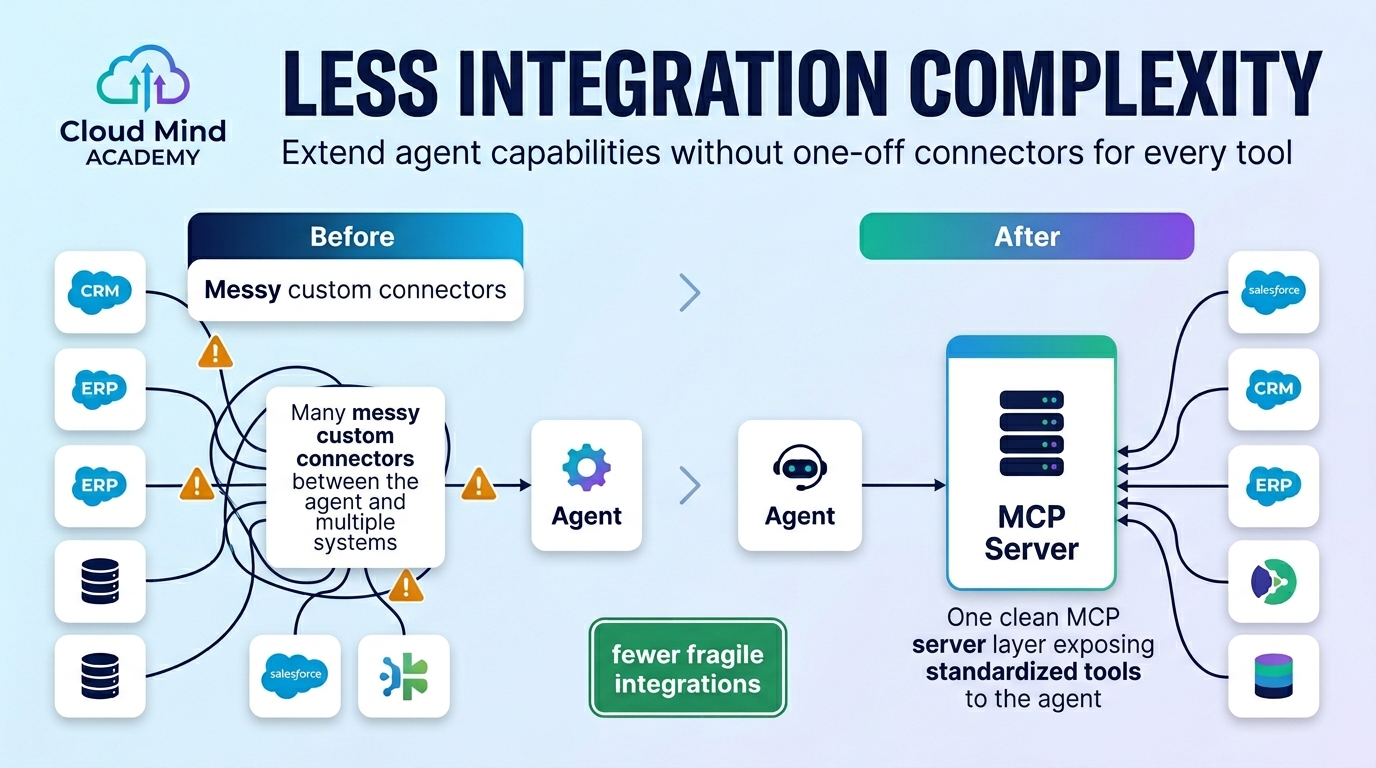
Less integration complexity: Extend capabilities without building one-off custom connectors for every tool.
Consistent governance: Keep interactions controlled and auditable while the agent performs real tasks.
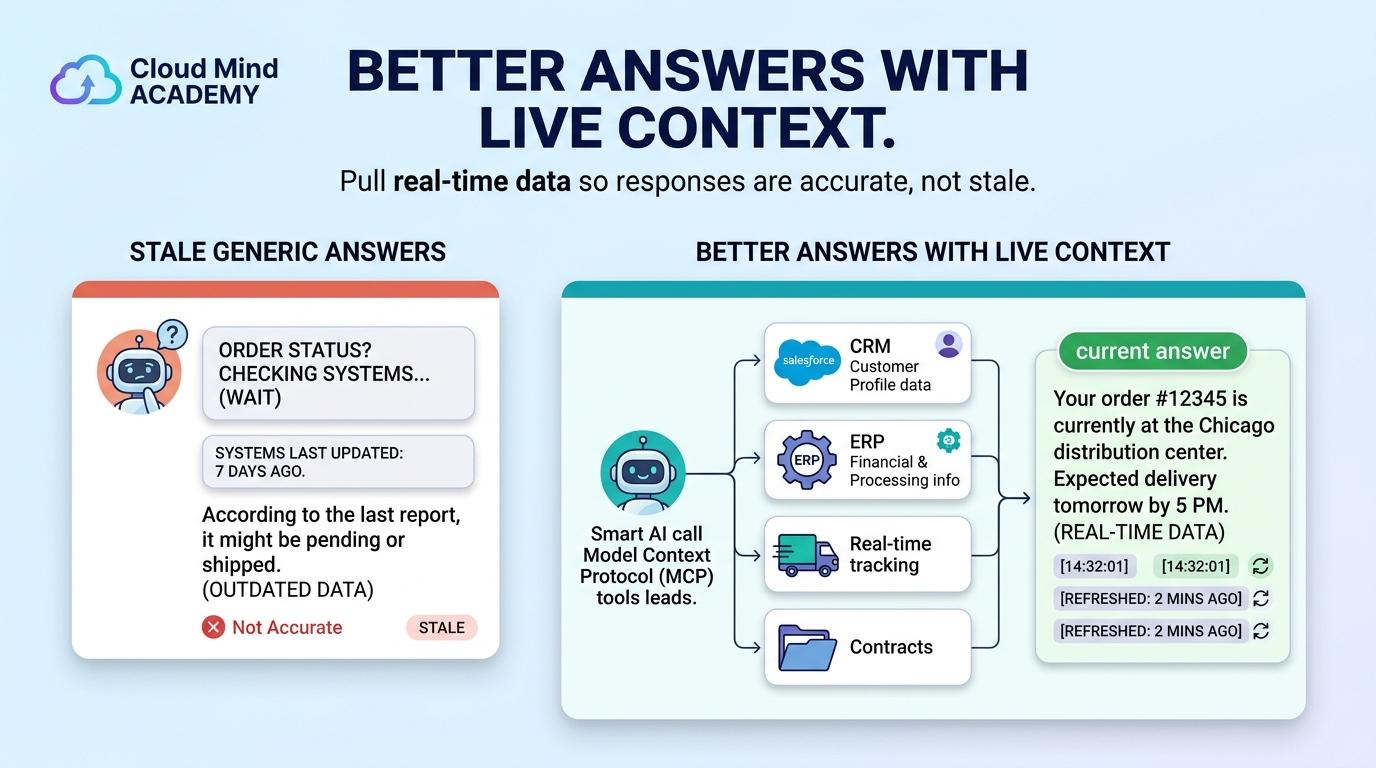
Better answers with live context: Pull real-time data from connected systems so responses aren’t generic or stale.
How It Fits Agentforce
Where MCP connects to your agent build
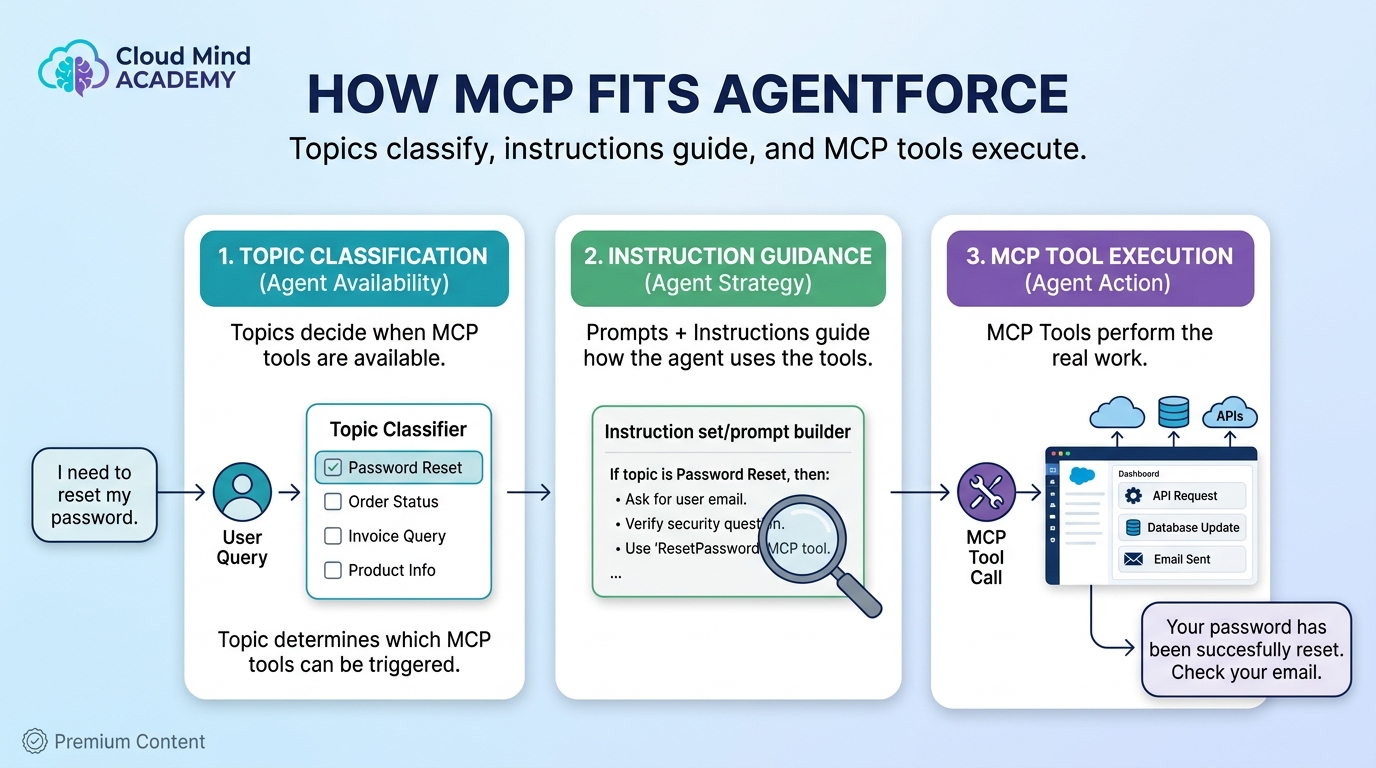
MCP doesn’t replace your agent design. Instead, it gives your agent new tools that your existing system can use: topics classify the job, instructions guide behavior, and actions/tool calls do the work.
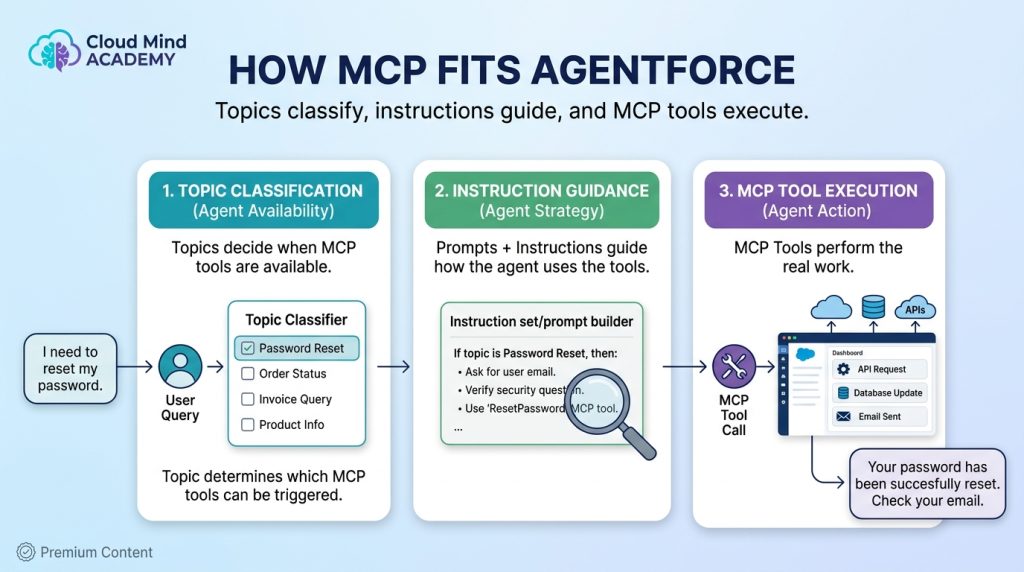
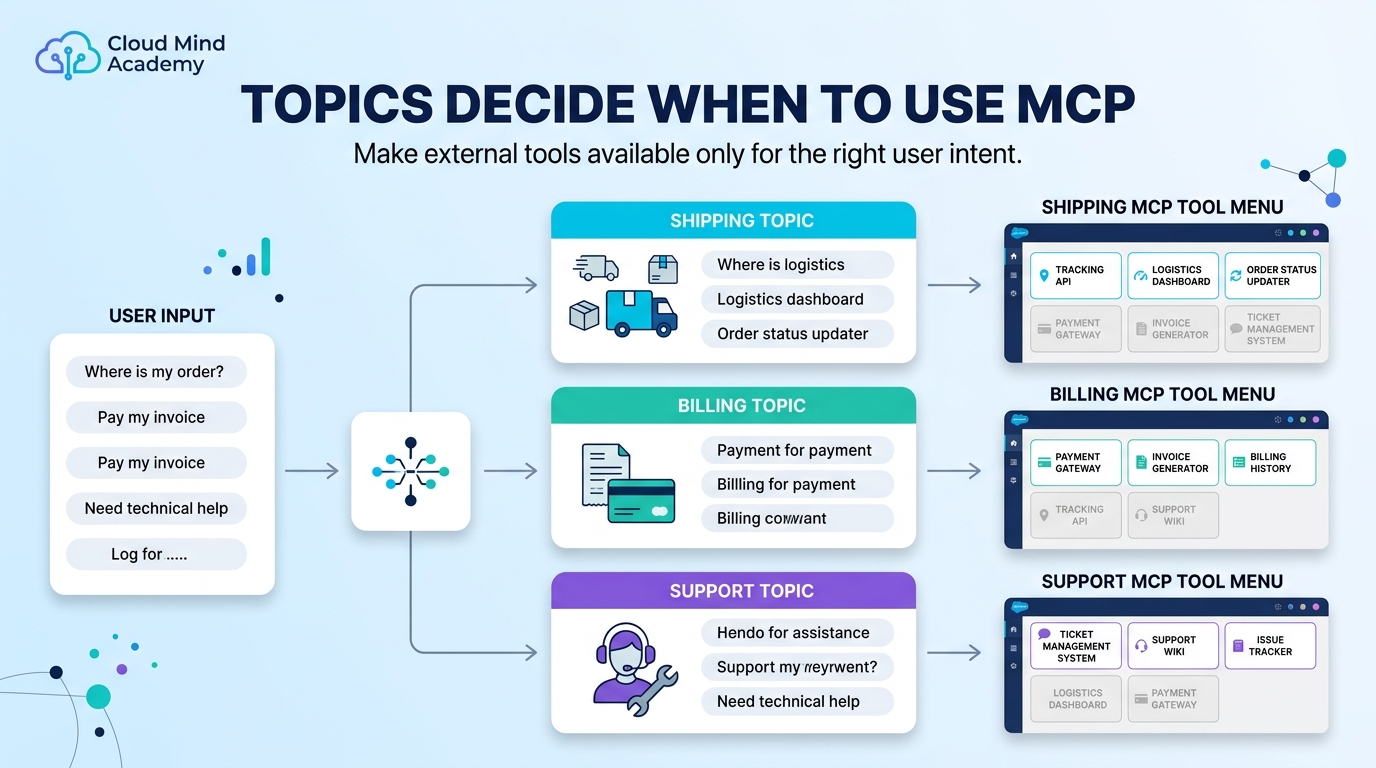
Topics
Decide when an MCP tool should be available based on what the user is trying to do.
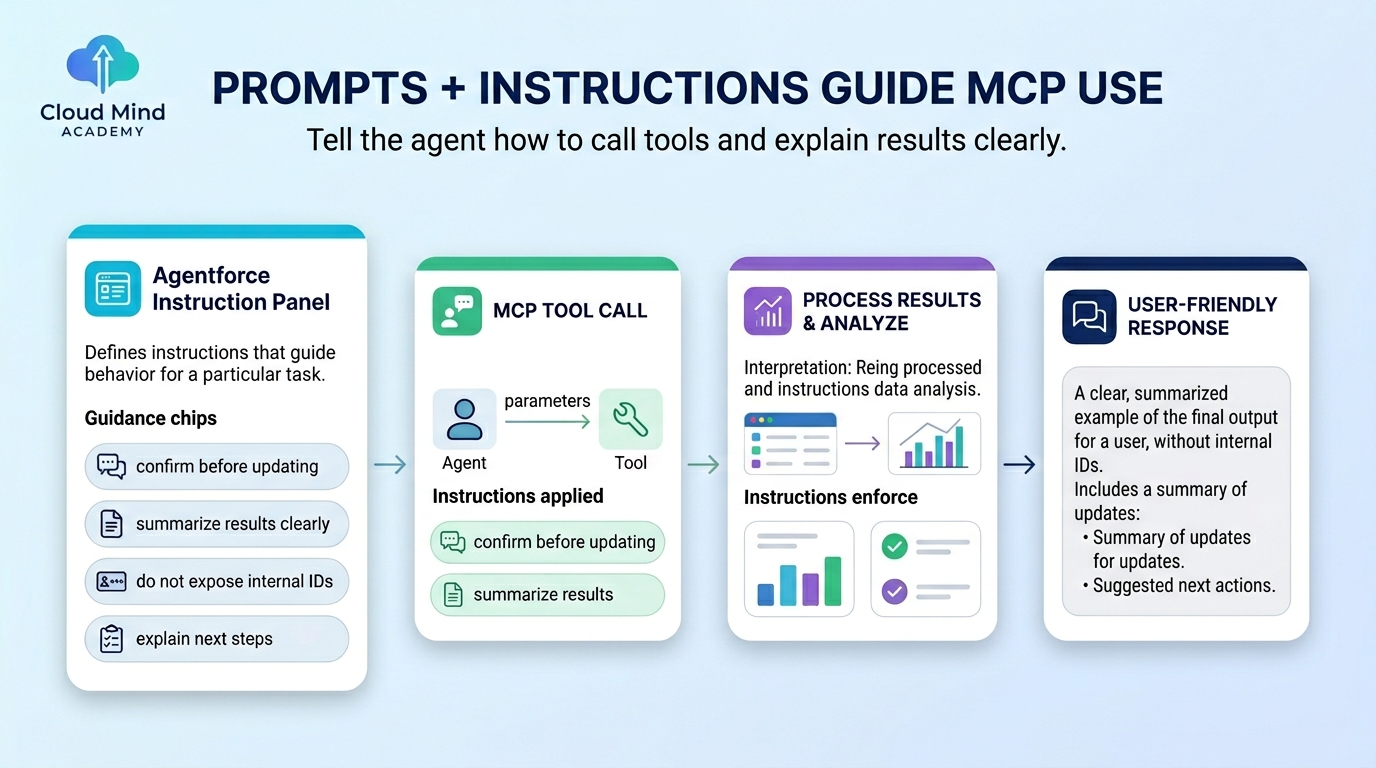
Prompts & Instructions
Tell the agent how to use the tool and how to explain results in a user-friendly way.
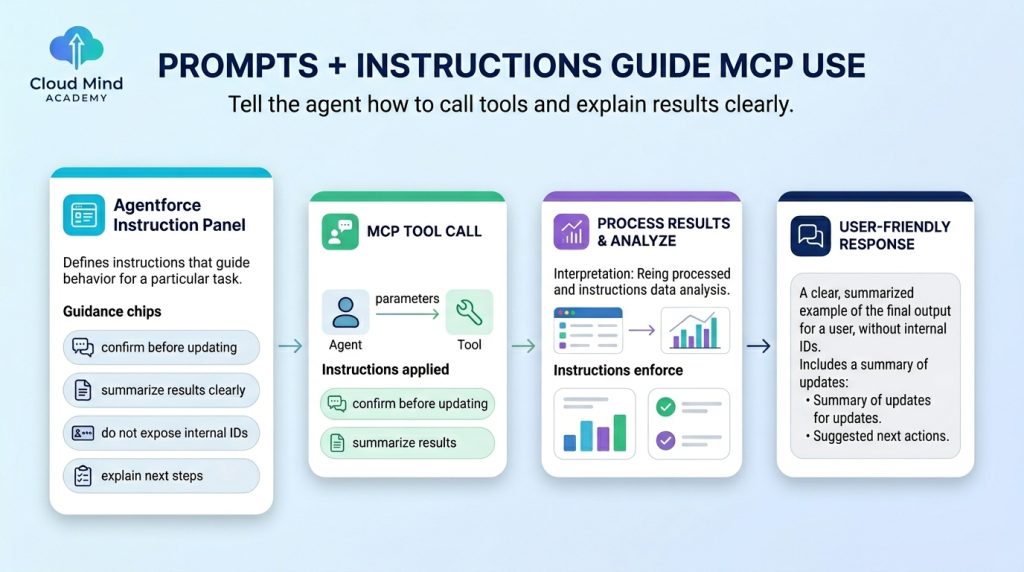
Tools (MCP)
Do the real work: retrieve data, update records, trigger workflows, fetch documents, and more.
Use Cases
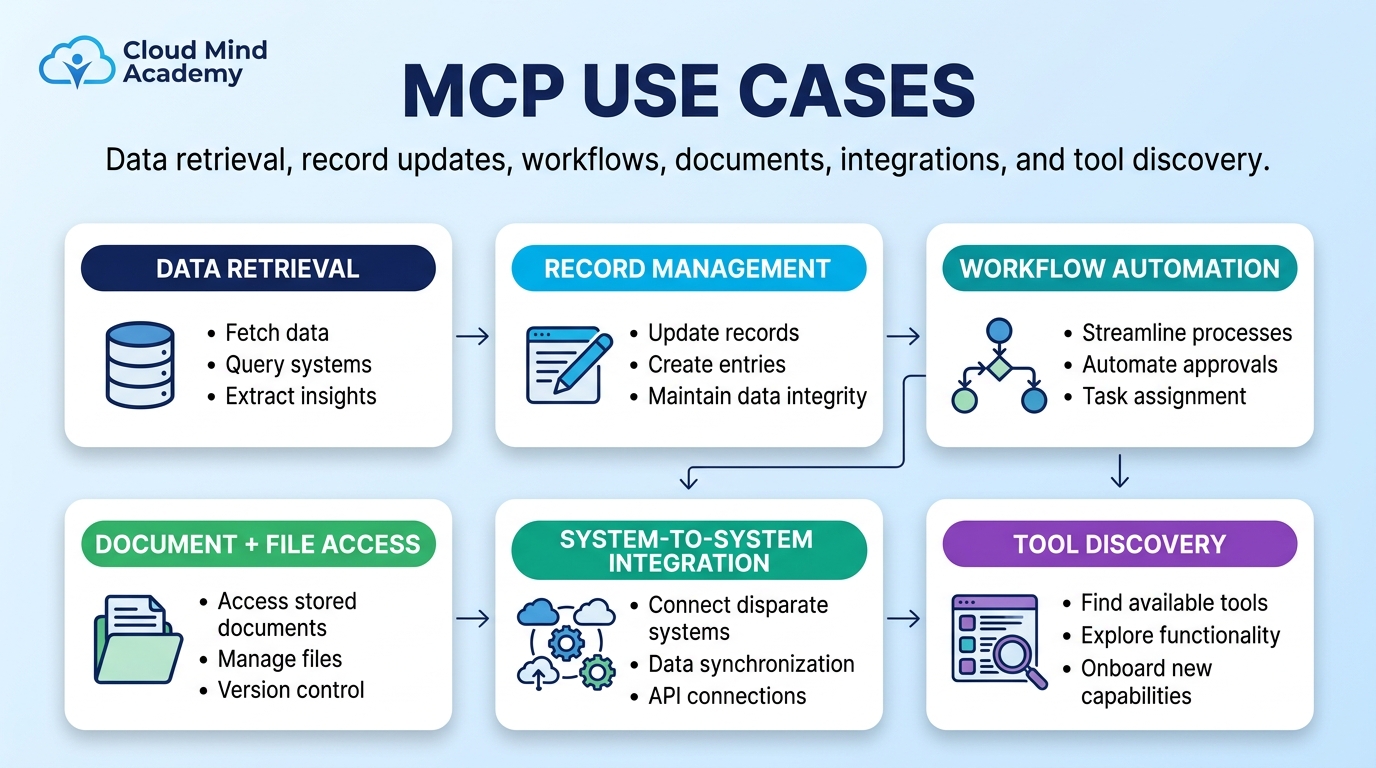
What MCP enables agents to do
MCP is especially valuable when your agent must operate across multiple systems—CRM + ERP + storage + payments—without fragile, custom integration work.
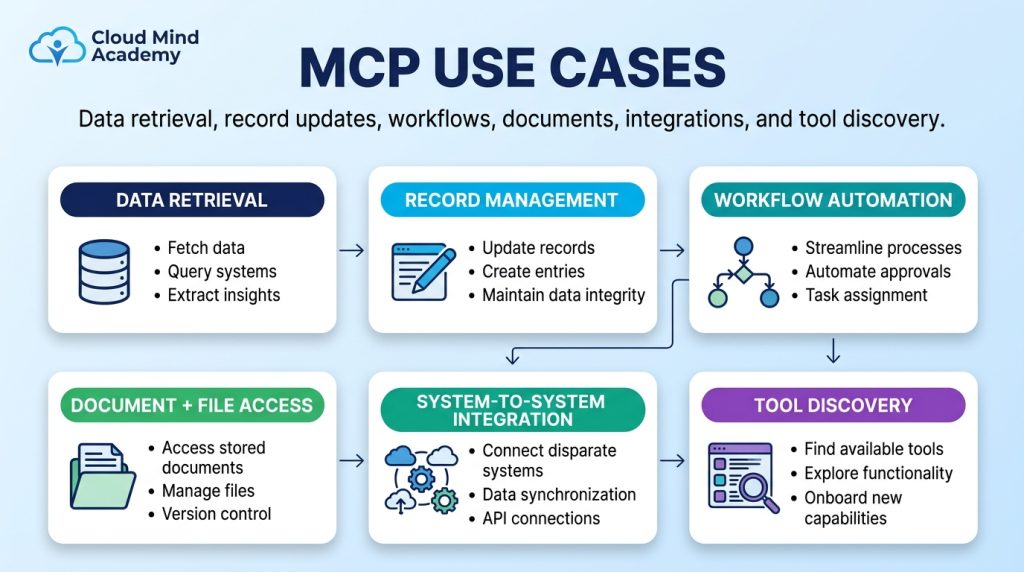
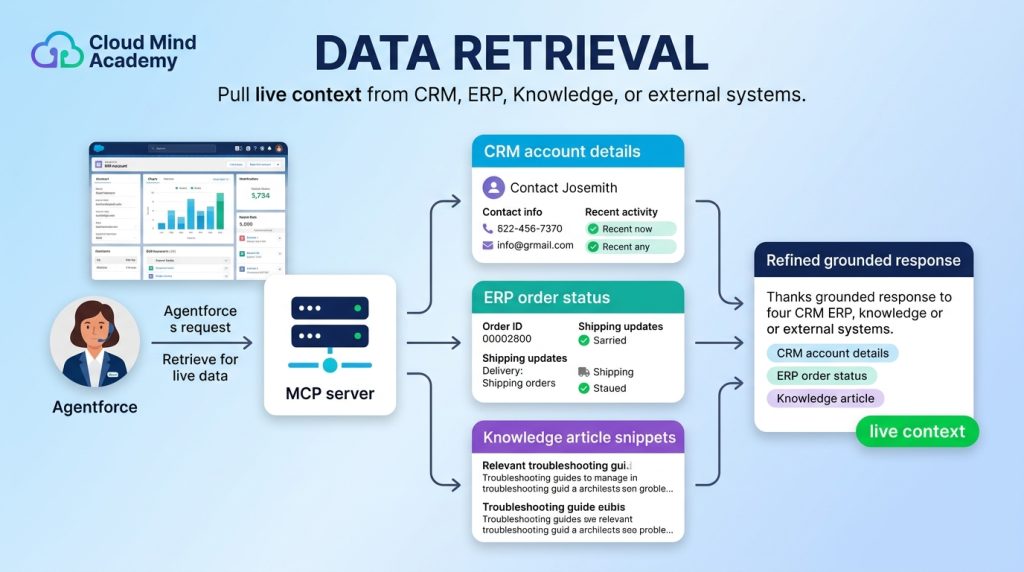
Data Retrieval
Live context on demand
Pull live CRM/ERP/Knowledge data to answer accurately in the moment.
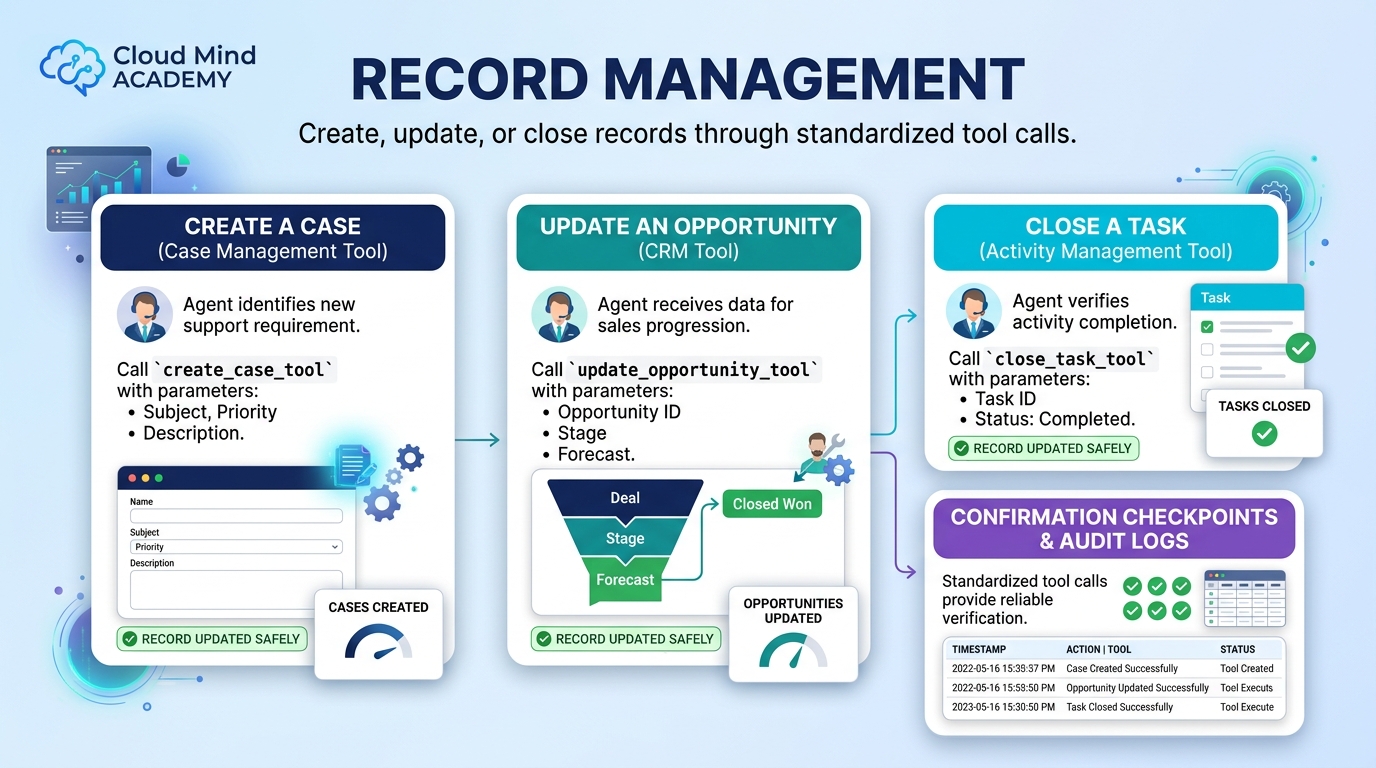
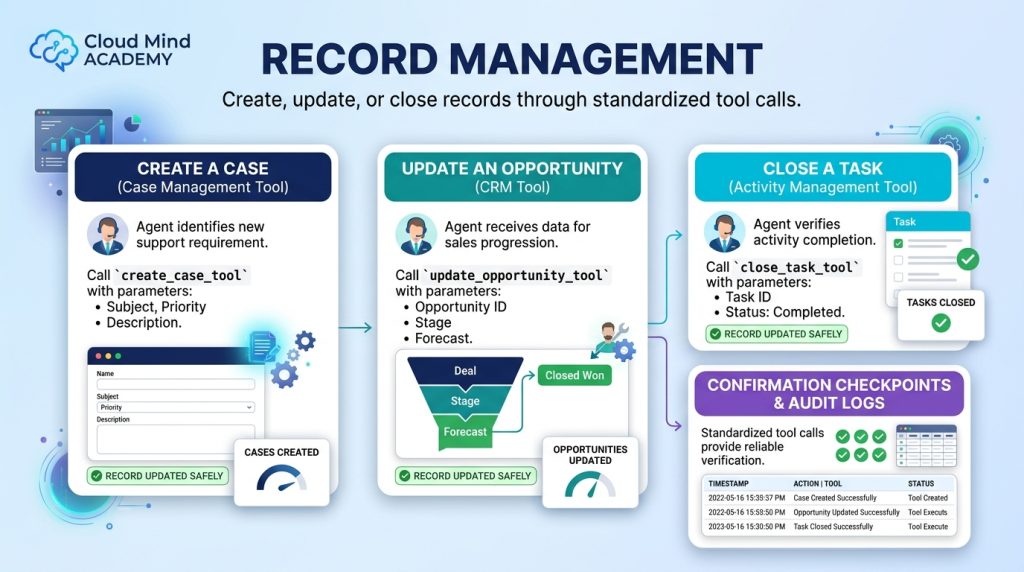
Record Management
Create / update / close
Create cases, update opportunities, close tasks through standardized tool calls.
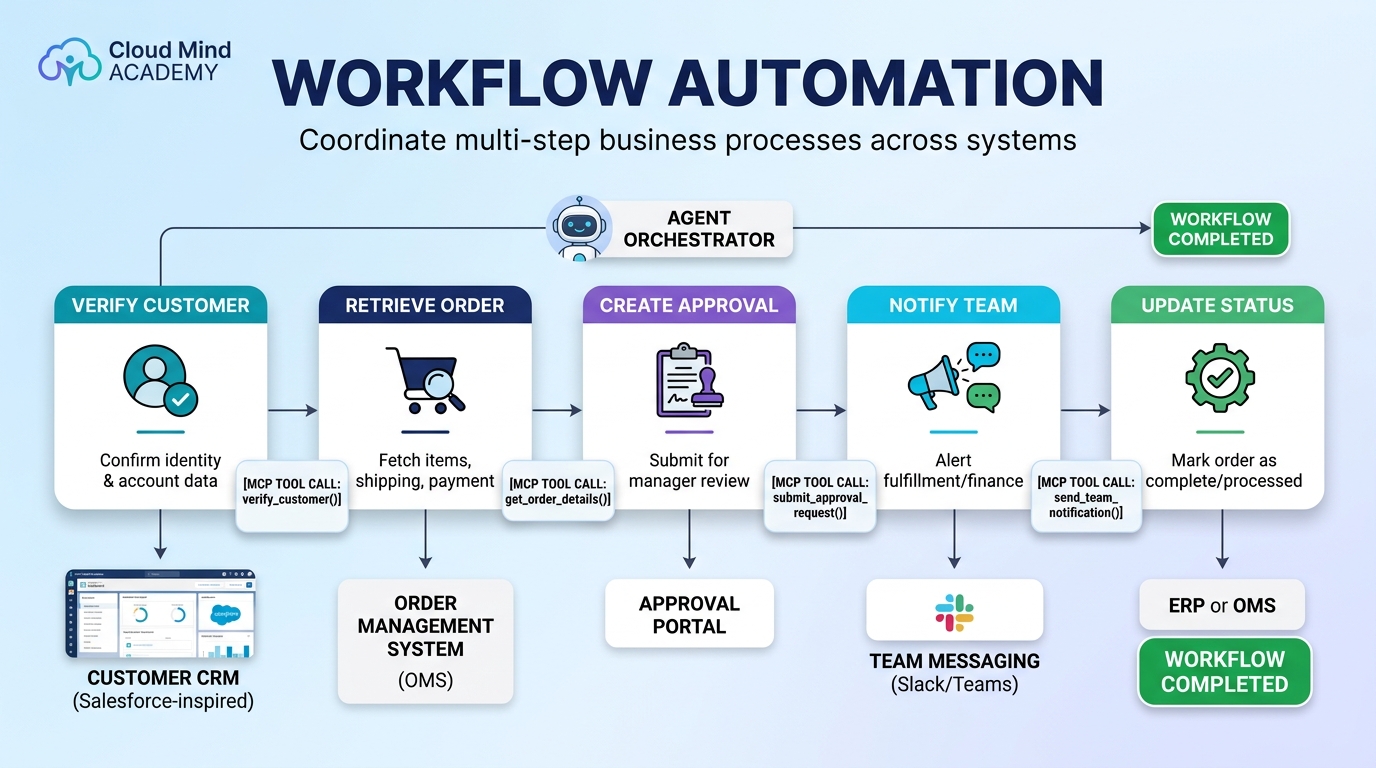
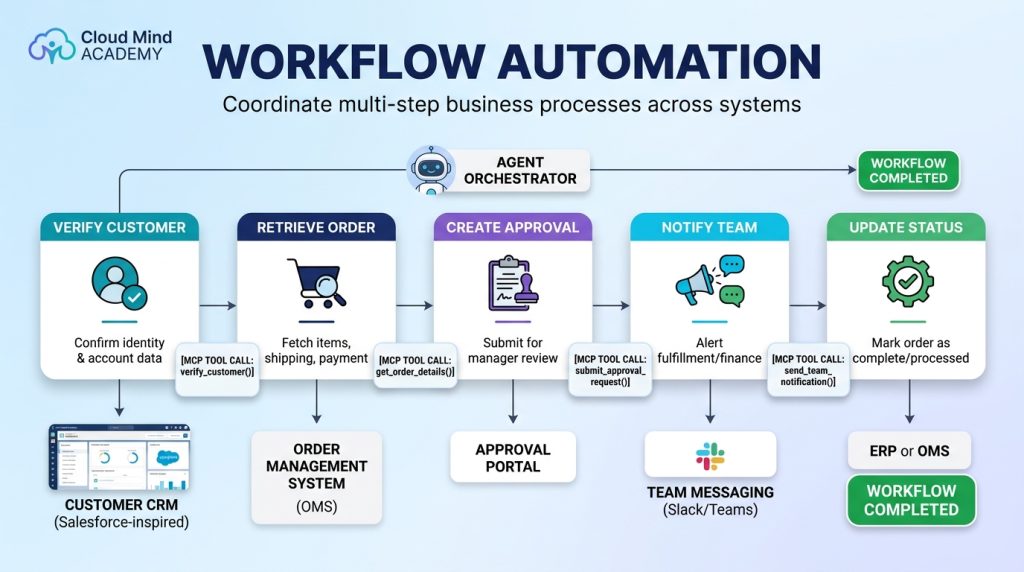
Workflow Automation
Multi-step coordination
Orchestrate connected steps like onboarding, order fulfillment, or approvals across systems.
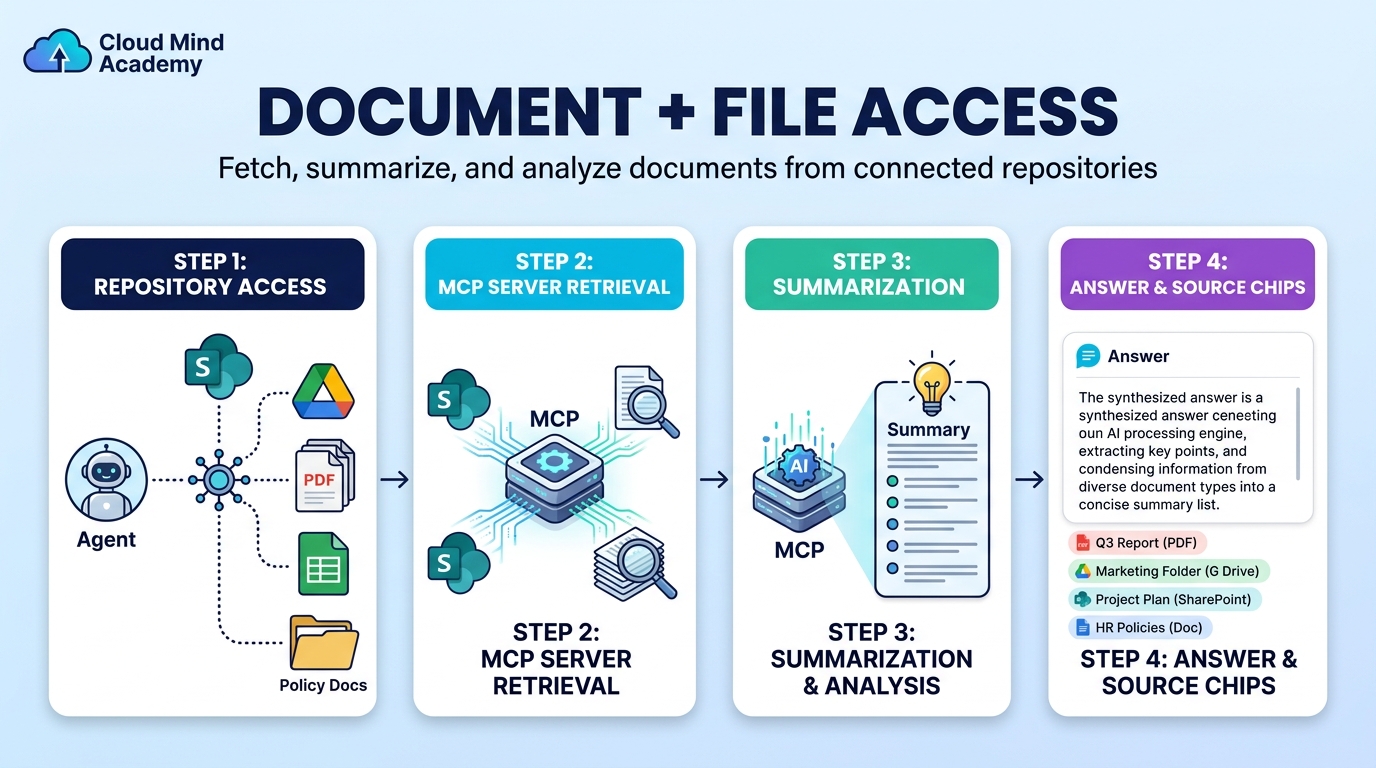
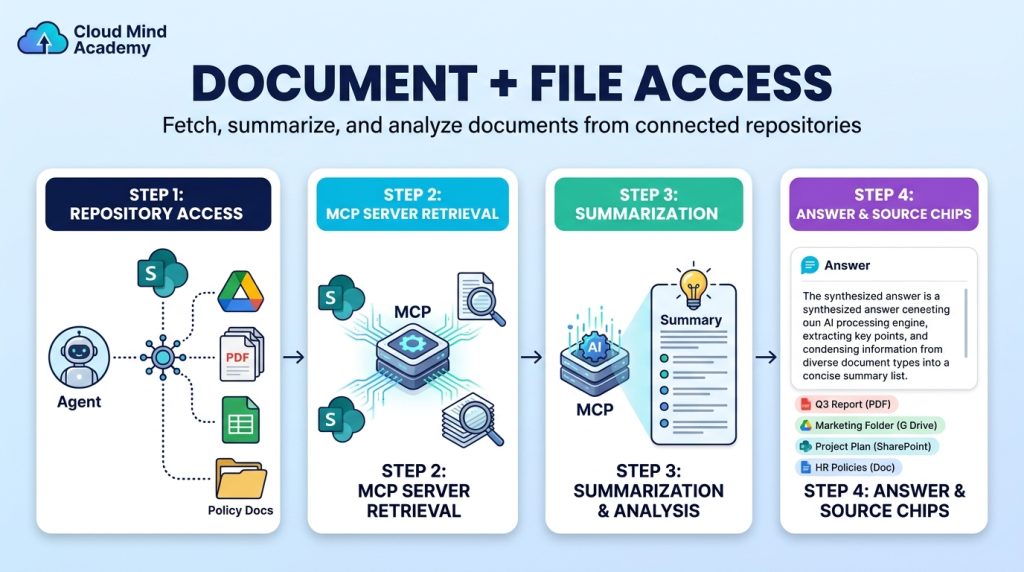
Document & File Access
Retrieve + summarize
Fetch, summarize, and analyze documents from systems like SharePoint or Google Drive.
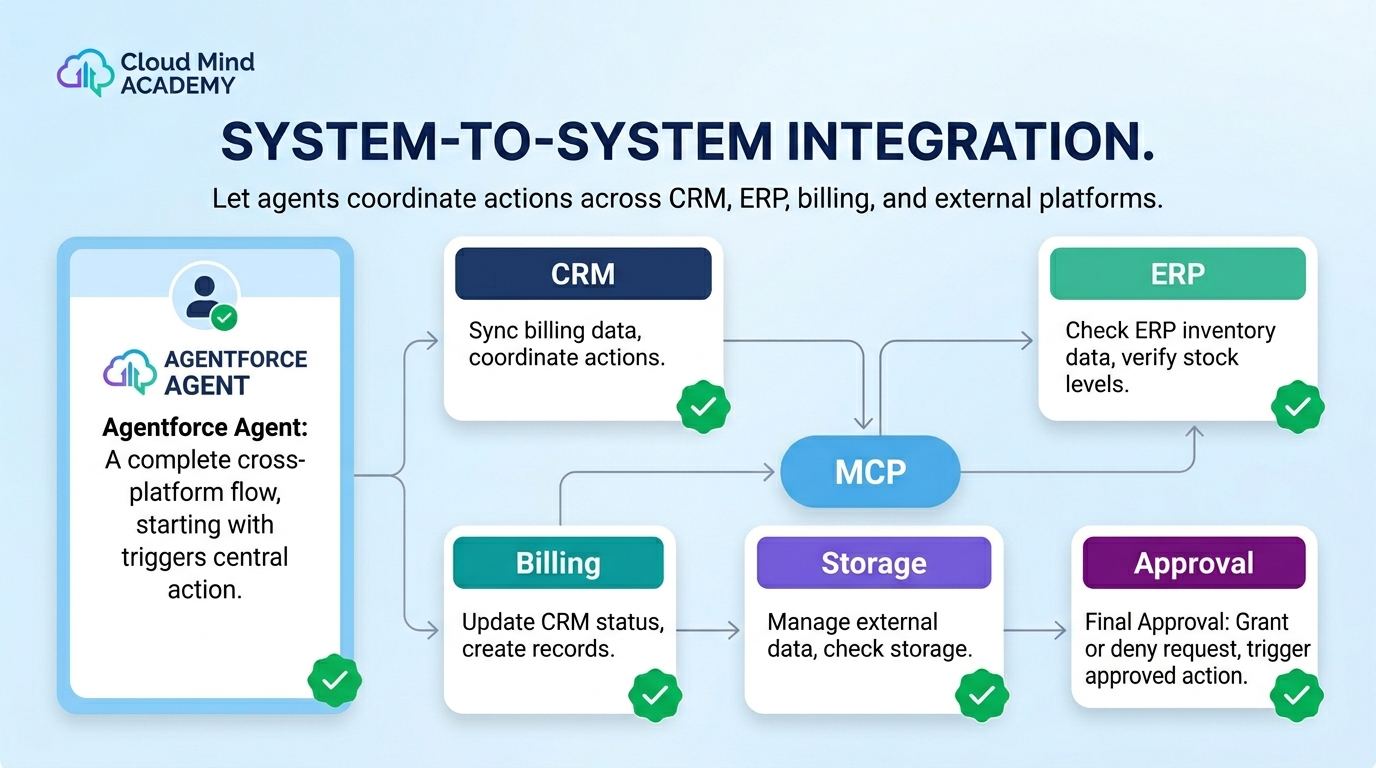
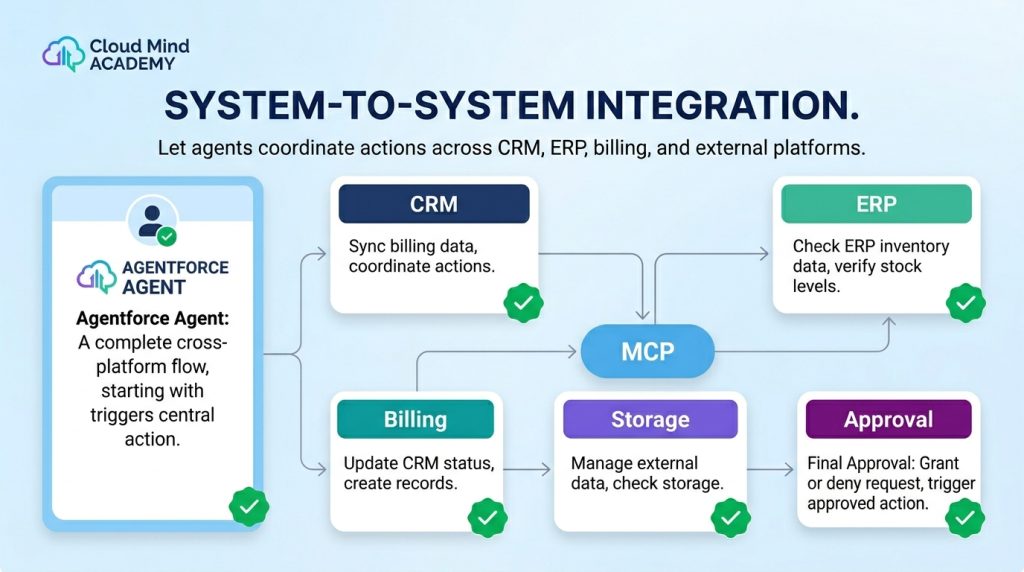
System-to-System Integration
Cross-platform actions
Sync billing data, trigger ERP approvals, or update external systems as part of a single agent flow.
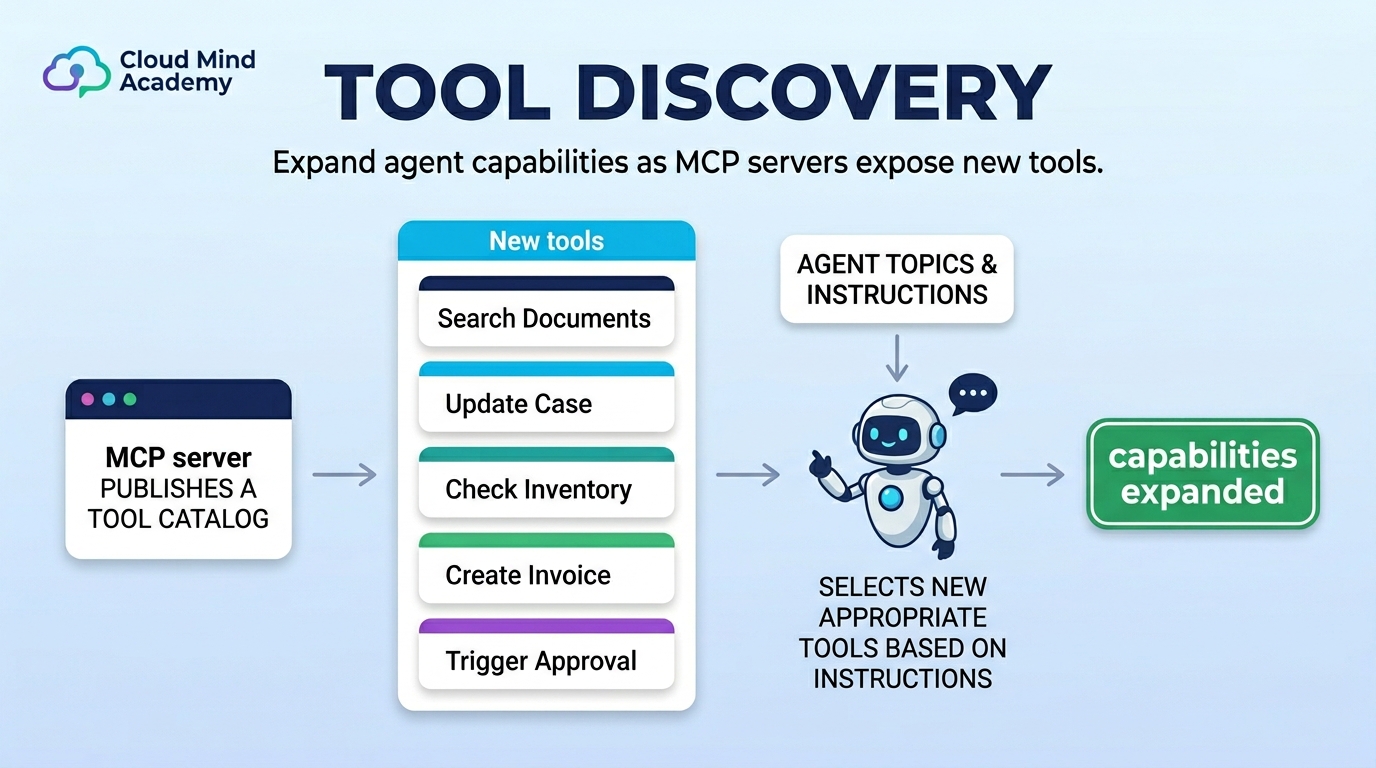
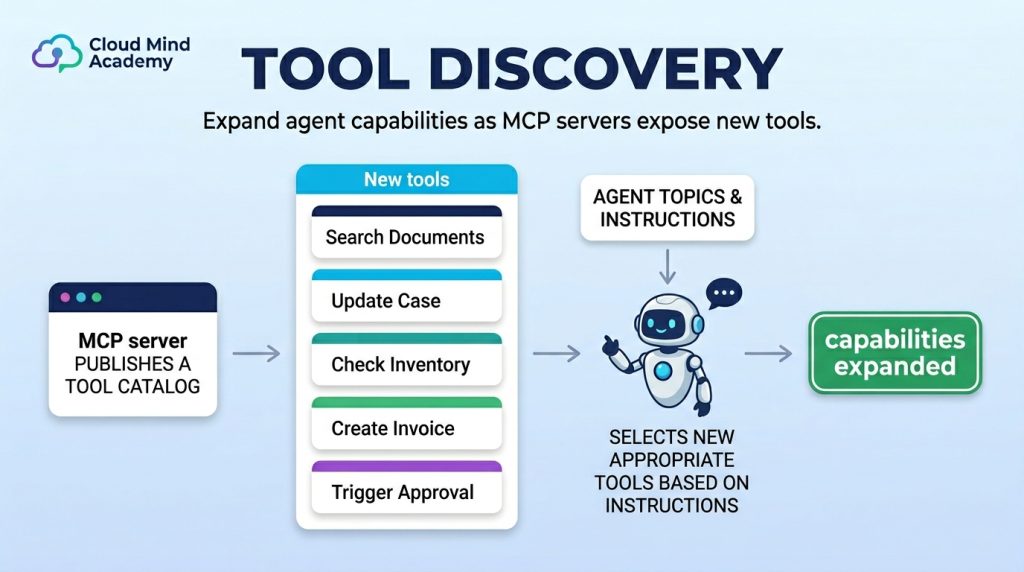
Tool Discovery
Expand capabilities
Identify or add newly exposed tools from MCP servers to grow what agents can do.
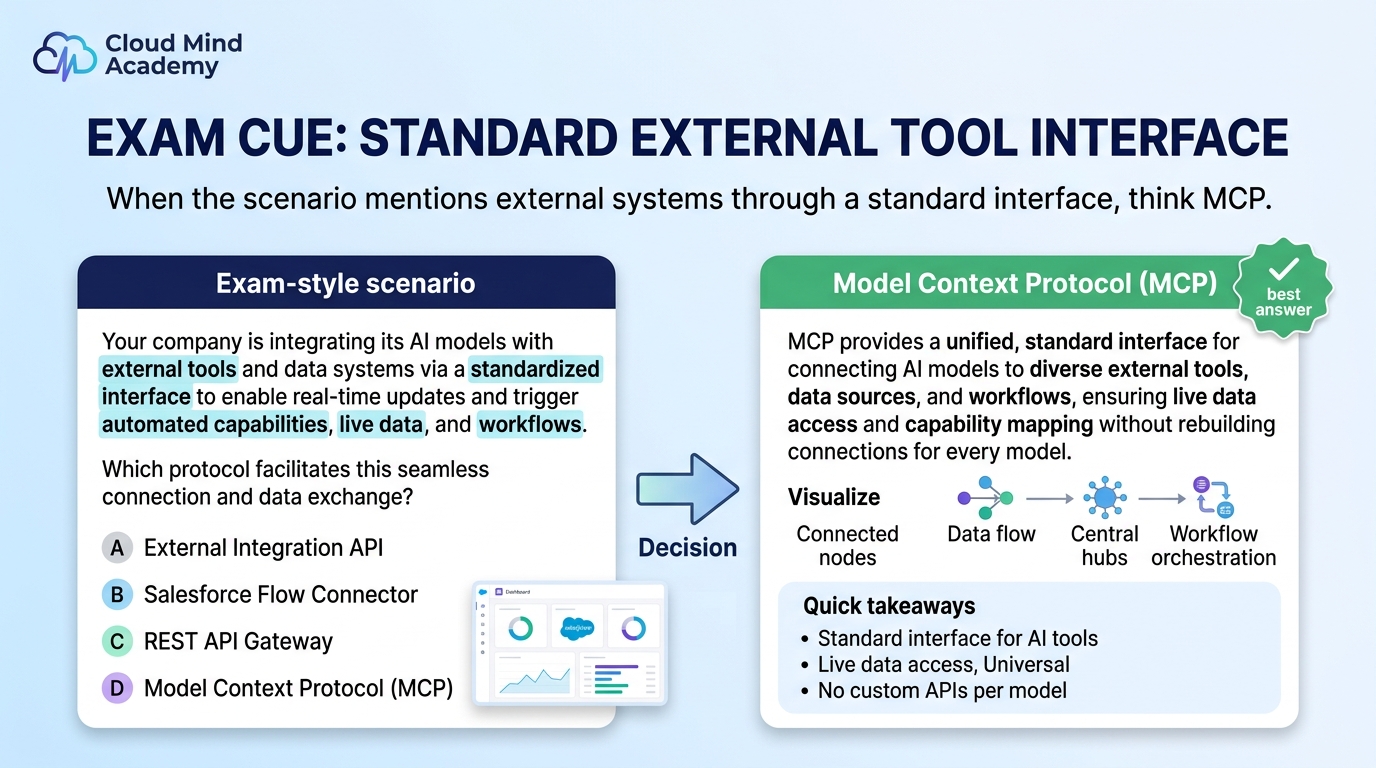
Exam cue: If the scenario says “connect to external systems/tools through a standard interface,” MCP is the expected concept.
Quick Checklist
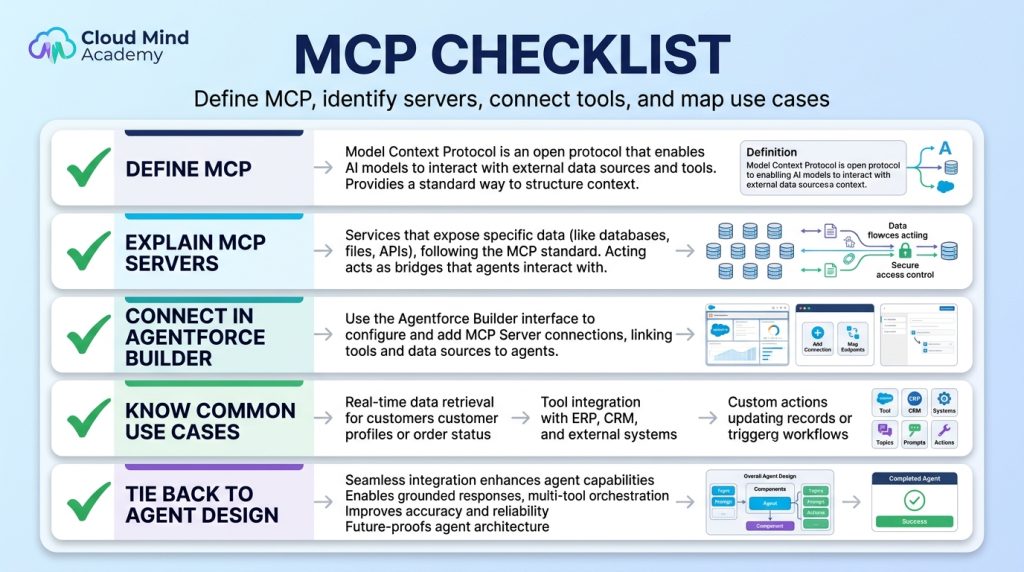
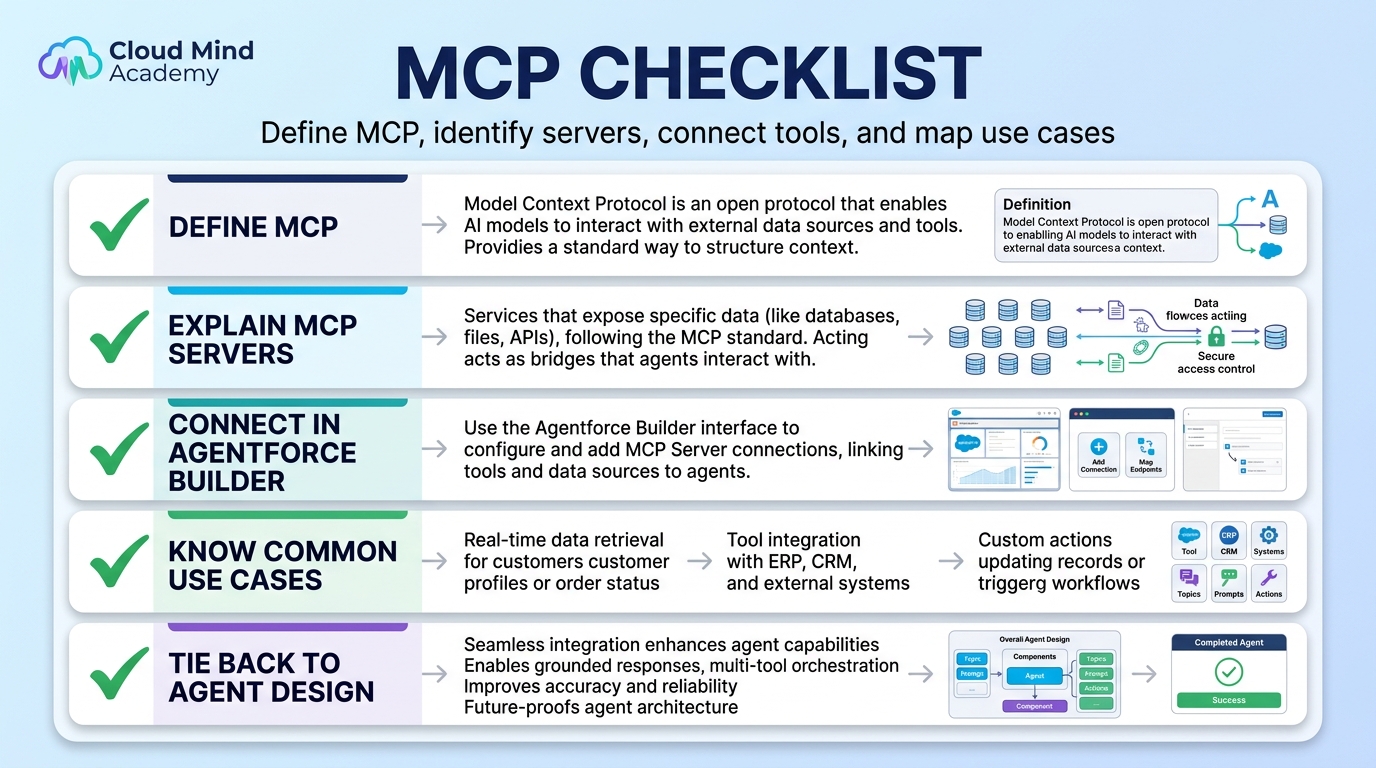
Define MCP
Open standard for model-to-tool connections
Explain MCP servers
Servers expose tools/functions agents can call
Connect in Builder
Agents can be connected to MCP servers in Agentforce Builder
Know use cases
Data retrieval, record mgmt, workflows, docs, integrations, tool discovery
Tie back to agent design
Topics classify, instructions guide, MCP tools execute
Next: Agent-to-Agent Protocol