Certificate Locked
Complete the course to unlock the certificate
0% Completed
Required 100%
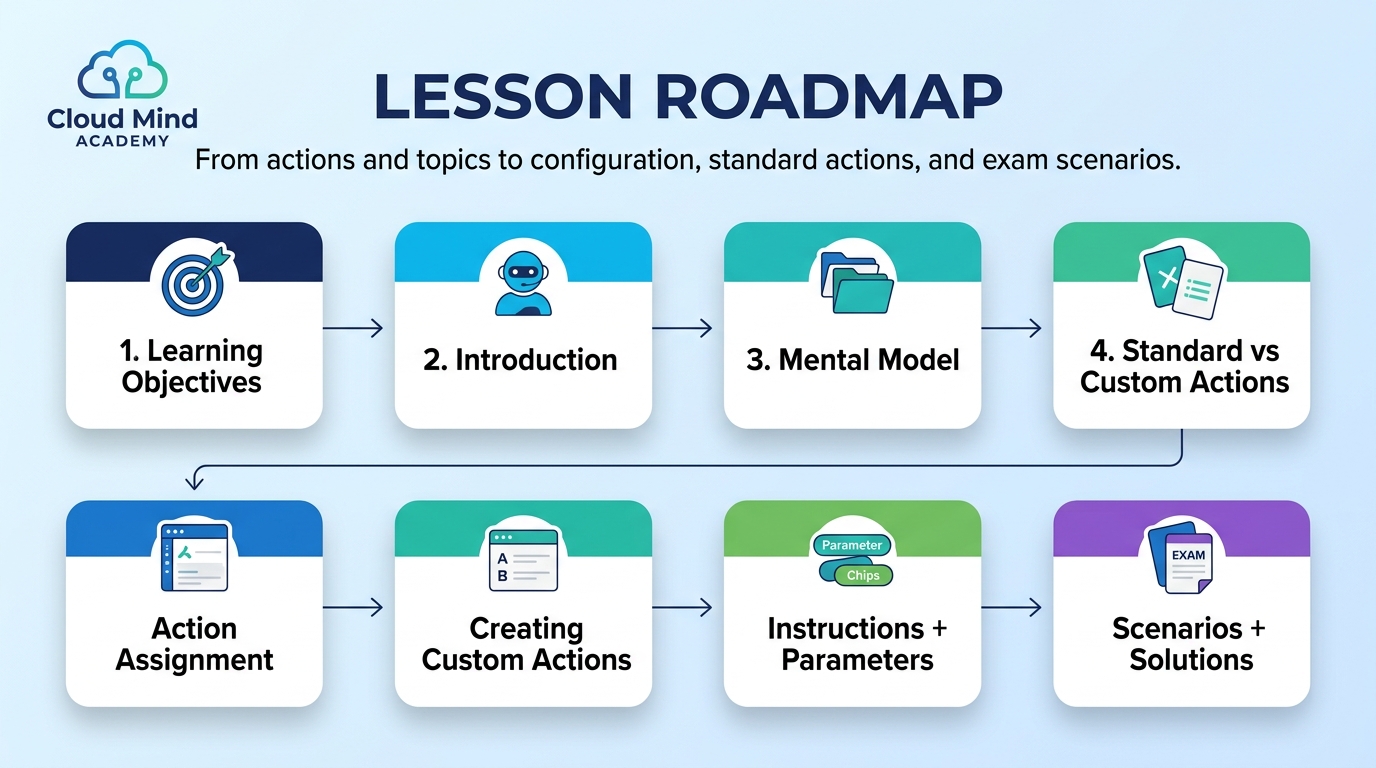
Learn how agents use standard and custom actions, how topics expose those actions, and how to select the right configuration for real business requirements (and exam-style scenarios).
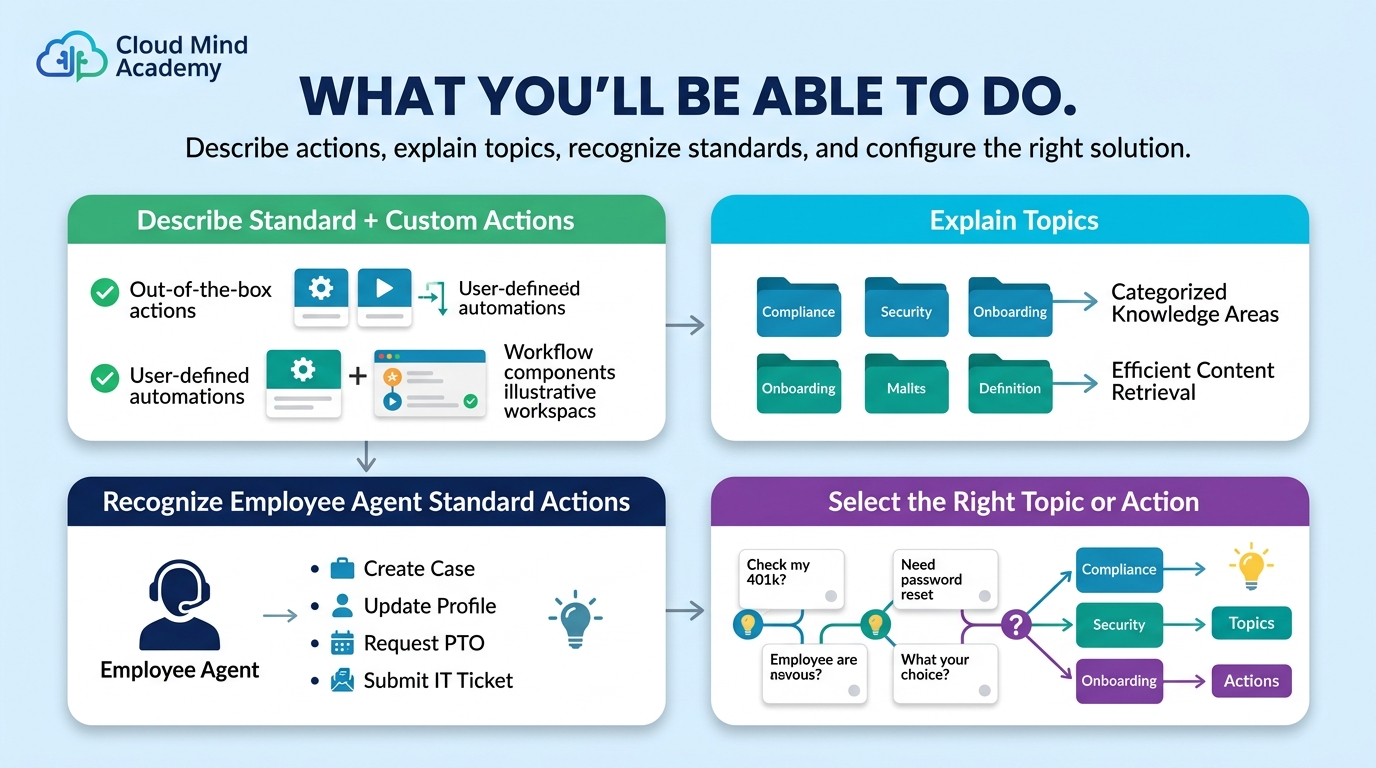
Agents (like the Agentforce Employee agent) can leverage standard actions and custom actions to complete tasks on behalf of Salesforce users. Standard actions are included by default for common work. Custom actions extend the agent for business-specific needs.
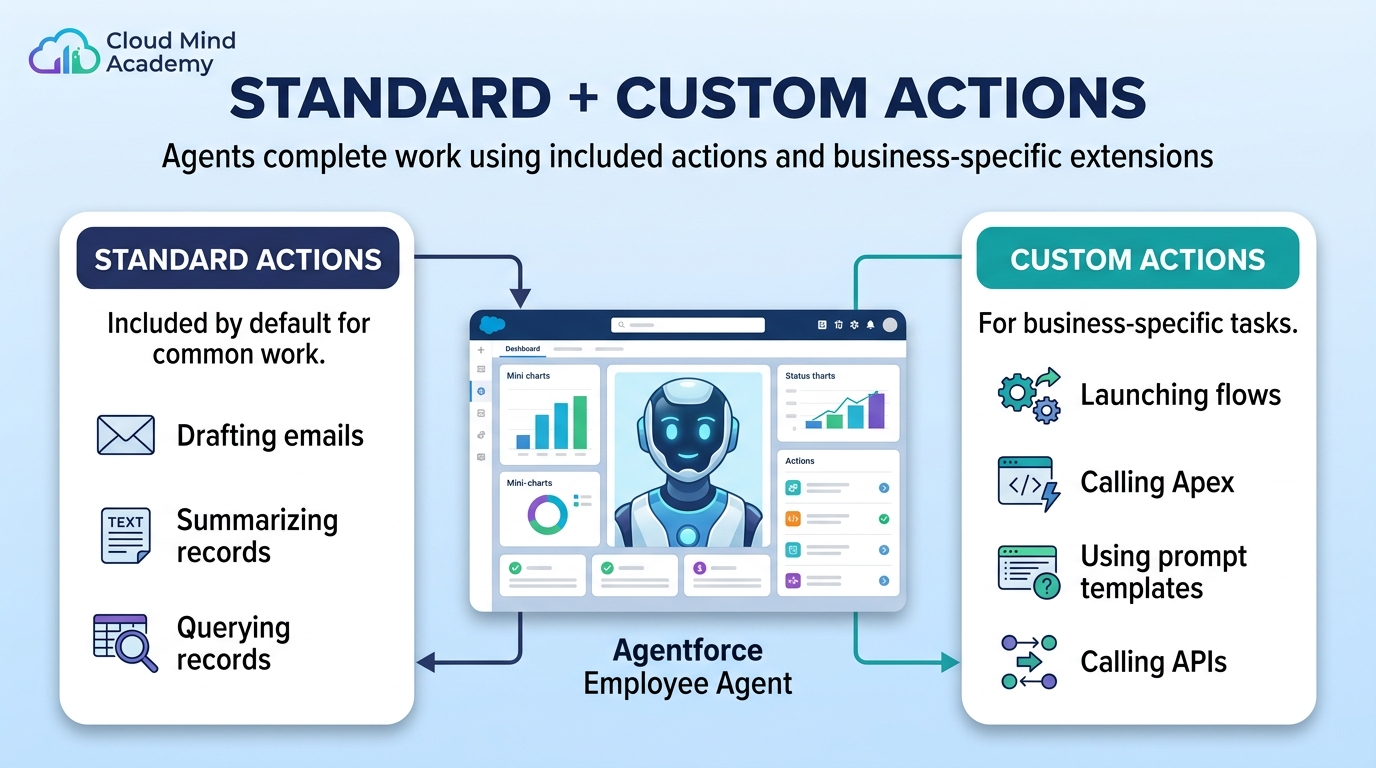
When creating a custom action, an Agentforce Specialist selects a Reference Action Type (Apex, Flow, Prompt Template, or API), then assigns actions to topics inside Agent Builder. You can also write instructions to clarify how an action should be used during conversations.

Actions are the specific tasks an agent can perform on behalf of users (drafting, summarizing, querying records, etc.).
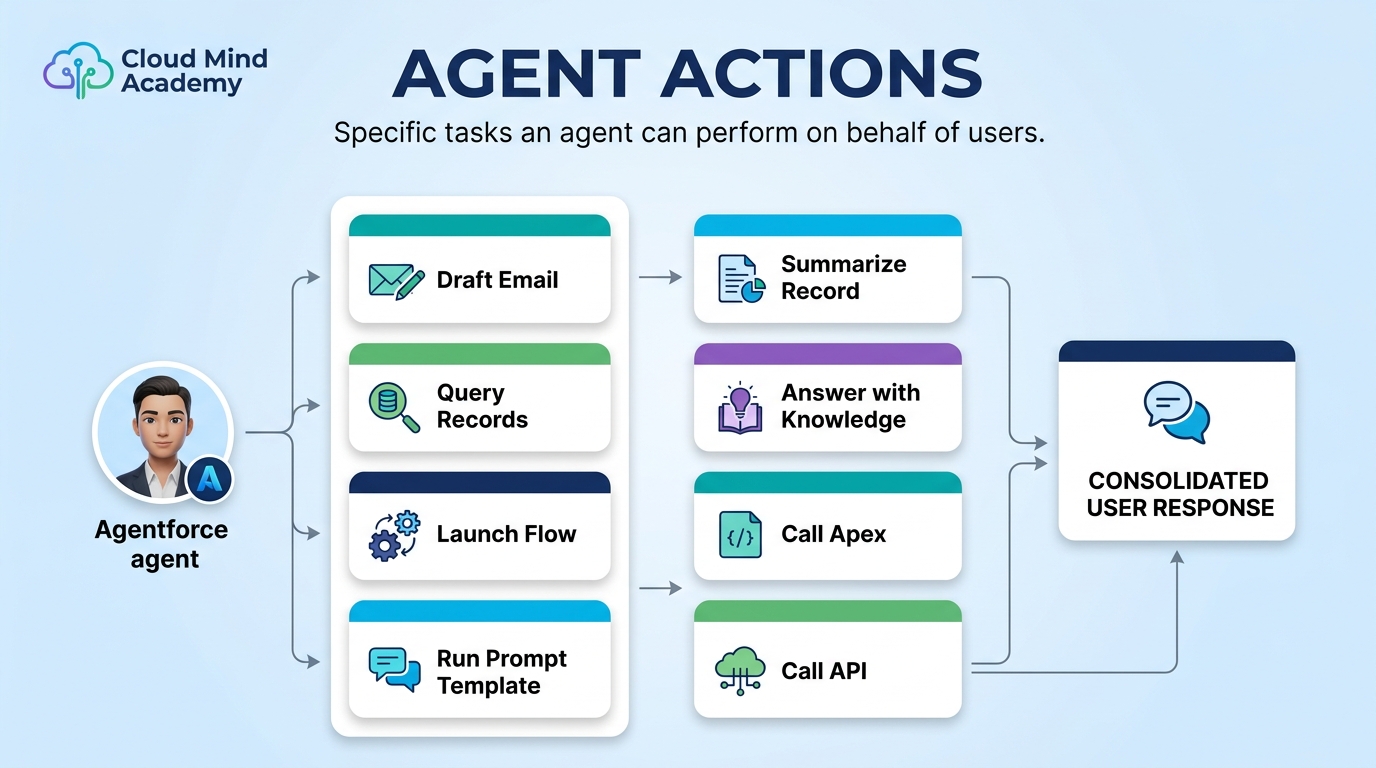
Topics group related actions for a “job” and provide classification, scope, and instructions to guide agent behavior.

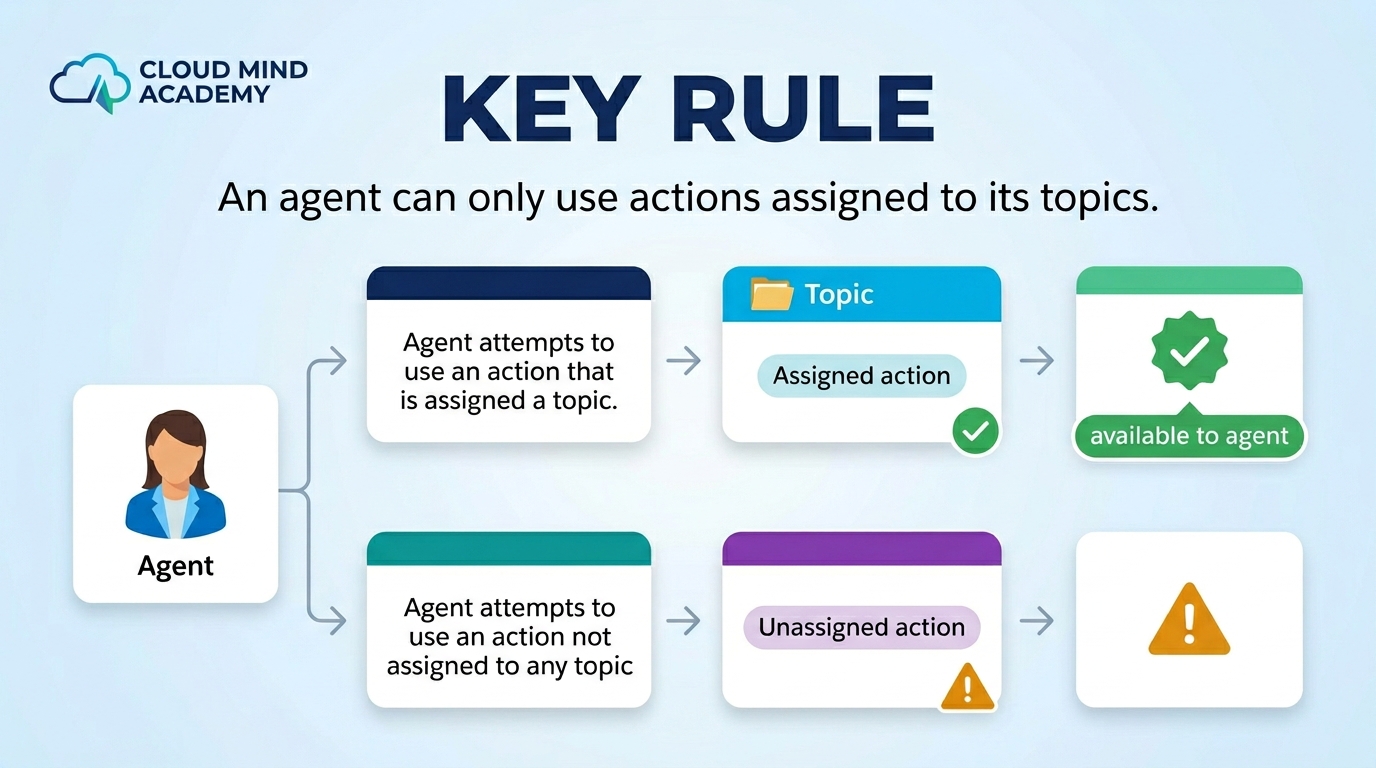


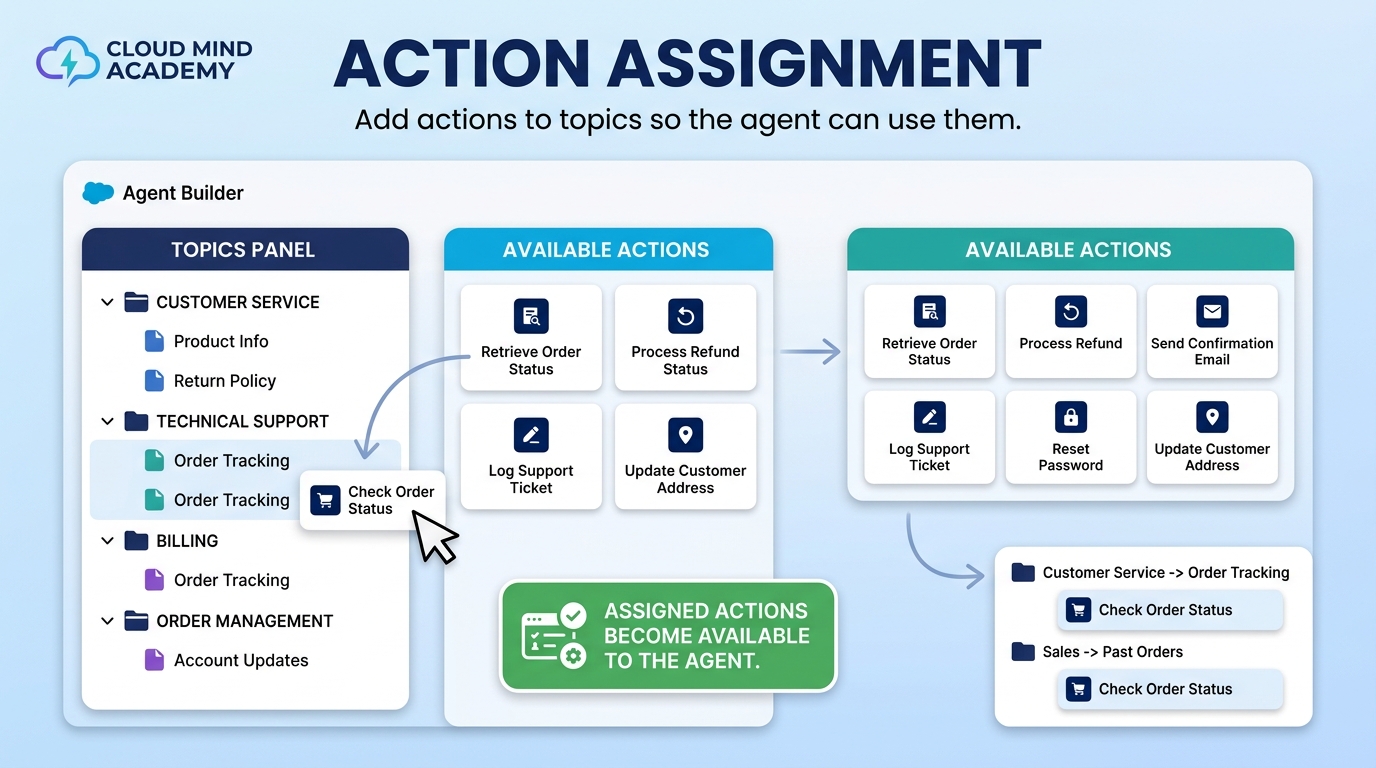
Action Assignment: An agent uses only the actions assigned to it. Actions are assigned by adding them to a topic (and one action can be added to multiple topics).
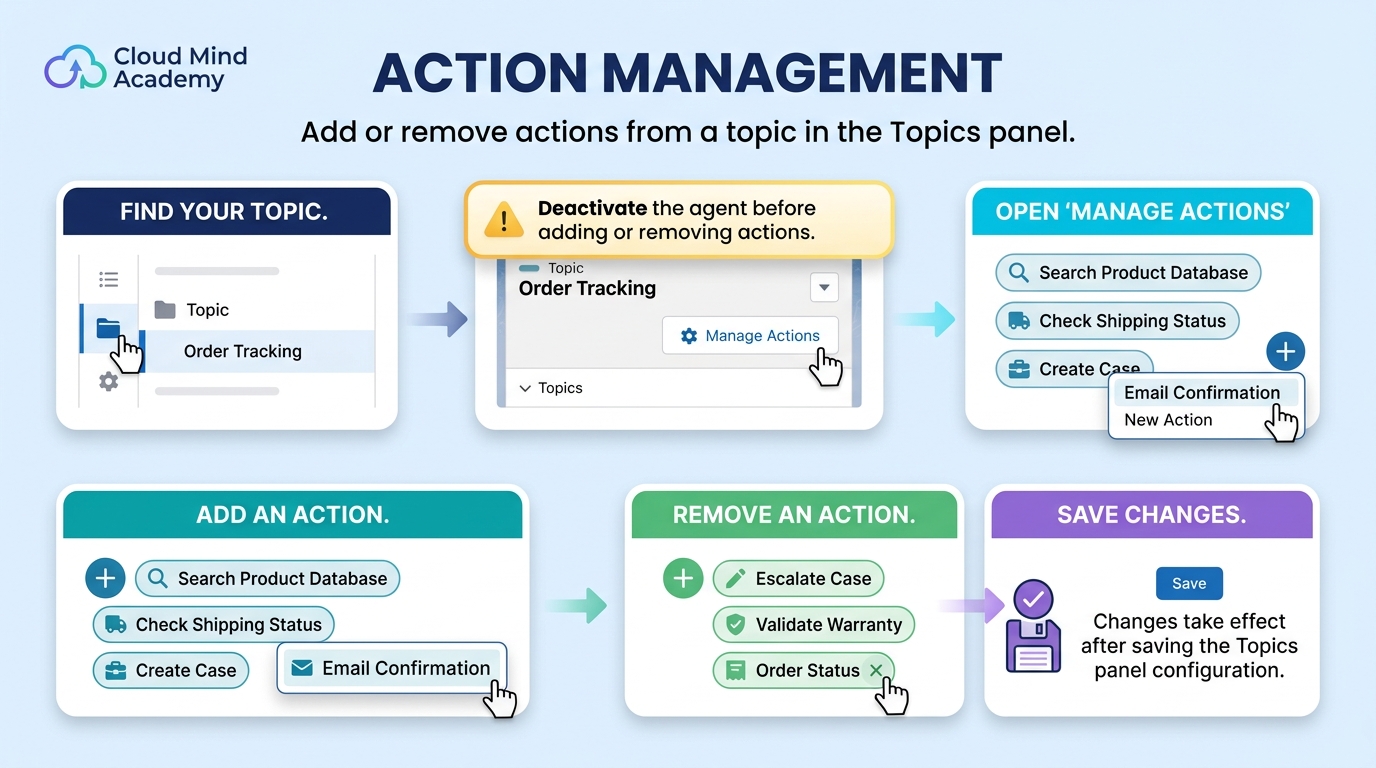
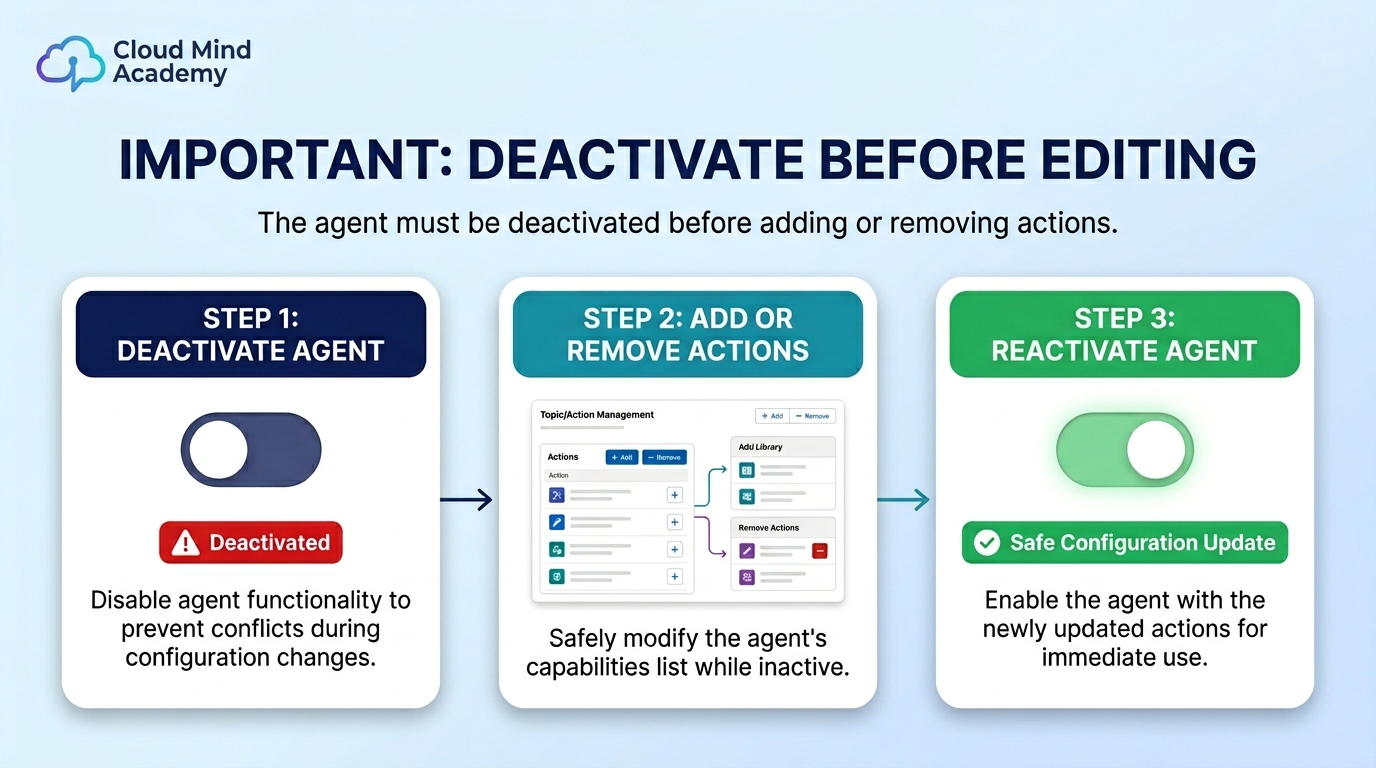
Action Management: Add or remove actions from a topic via the Topics panel in Agent Builder.
Create a custom action from Salesforce Setup by clicking New Agent Action on the Agent Actions page.
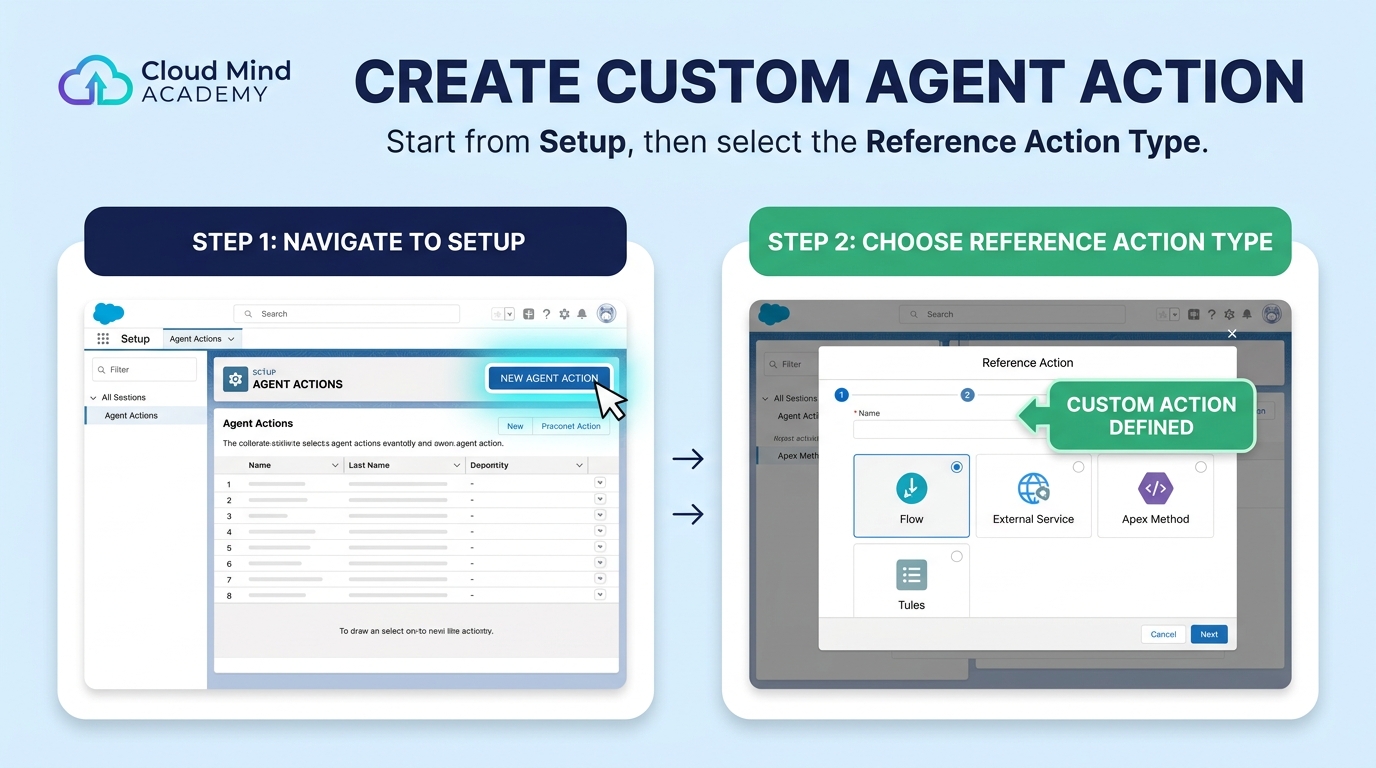
Then choose a Reference Action Type to define what the action launches.

Launch an invocable Apex class

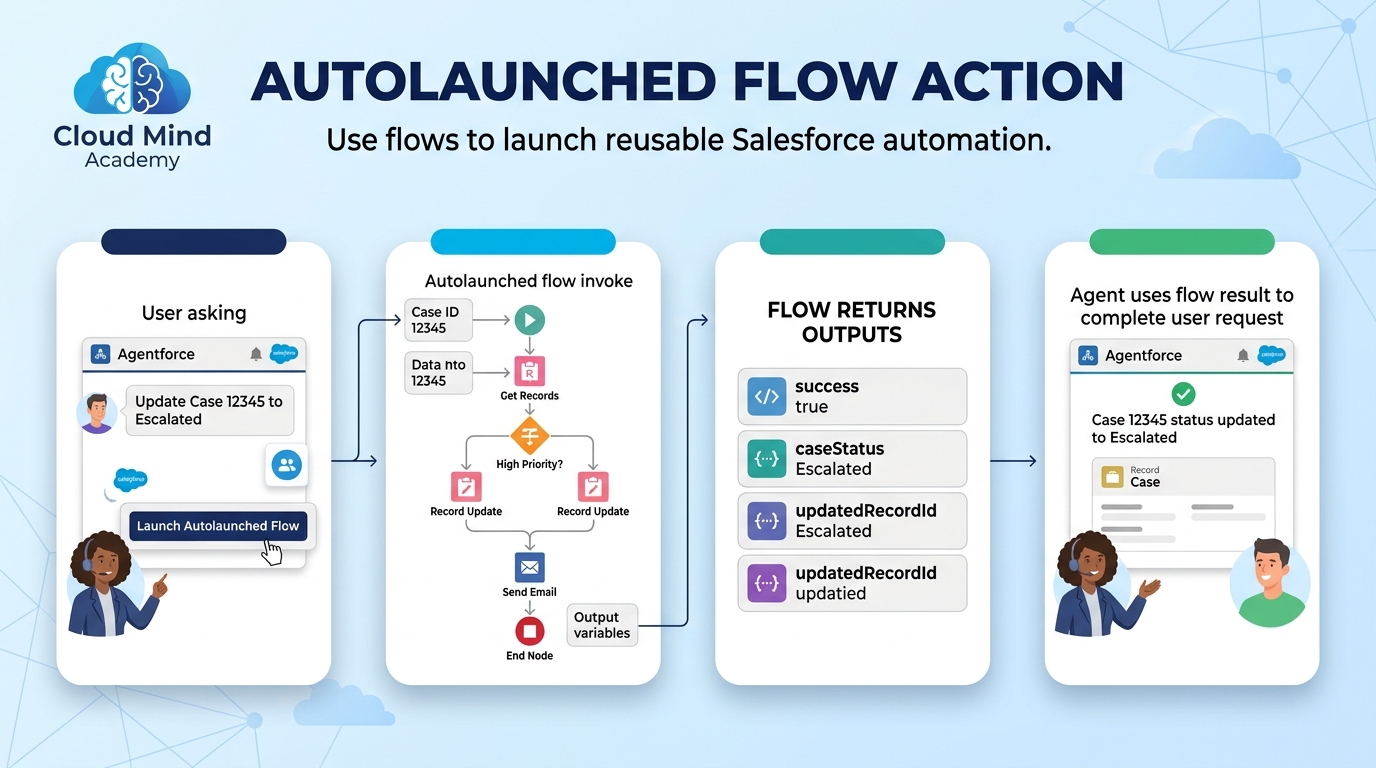
Launch an autolaunched flow
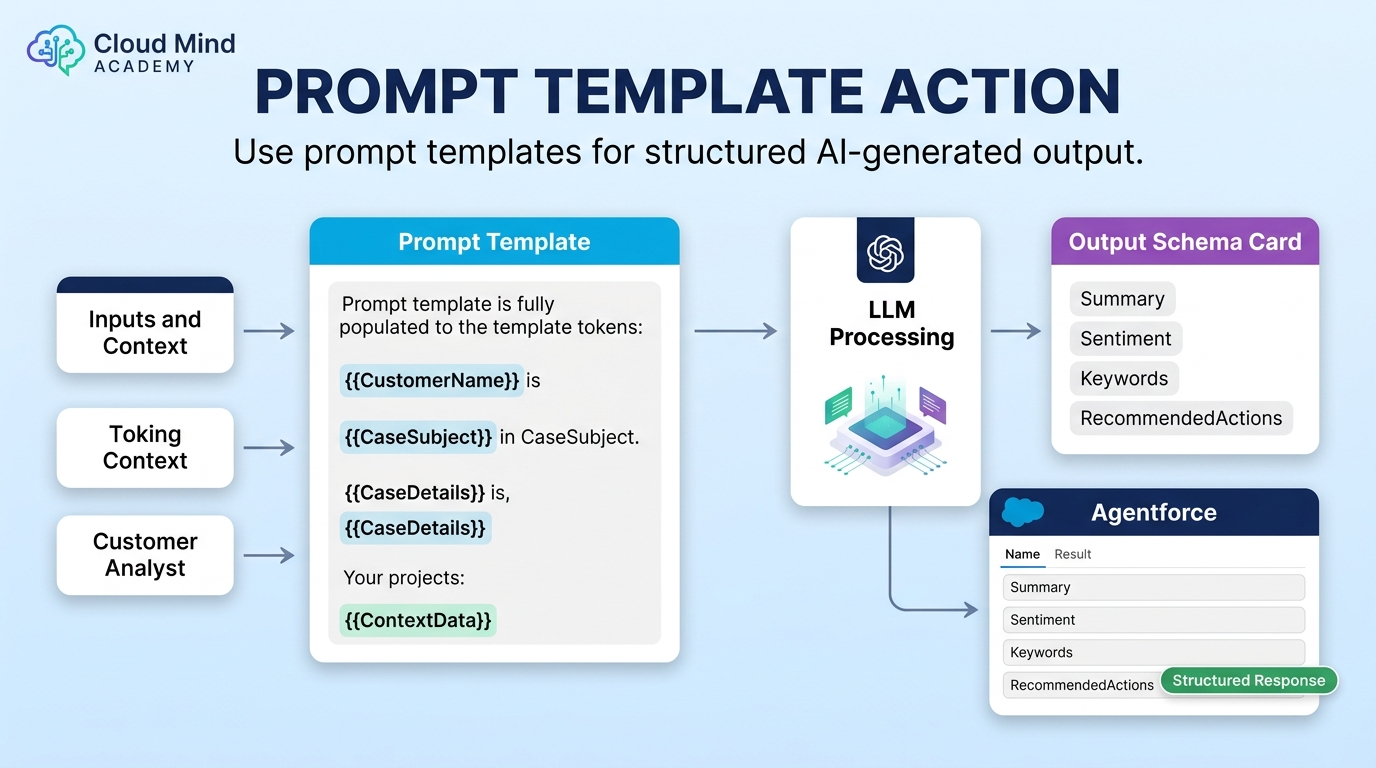
Run a prompt template for structured output
Call an external endpoint / integration

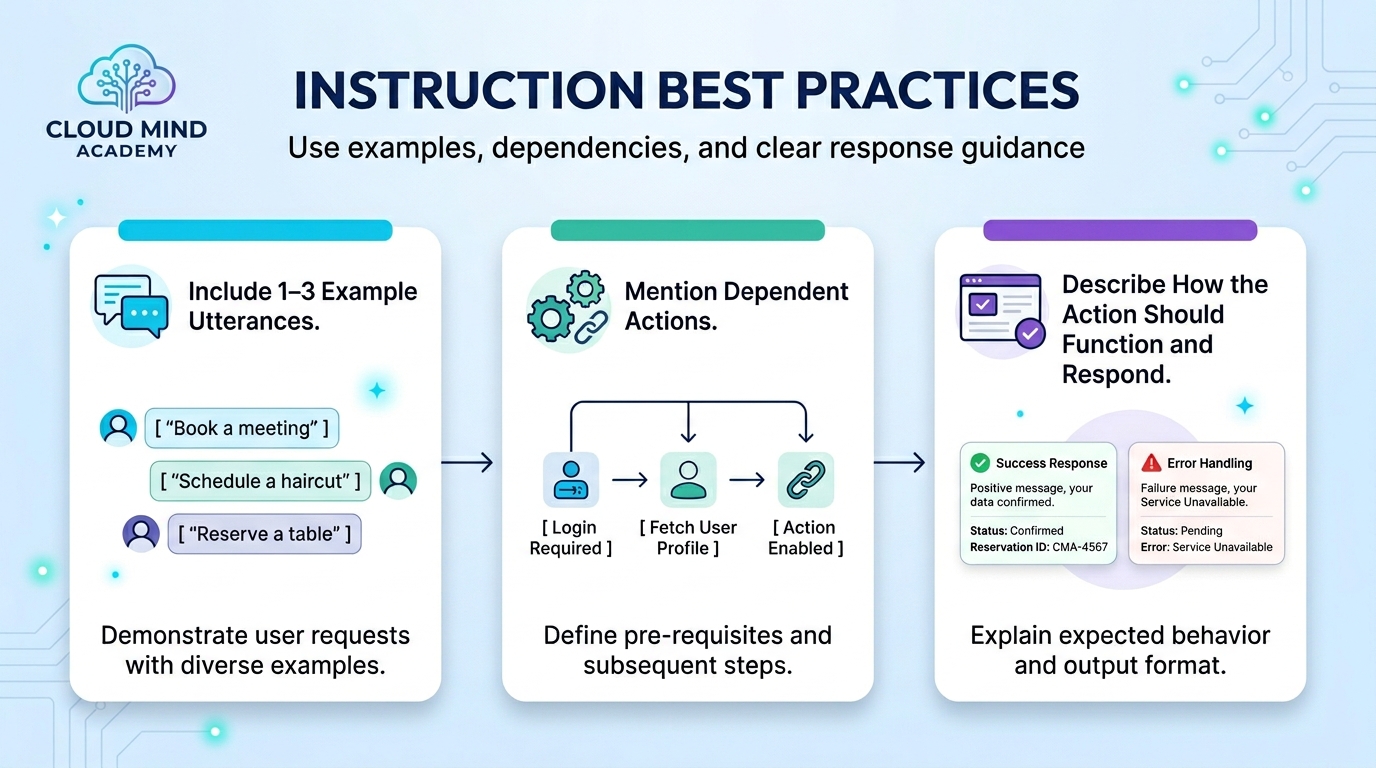
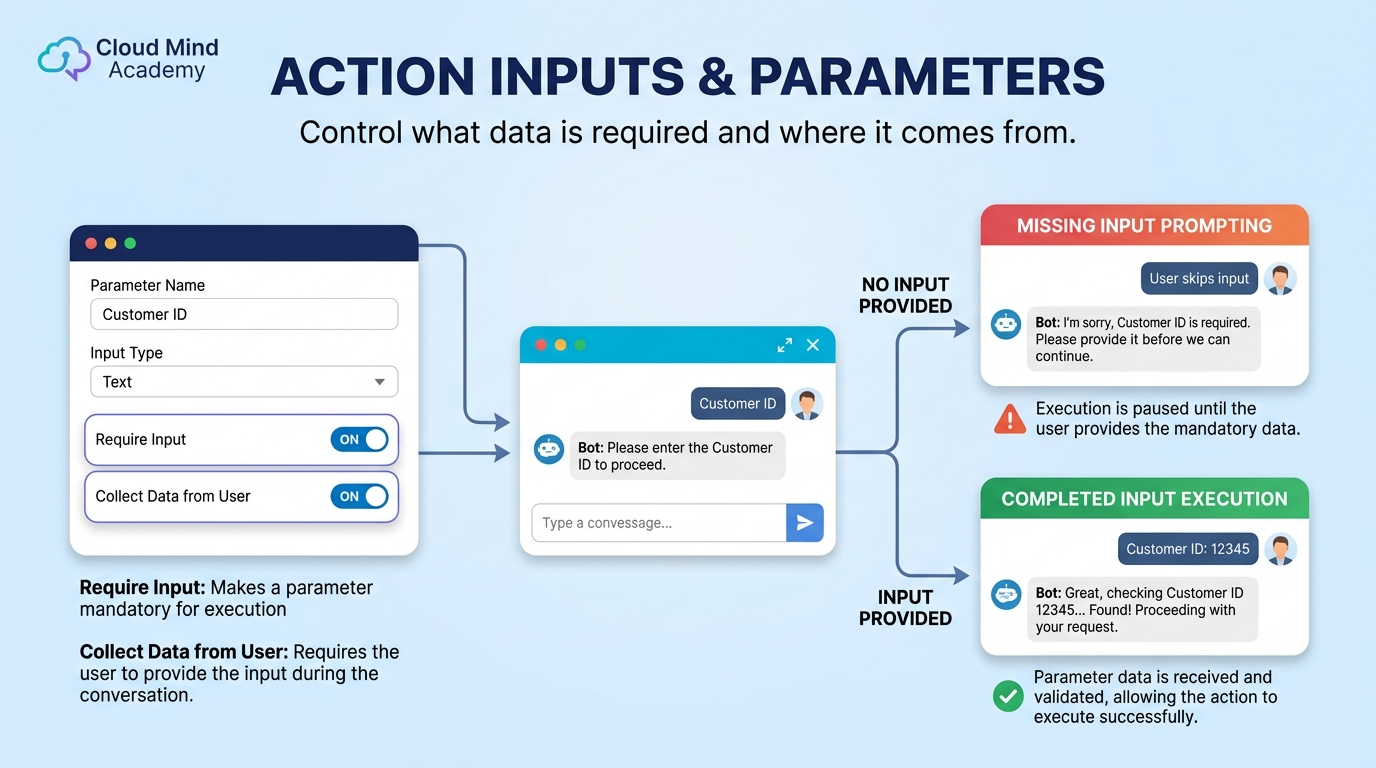
Instructions tell the agent what the action does and when and how to use it in a conversation. You can write instructions for: the action, its inputs, and its outputs.

Best practice for instructions:
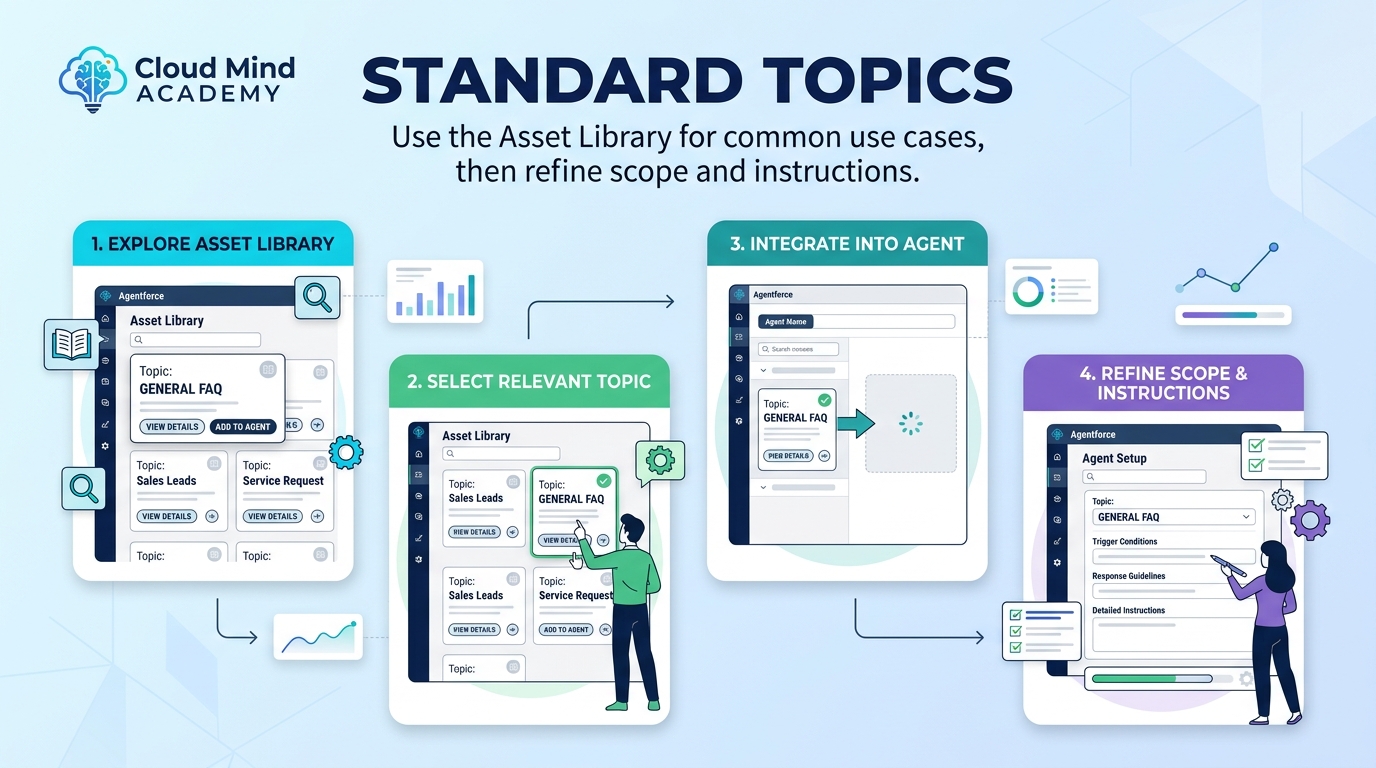
Various standard topics are available in the Asset Library. Use them for common use cases, then refine scope and instructions as needed.
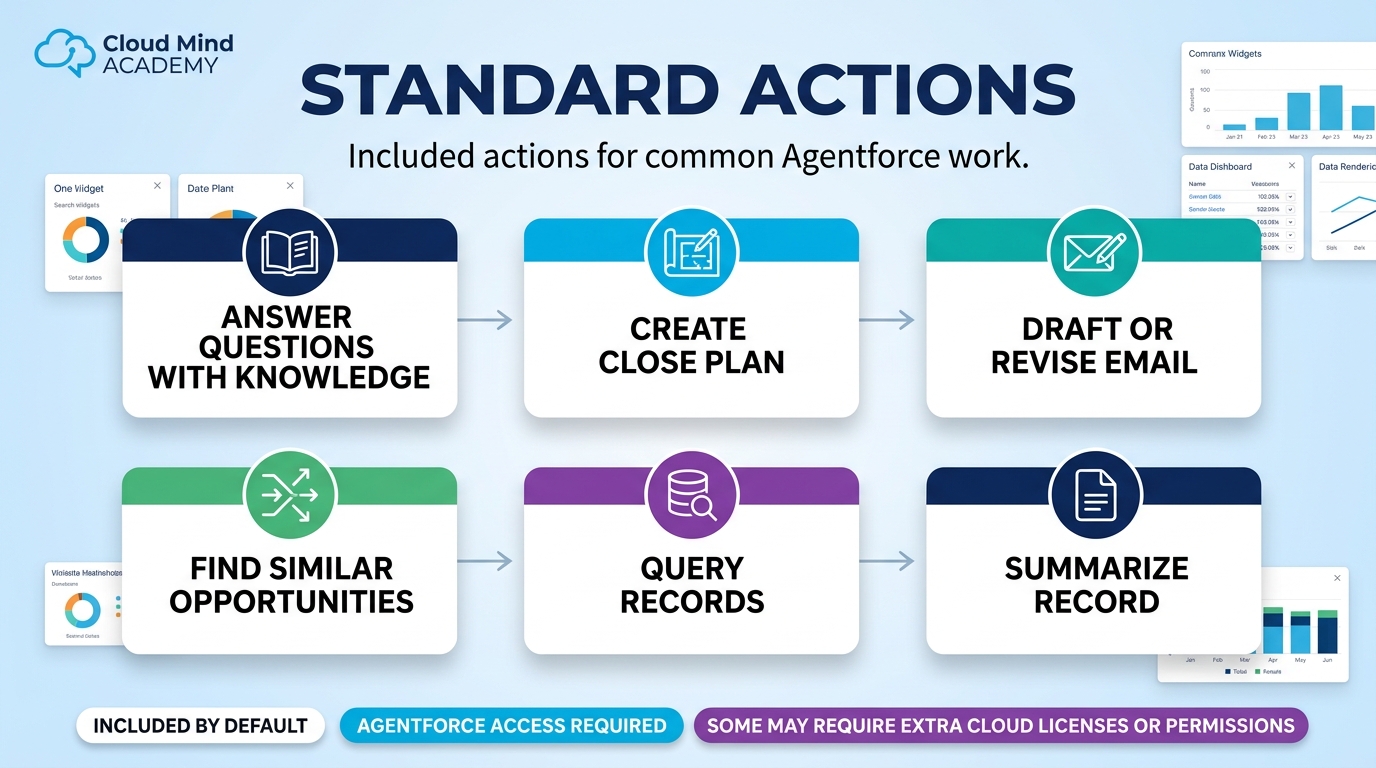
Use these as recognition anchors. When a request sounds common, a standard action is often the best fit.
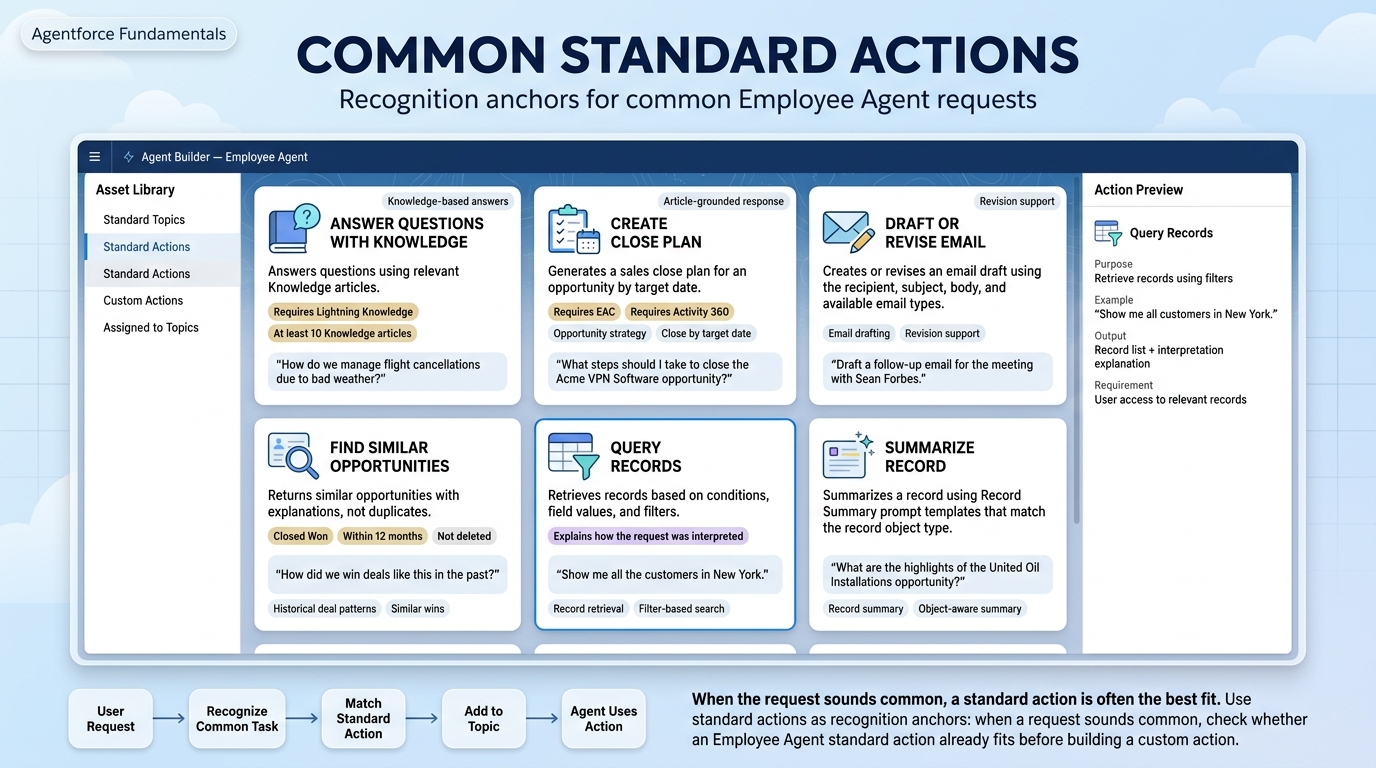
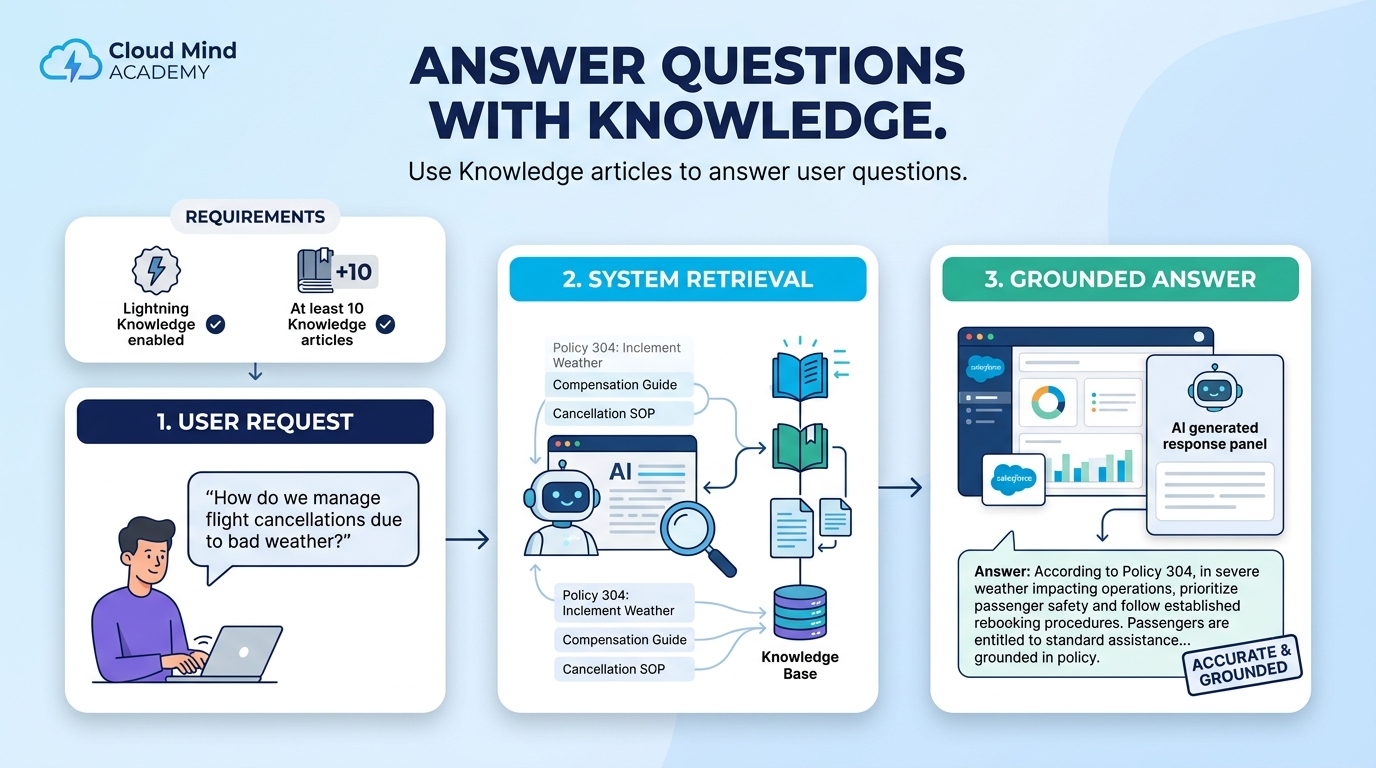
Answers questions using relevant Knowledge articles. Requires Lightning Knowledge enabled and at least 10 Knowledge articles.
Example: “How do we manage flight cancellations due to bad weather?”
Generates a sales close plan for an opportunity by target date. Requires Einstein Activity Capture (EAC) and Activity 360.
Example: “What steps should I take to close the Acme VPN Software opportunity?”

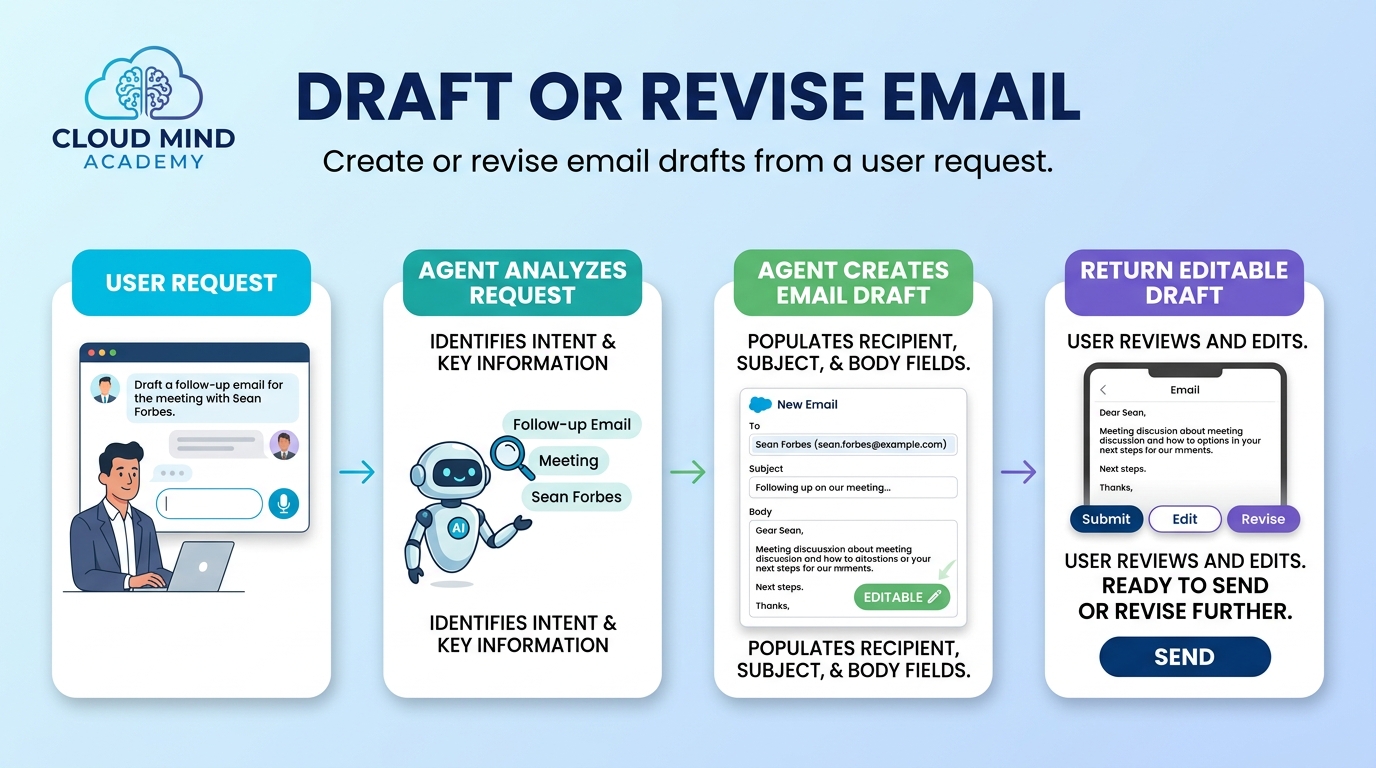
Creates or revises an email draft (recipient, subject, body) based on user request and available email types.
Example: “Draft a follow-up email for the meeting with Sean Forbes.”
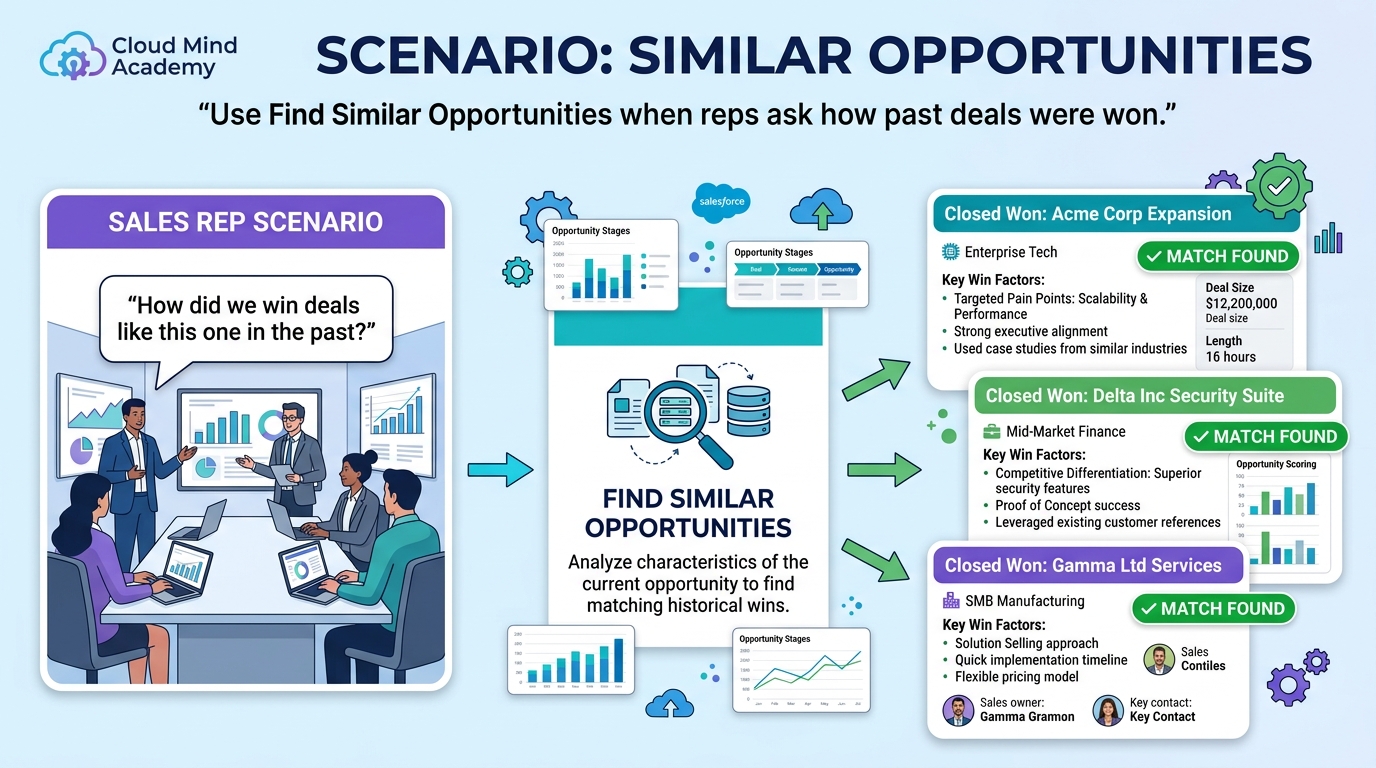
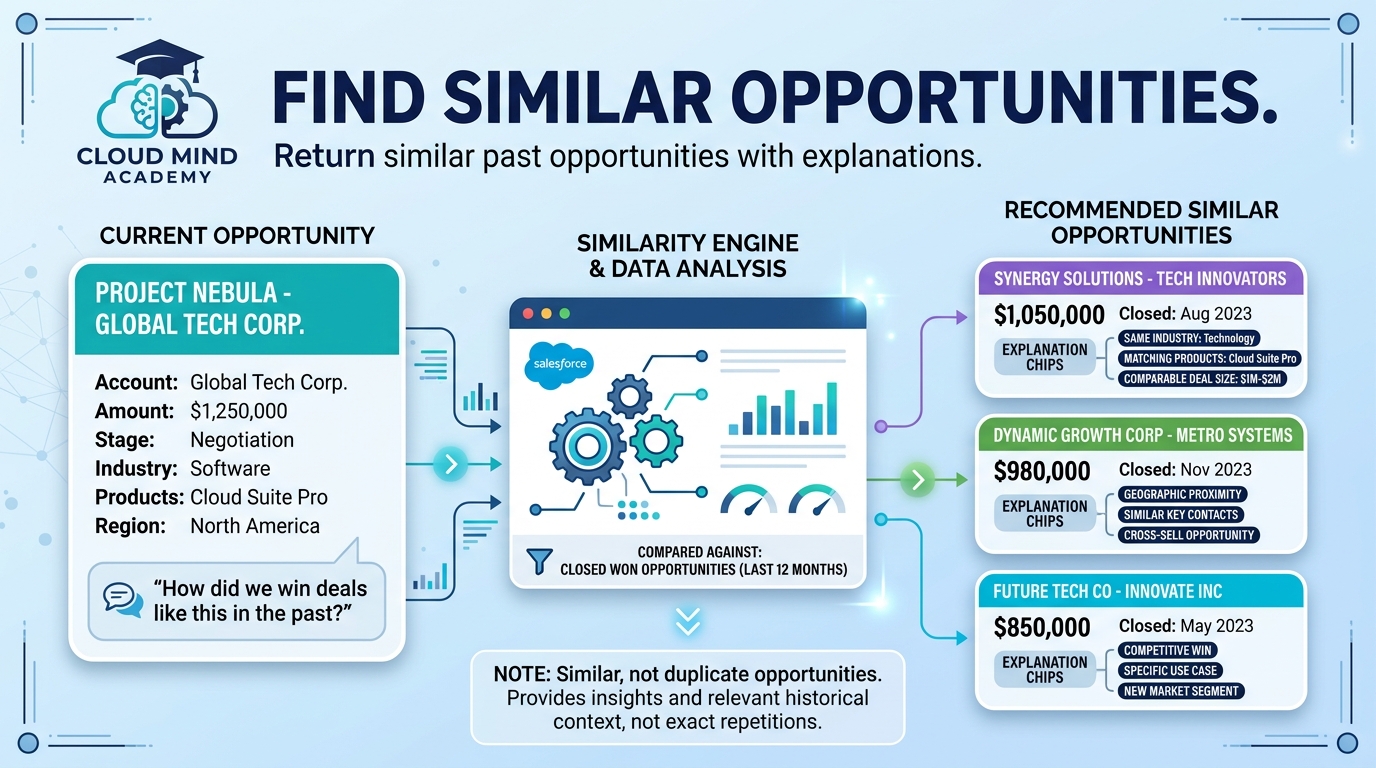
Returns a list of similar (not duplicate) opportunities with explanations. Matches Closed Won within 12 months and not deleted.
Example: “How did we win deals like this in the past?”
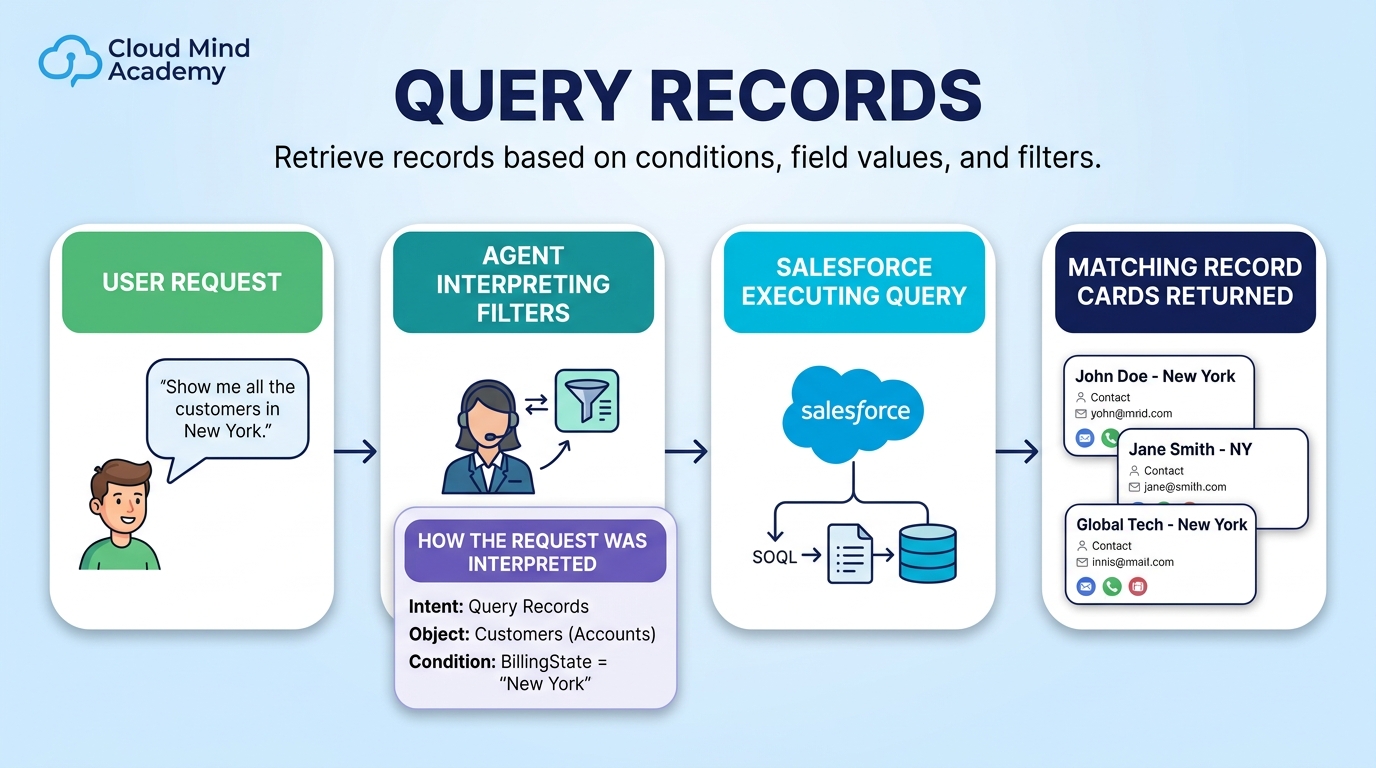
Retrieves records based on conditions (field values, filters) and explains how the request was interpreted to produce results.
Example: “Show me all the customers in New York.”
Summarizes a record using Record Summary prompt templates that match the object type of the record.
Example: “What are the highlights of the United Oil Installations opportunity?”

Practice matching the requirement to the right topic or action. This is the exact thinking pattern you’ll use on exam questions.
Build a custom agent that answers questions based on Knowledge articles about company services. You need to assign a standard topic.

Sales reps spend significant time writing follow-up emails. The business wants AI-generated drafts aligned with successful prior communications.

Sales reps want to ask: “How did we win deals like this one in the past?” The agent should identify similar opportunities.